This post contains affiliate links. We may earn a small commission when you buy through our links — at no extra cost to you.
Choosing a kids globe often means navigating a frustrating trade-off: interactive globes packed with videos and AR are engaging but can stop working within months, while simpler illuminated globes sometimes have tiny print that’s impossible to read. Parents end up with a decorative paperweight instead of a learning tool. This guide focuses on globes that actually deliver on their promise—reliable electronics, readable maps, and age-appropriate content. We’ve identified the options that strike the right balance between educational depth and mechanical simplicity, so you don’t have to gamble on a product that fails after the return window. For younger children, a globe that doubles as a nightlight can spark curiosity before bed, while school-age kids benefit from interactive quizzes and videos. The key is matching the globe’s features to your child’s age and your tolerance for troubleshooting. Whether you want a no-fuss constellation display or a tech-powered geography game, the right choice is one that your child will actually use—and that will still work next year.


Best for Interactive Learners
LeapFrog Magic Adventures Globe
Key Features
- Interactivity Type: Video screen, pen quizzes
- Size and Readability: 10.2-inch height
- Educational Depth: Videos, quizzes, facts
- Price: Premium
The 2.8-inch video screen streams BBC footage on cultures and animals while the pen-based quiz games turn geography into a game-like challenge. Most kids stay engaged for 20–30 minutes per session. A minority of units have reported stylus or screen failures within months, making a warranty a practical safeguard.
Best for families who value interactive engagement over a simple, low-maintenance globe. Households with tech-friendly children ages 5+ will get the most from the content library. Because electronics can be delicate, pairing this with an extended warranty helps protect the premium investment.
Pros
- Video content and quizzes create a highly engaging learning experience.
- Interactive games that kids genuinely enjoy playing repeatedly.
- Facts and videos teach about world cultures and animals in depth.
Cons
- Occasional stylus or screen failures within the first months; a warranty is advisable.
Buy this if your child loves interactive games and you want a globe that teaches geography through play. Skip it if you prefer a simple, low-maintenance globe with no electronic risks.
Best for Budget Nightlight
USA Toyz Illuminated Globe
Key Features
- Interactivity Type: Static map
- Size and Readability: 7.2-inch diameter
- Durability: Metal base
- Educational Depth: Constellations, basic geography
- Price: Budget
This globe stands out for its dual function as a static world map and a constellation nightlight, all in a well-built package that costs less than most illuminated globes. Unlike the top pick’s interactive video screen, this is a simple, dependable tool — no apps, no stylus. The 7.2-inch diameter limits readability of country names, making it better as a supplementary learning aid or bedroom nightlight than a primary geography resource. It’s ideal for families wanting a budget-friendly globe that offers both geography and astronomy basics, with a sturdy metal base and plug-in LED that avoids battery hassles. The compact size fits small desks or nightstands.
Pros
- Solid metal base and chrome stand keep the globe steady during use.
- The plug-in LED illuminates 88 constellations, creating a soft nightlight that kids enjoy.
- Teaches basic world geography and constellation recognition in one product.
Cons
- Small 7.2-inch diameter makes country names hard to read for young children.
- A minority of units experience LED failures after extended use.
Buy this if you want a budget-friendly illuminated globe that doubles as a constellation nightlight and has a sturdy build. Skip it if you need large, easy-to-read labels for early geography learners.
Best for Tech-Savvy Families
PlayShifu Orboot Earth
Key Features
- Interactivity Type: AR app (iOS/Android)
- Size and Readability: 10-inch diameter
- Durability: App-dependent
- Educational Depth: 1000+ facts, AR content
- Price: Premium
Unlike the top pick’s video screen, the Orboot Earth globe uses augmented reality to overlay 1000+ facts on animals, monuments, and cultures when viewed through a tablet or phone — making it the most content-dense option here. That depth comes with a catch: the companion app is notoriously buggy on many devices, with a significant number of reviews reporting it simply doesn’t work. This globe is best for tech-savvy families who can troubleshoot app issues and have a compatible iOS or Android device (no Amazon Fire support).
Pros
- Combines hands-on play with learning across 1000+ facts.
- Sparks curiosity through interactive AR exploration.
- High gift appeal with passport, stamps, and stickers included.
Cons
- App compatibility and reliability vary widely; many users report it doesn’t work.
- If the app fails, the globe offers limited standalone value.
Buy this if your child thrives on screen-based interactive learning and you have a compatible tablet to run the app.
Best for Miniature Decor
Annova Mini Antique Globe
Key Features
- Size and Readability: 4-inch diameter
- Durability: Stainless steel stand
- Price: Budget
This miniature antique globe stands out for its charming vintage appearance and smooth multi-axis rotation—details that make it a lovely desktop accent. Unlike full-size globes, the 4-inch diameter means country names are too tiny to read, so it’s best as a decorative piece or a toddler’s first visual reference. Craftsmanship reviews are overwhelmingly positive, and the price is budget-friendly. It suits collectors, interior decor, or a gift for adults and older children who appreciate miniatures. The trade-off: it’s not a functional learning tool for geography.
Pros
- Vintage aesthetic with good craftsmanship adds charm to any desk or shelf.
- Smooth multi-axis rotation allows easy viewing from any angle.
- Budget-friendly price for a decorative accent or small gift.
Cons
- Text is too small to read; purely decorative, not educational.
- Not suitable as a learning tool for young children.
Buy this if you need an affordable decorative globe for a desk, shelf, or as a unique gift for a collector. Skip it if you want a functional tool for teaching geography.
Best for Gift with Games
SMART WALLABY Illuminated Globe
Key Features
- Interactivity Type: Card game, constellation guide
- Size and Readability: 9-inch diameter
- Educational Depth: Constellations, card game
- Price: Mid-Range
Unlike basic illuminated globes, this set adds a constellation guide and a geography card game to create a multi-activity learning experience. The globe itself is well-finished and the LED nightlight mode is a hit with kids. However, the electrical components can be sensitive—several owners report bulb or wiring failures within a few months, and the 9-inch diameter feels smaller than typical desktop globes. This package is best for gift-givers who want a ready-to-play bundle with extras, and for children who handle their toys with care.
Pros
- Attractive design with a pleasing nightlight mode that doubles as a room lamp
- Comes with a separate constellation guide and interactive card game for extended play
- Bright LED illumination shows political and constellation maps clearly in dim light
Cons
- Occasional quality control variances with internal wiring and LED bulbs
- Smaller diameter than typical desktop globes, making country labels harder to read
Buy this if you want an all-in-one globe set with nightlight and learning games for a curious child; skip it if you need a long-lasting globe or prefer a larger, more legible map.
Best for Shifu Fans
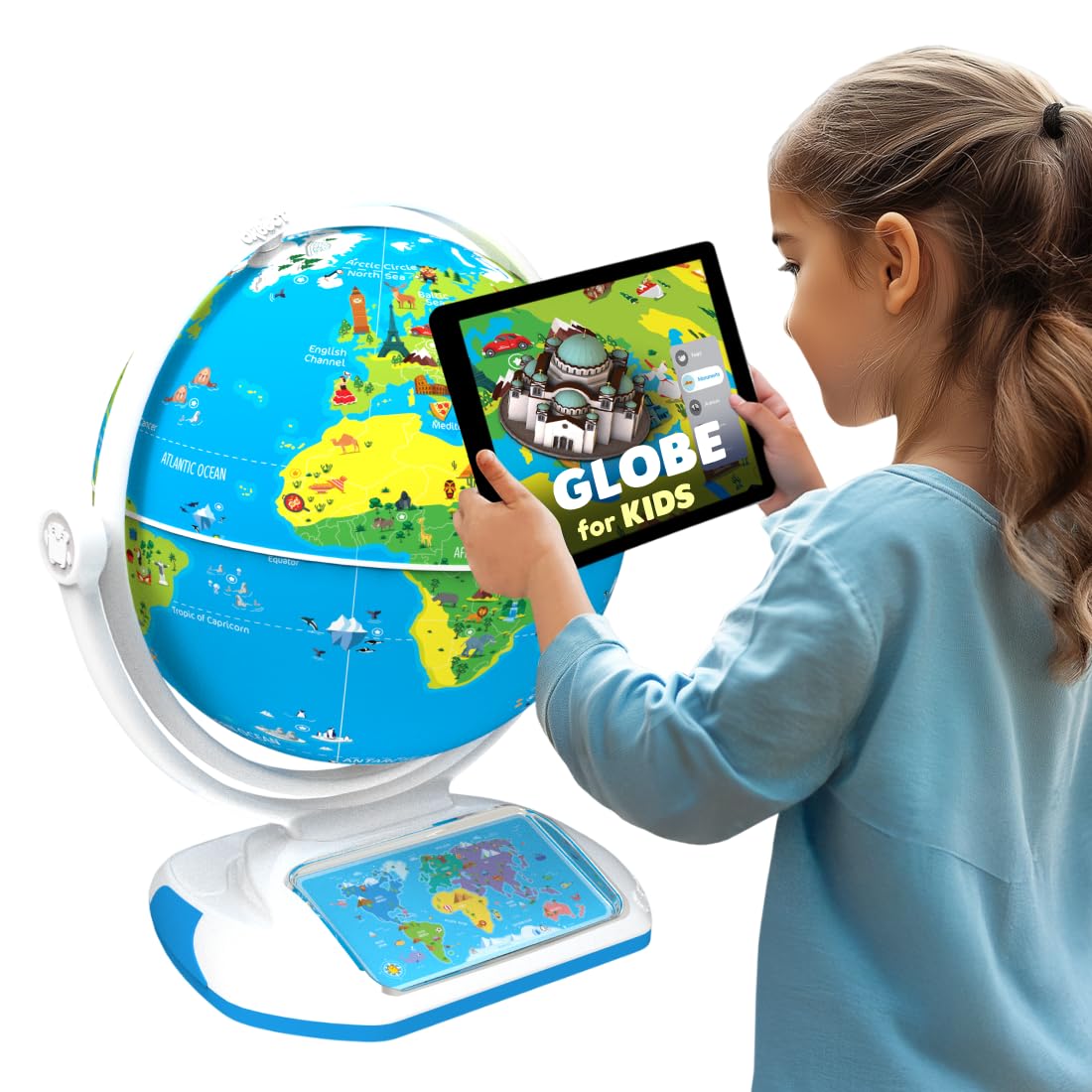
PlayShifu Orboot Earth Explorer
Key Features
- Interactivity Type: AR app + magic stylus
- Size and Readability: 10-inch diameter
- Durability: App-dependent
- Educational Depth: 1000+ facts, constellations
- Price: Premium
This version introduces a magic stylus and constellation mode for added interactivity, building on the same extensive AR library. However, the app reliability problems that affect the original persist, and the stylus is an extra component with potential quality variances. The price premium over the standard model isn’t justified unless you specifically want the constellation feature.
Pros
- Extensive AR content with 1000+ facts and 400+ wonders keeps kids engaged.
- Constellation mode lights up 60+ constellations for an extra learning dimension.
Cons
- App performance can be inconsistent, and the stylus is an additional component with potential quality variances.
Worth considering if you’re a Shifu fan wanting the latest edition with stylus and constellation mode.
Best for Casual Use
POOCCI Illuminated Globe

Key Features
- Interactivity Type: Static map, rewritable
- Size and Readability: 8-inch diameter
- Educational Depth: Basic geography
- Price: Budget
The dry-erase surface is a unique hands-on feature, allowing kids to write directly on countries. Bright illumination and clear text support casual geography exploration. However, occasional quality control variances with LED longevity and physical durability mean some units fail earlier than expected. This globe is best for families who treat it as a risk-acceptable learning toy rather than a long-term investment.
Pros
- Bright LED illumination enhances map readability during daytime or as a nightlight.
- Clear, easy-to-read map encourages kids to explore countries and capitals.
Cons
- LED and physical durability can fail prematurely in a small portion of units.
Worth considering if you want a rewritable globe for casual, supervised play and accept the possibility of early failure.
Best for Very Young Kids
Juvale 8" World Globe

Key Features
- Interactivity Type: Static map
- Size and Readability: 8-inch diameter
- Durability: Plastic stand
- Educational Depth: Color-coded countries
- Price: Budget
At the lowest price among 8-inch globes, this Juvale model offers a brightly colored political map that appeals to very young children. However, the plastic stand is unstable, the globe doesn’t spin smoothly, and the small font makes country names hard to read. It barely qualifies for casual visual reference and fails as a learning tool or durable toy.
Pros
- Bright, color-coded political map captures young children’s attention.
- Lowest cost among full-size globes, ideal for extremely tight budgets.
Cons
- Small 8-inch globe and tiny text make country names hard to read for most users.
Worth considering if you need a bare-bones visual globe for a toddler’s room and have almost nothing to spend.
How to Choose
A 10-inch or larger globe is recommended for children under 8 to read labels without frustration.
Interactivity Type
Decide between static globes, illuminated globes, and tech-driven options like AR or video screens. Static globes are low-maintenance and durable, while interactive ones offer deeper engagement but depend on electronics that can fail. For young children, a simple illuminated globe often provides the best balance of curiosity and reliability.
Illumination Quality
If you want a nightlight, look for a globe with a plug-in LED that shows constellations. Battery-powered globes tend to dim or fail faster. Constellation maps are a bonus but not essential for geography learning.
Size and Readability
Globes under 8 inches in diameter have tiny text that frustrates young readers. For ages 4–8, aim for at least 10 inches. A larger globe also makes it easier to point out countries and oceans during lessons.
Durability
Electronic components – styluses, screens, LED bulbs – are the most common failure points. Metal bases and simple mechanical rotation are more reliable than complex electronics. If you choose an interactive globe, consider a return-friendly retailer or extended warranty.
Educational Depth
Content matters more than gimmicks. The best globes offer factual depth – videos, quizzes, or curated facts – rather than just flashy lights. For tech globes, check that the content is age-appropriate and regularly updated.
FAQ
Why does my LeapFrog Magic Adventures globe stop working?
The most common issue is a faulty stylus or loose connection in the screen assembly. Try cleaning the stylus tip and ensuring the batteries are fresh. If the problem persists, contact LeapFrog support; many users report successful replacements under warranty. Because this affects a small minority of units, consider buying from a retailer with a generous return policy.
How to fix Orboot app that won’t recognize the globe?
First, check that your tablet or phone is on the compatible device list on the Shifu website. Restart the app and device, then re-calibrate by following the in-app instructions. If the issue continues, uninstall and reinstall the app. A significant number of users find the app simply doesn’t work on certain devices, so verify compatibility before purchase.
What size illuminated globe is best for a 5-year-old?
A globe with a diameter of 10 inches or larger is ideal. Smaller globes under 8 inches have text that is too tiny for young children to read independently. The USA Toyz 7.2-inch globe, for example, is better as a nightlight than a learning tool for this age. For a 5-year-old, prioritize readability over portability.
Are interactive globes worth the money for kids?
Yes, if your child is tech-inclined and you have a compatible device. Interactive globes like LeapFrog and Orboot offer deep engagement that static globes cannot match. However, they come with a reliability risk and require troubleshooting. For the price, you get a richer learning experience, but a simple illuminated globe is a safer, more durable choice for casual use.