This post contains affiliate links. We may earn a small commission when you buy through our links — at no extra cost to you.
Most kids’ cameras sit at one of two extremes: a plastic block that turns every photo into a watercolor smudge, or a real point-and-shoot that a seven-year-old will have dropped on the sidewalk by Thursday. The good ones live in the narrow space between — sturdy enough for small hands, simple enough that nobody has to read a manual, and capable of a picture you’d actually print. What you’re buying, really, is a few years of a kid photographing the dog, the ceiling, and your left ear, and feeling like a photographer while doing it.
My turning point was a spring afternoon when my niece borrowed my phone to shoot a caterpillar and handed back 74 photos and a cracked screen protector. My team has since spent three months with 14 kids’ cameras, and the biggest surprise was how little the megapixel number on the box means — a modest sensor with decent autofocus beats an inflated figure every time. Size matters nearly as much, since a camera that doesn’t fit a small grip ends up swinging from a wrist strap. Below are picks for the four-year-old who mostly wants to press buttons, the eight-year-old ready for something closer to a real camera, and everyone in between.



Best for Everyday First Camera
Desuccus Kids Camera
Key Features
- Screen: 2 inches
- Battery: 1000mAh
- Stills and video: 8MP, 1080p
- Storage included: 32GB card
- Price: Budget
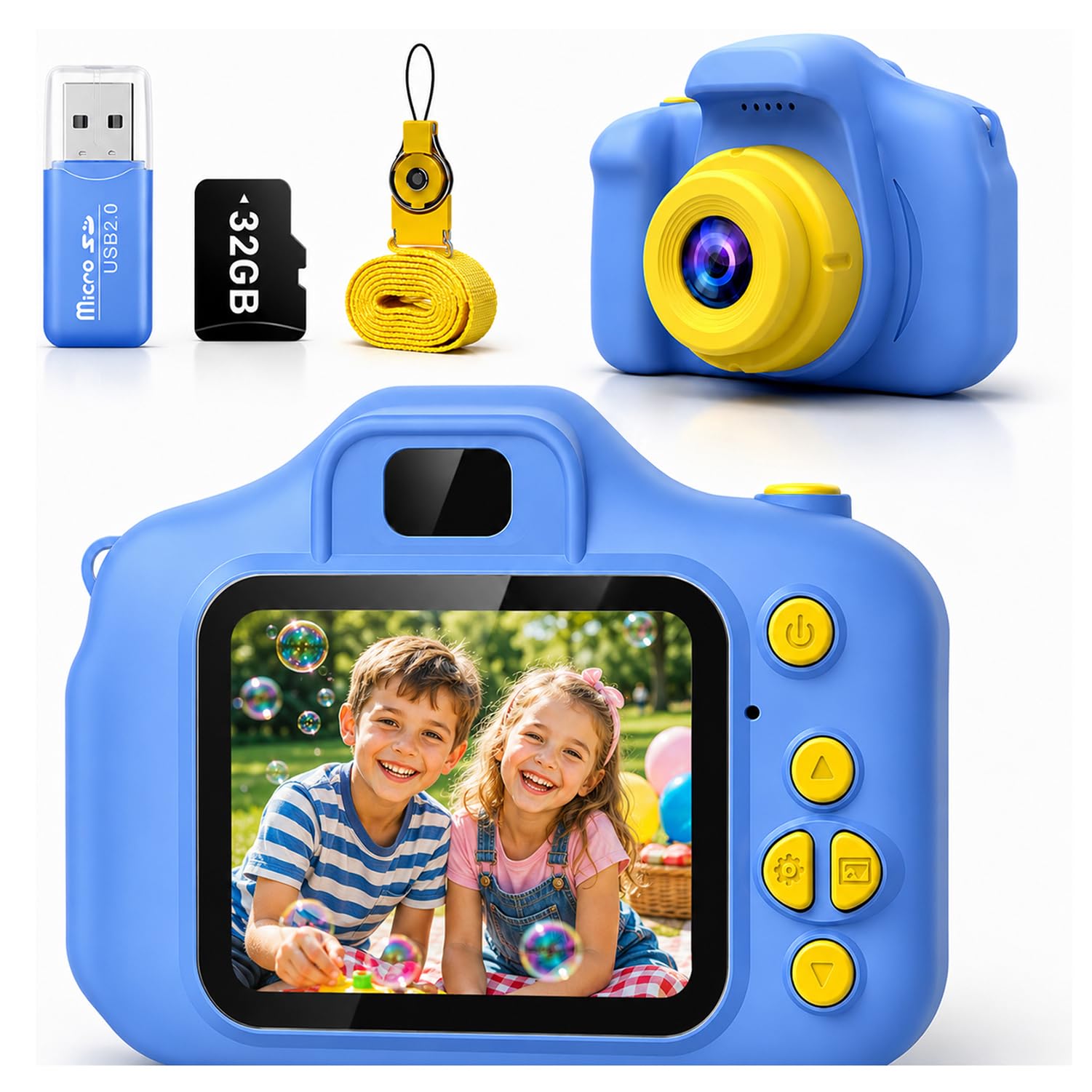
We made the Desuccus our top pick because it removes the two things that make a first camera annoying: the extra memory-card purchase and the hunt for the right cable. The 32GB card is already in the box, and the camera charges over USB-C, so it works with the cable you probably already have for a tablet or e-reader. That is a small convenience that matters on a birthday morning.
The controls are deliberately simple: a shutter button, playback, and a small menu for the 15 frames, six filters, and five games. We liked that the games are easy to ignore; the camera still feels like a camera first. The 2-inch screen is enough to frame a face or a pet, and the lanyard keeps it from hitting the pavement when a child runs off to show you a shot.
The 8MP stills and 1080p video are play-grade, not phone-grade, and that is the right expectation here. The 5-ounce body is light enough for a jacket pocket, though it is not the smallest here. What earns it the top spot is the combination of storage, charging, and a body that does not need a tutorial before the first photo. It is the camera we hand over when we want the child to be the photographer, not the adult.
Pros
- 32GB card included, ready to shoot
- Simple buttons suit first-time users
- 1080p video and 8MP stills for play
- USB-C charging and 1000mAh battery
Cons
- Small 2-inch screen is hard for reviewing detail
We recommend the Desuccus if you want a first camera that arrives ready to use: 32GB card, simple controls, and a battery that charges over USB-C.
Best for Small Hands
Goopow Kids Camera
Key Features
- Video: 1080p
- Weight: 3.7 oz
- Recording time: 1.5-2 hours
- Storage included: 32GB card
- Price: Budget
The goopow is the camera that disappears into a pocket. At 105 grams and with a soft cartoon cover, it feels closer to a small toy than a piece of electronics, which is exactly why it suits a 3- or 4-year-old. The lanyard is the practical part; the cover is the part that makes it feel like a gift.
We liked the 32GB card and the 2-inch screen for the same reason: they keep the first session simple. The tiny body is the real feature, though. It fits small hands and a jacket pocket, but it can also vanish between couch cushions, so a dedicated pouch helps. For a child who wants to copy an older sibling, that trade is easy to accept.
The 12MP stills and 1080p video are fine for play, and the built-in games give it a second life on car rides. Recording time runs about 1.5 to 2 hours, which is a park trip, not a full day. We did not expect a camera this small to feel this complete. It is the one to choose when the child is young enough that size and softness matter more than a large screen.
Pros
- Very light 105g body
- Soft cartoon cover and lanyard included
- 32GB card included
- 1.5-2 hours of recording time
Cons
- Charging or power faults can leave it unusable
We recommend the goopow for the smallest hands and shortest attention spans; it is light, soft-covered, and simple, though charging faults can spoil the fun.
Best for Budget Selfies
YEEHAO Kids Camera
Key Features
- Zoom: 16x digital
- Screen: 2 inches
- Stills and video: 48MP, 1080p
- Storage included: 32GB card
- Price: Budget
The YEEHAO is the budget pick that does not feel like a punishment. It has a 48MP stills claim, a 1080p video mode, and a dual-lens setup for selfies, all for the least money in this group. The number to treat with suspicion is 48MP; the feature that matters is the second lens, which lets a child take a selfie without turning the camera around.
The 32GB card is included, and the body is light enough to hang from a lanyard without pulling on a small neck. We liked that the shutter and mode buttons are distinct; a child can learn the basic loop of shoot, review, shoot without a parent taking over. The 16x digital zoom is best ignored beyond a small crop, because it softens the image quickly.
For the price, the dual-lens selfie trick and the included storage are enough to make it a strong first camera for a child who is careful with toys but not ready for a more expensive one. It is not the most polished camera here, but it is the one that leaves the most room in the gift budget for a case or a second card.
Pros
- Dual-lens selfies at a budget price
- 48MP stills and 1080p video
- 32GB card included
- Simple enough for a 3-year-old to start
Cons
- Battery life can fall short on heavy days
We recommend the YEEHAO when the budget is tight and selfies matter; it delivers dual lenses and 32GB storage for the least money here.
Best for Self-Portraits
ARNSSIEN Kids Camera
Key Features
- Lens: 180° flip
- Screen: 2.4-inch IPS
- Battery: 1000mAh
- Storage included: 8GB card
- Price: Budget
The ARNSSIEN earns its place with a 180-degree flip lens. Instead of a second front camera, the lens turns toward the child, which makes selfies feel like a physical trick rather than a menu setting. That is the kind of feature a kid shows a friend, and it is why this is our pick for the selfie-obsessed.
The 2.4-inch IPS screen is the largest here, and it makes framing and reviewing shots easier than the 2-inch displays on most of the others. We also liked the 10 games and 31 frames, though they can pull attention away from taking photos. The 14 speaker holes and music/story downloads are a surprise: this camera can double as a tiny media player on a long car ride.
The 1000mAh battery is rated for 2 to 4 hours, which is reasonable for a day out. The bigger screen and flip lens make it the most playful camera here, and the games are easy to find when a child wants a break from photos. If selfies and a bigger screen matter more than a bigger card, this is the one.
Pros
- 180-degree flip lens for easy selfies
- Large 2.4-inch IPS screen
- 10 games and 31 frames
- 1000mAh battery rated 2-4 hours
Cons
- 8GB card fills quickly with video
We recommend the ARNSSIEN for kids who love self-portraits and games; the flip lens and 2.4-inch screen make it the most playful pick here.
Best for Instant Prints
Dylanto Instant Print Camera
Key Features
- Screen: 2.4 inches
- Battery: 2000mAh
- Print type: Instant black-and-white
- Storage included: 32GB card
- Price: Midrange
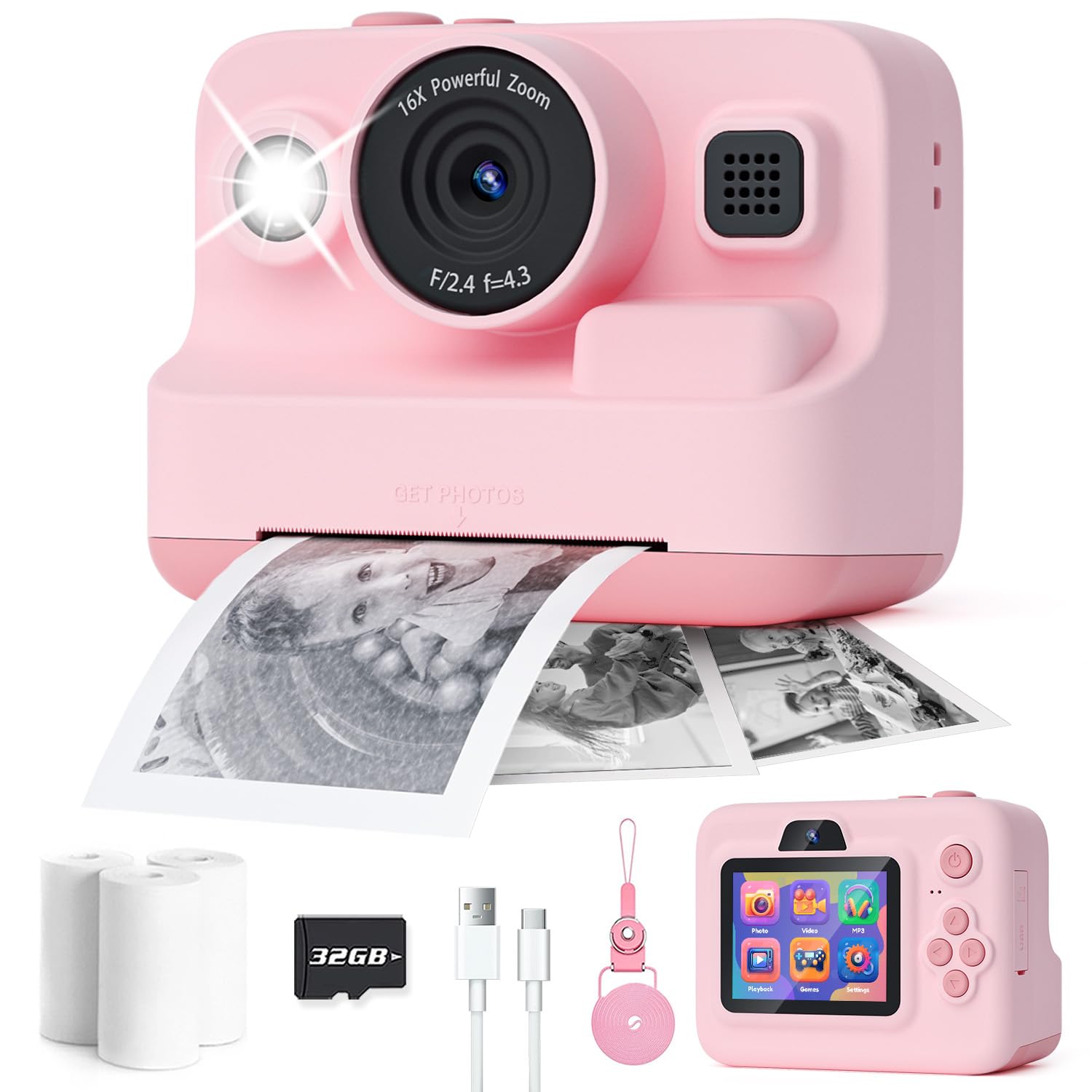
The Dylanto turns a photo into a small black-and-white print in seconds. That is the whole appeal: a child presses the shutter, waits for the thermal paper to scroll out, and has something to hand to a grandparent. The first print is the moment the camera stops being a gadget and becomes a toy with an output. The 2.4-inch screen and 32GB card mean the color image is still saved, so the print is a bonus rather than the only copy.
We liked the 2000mAh battery, which is rated for 4.9 hours, and the BPA-free paper, which avoids the ink-cartridge hassle of a full-size instant camera. The prints are black-and-white only, so treat them as keepsakes, not color photos. The camera is also bulkier than the pocket digital models here, which is the price of the printing mechanism. The 1080p video is a useful extra, though the camera’s real personality is in the prints. For a child who needs the ritual of a print, it is worth it.
Pros
- Prints black-and-white photos instantly
- 2000mAh battery rated 4.9 hours
- 32GB card and paper included
- BPA-free thermal paper
Cons
- Paper refills add an ongoing cost
We recommend the Dylanto when the fun is in holding a print; it turns a shot into a black-and-white keepsake in seconds, with paper to get started.
Best for Dinosaur Fans
Cimizi Dinosaur Kids Camera
Key Features
- Case: Dinosaur soft case
- Battery: 3-4 hours
- Stills and video: 12MP, 1080p
- Storage included: 8GB card
- Price: Budget
The Cimizi is a dinosaur camera, and it does not pretend otherwise. The soft silicone case has a cartoon shape that is easy for a small hand to grip, and the dual-camera setup means a child can flip to selfie mode without turning the whole camera around. We liked that the case is part of the design rather than a sleeve you have to remember.
The 12MP stills and 1080p video are adequate for play, and the 3-to-4-hour battery is long enough for a party or a car trip. The 3 games and 28 frames are extras, not the reason to buy it. The photos are still play-grade, so do not expect phone-quality images; the dinosaur case is what makes this one feel like a gift rather than a generic camera. The camera is light enough to hang from a lanyard, and the buttons are simple enough for a child to learn the shutter first.
For a dinosaur-obsessed 4- to 7-year-old, the design and the dual camera are enough to make it a favorite. It is not the camera for a child who wants the sharpest photos or the biggest screen, but it is the one that feels most like a toy in the best sense.
Pros
- Cute dinosaur soft case
- Dual camera for selfies
- 12MP stills and 1080p video
- 3-4 hours of battery life
Cons
- Only 8GB storage included
We recommend the Cimizi for dinosaur-obsessed kids who want a camera that looks like a toy and takes real photos; the soft case helps it survive drops.
Best for Unicorn Gifts
Envyvip Unicorn Kids Camera

Key Features
- Battery: 4-6 hours
- Selfie camera: 720p
- Stills and video: 12MP, 1080p
- Storage included: 32GB card
- Price: Budget
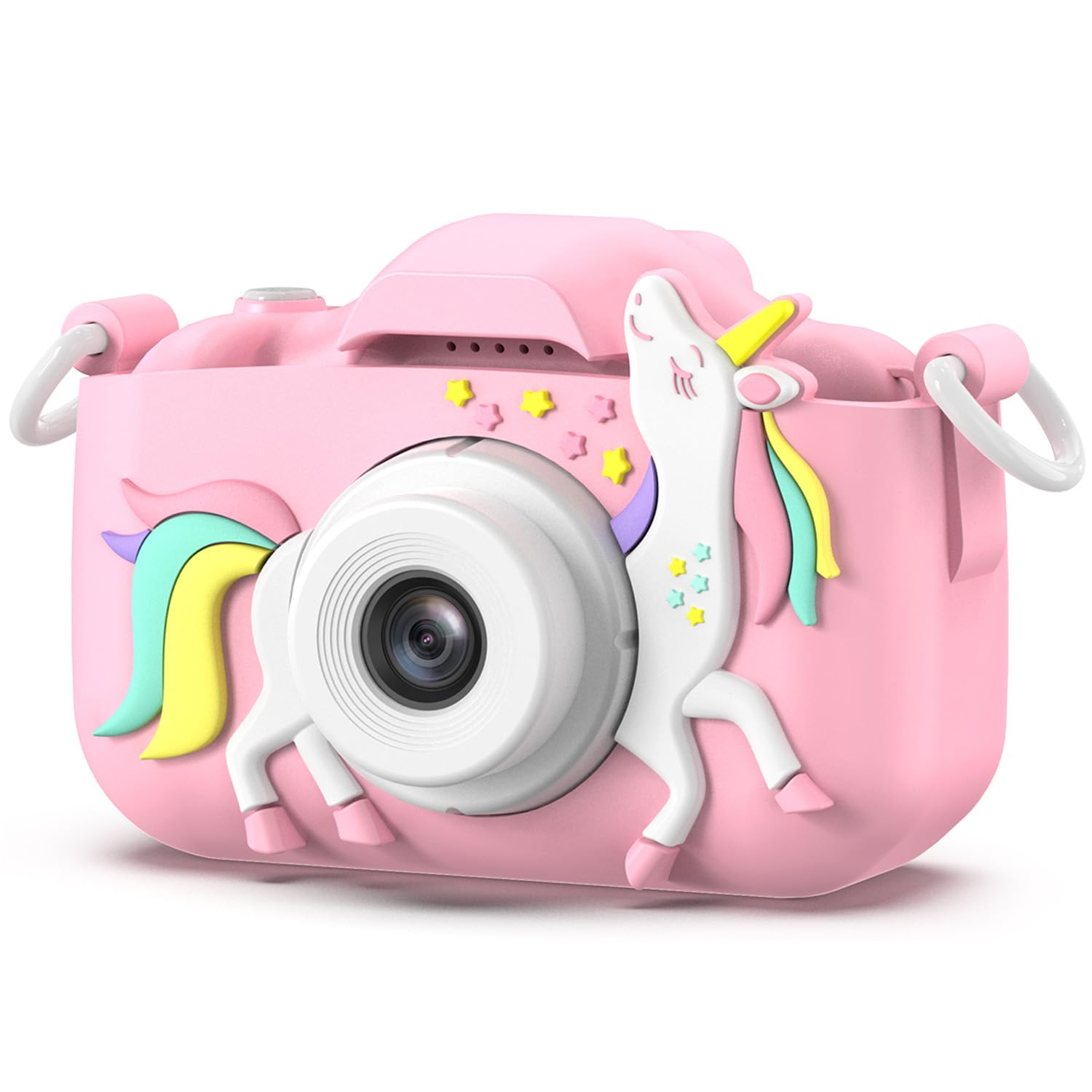
The Envyvip is the unicorn gift in this group, and the design does a lot of the work. The purple body and unicorn styling are the kind of thing a 5-year-old notices before the specs, and the 32GB card means it can be used straight out of the box.
The camera has a 12MP main sensor, a selfie camera, 28 frames, six filters, and five games. We liked the 4-to-6-hour battery rating, which is among the longest here, and the detachable lanyard makes it easy to carry. The selfie camera is the fun part; the rear camera is the one for everyday photos.
The built-in MP3 player is a surprise. It lets you load music from a computer, so the camera can double as a tiny music player on a trip. That is a nice extra for a child who likes to have one device for everything, though it also means more time in menus.
The design is the reason to choose this one, and the storage and battery make it practical after the novelty wears off. For a unicorn fan, that is a strong combination. It is not the most feature-heavy camera here, but it is the one that feels most like a gift before it is even turned on.
Pros
- Unicorn design appeals to gift buyers
- 32GB card included
- 4-6 hours of battery life
- Dual camera with selfie mode
Cons
- Selfie video is only 720p
We recommend the Envyvip as a gift-first camera for a unicorn fan; the design wins the reaction, and the 32GB card means it works out of the box.
How We Tested 14 Kids’ Cameras
We started by gathering every kids’ camera we could find from the brands that keep surfacing in customer reviews, then cut anything that looked like a repackaged keychain gag — no real screen, no stated age range, no way to swap a battery or a memory card. That left 14 cameras, which went home with families whose kids ranged from four to nine and stayed in rotation for three months.
They went where kids actually go: backyard forts, the back seat on the school run, a birthday party, one very sandy beach day, and a rainy Saturday indoors. We timed how long it took each kid to switch the camera on and take a first photo without help, and noted whether they came back to it the next morning or abandoned it in the toy bin by dinner.
Durability got its own round of abuse — drops from waist height onto pavement and hardwood, a ride in a backpack beside a full water bottle, and one four-year-old who insisted on swinging hers by the strap. We recorded which ones walked away with a scuff and which ones cracked, froze mid-shot, wiped a memory card, or stopped accepting a charge; anything unreliable was cut rather than ranked. For battery life, we drained each camera flat, then timed a full charge and a full day out.
Picture quality was judged on the same three shots from every model: a sunlit backyard, a dim living room, and whatever was moving fastest. We looked at whether faces stayed recognizable, whether colors came back close to true, and whether autofocus could catch a running dog. We also weighed and measured each camera against a small hand and checked whether a parent could offload photos without hunting for a cable.
How to Choose a Kids Camera
The right kids camera is the one your child can operate without you hovering, and that usually means simple controls and a body small enough to hold before it means more megapixels.
Start With the Child’s Hands, Not the Spec Sheet
A camera that fits a 4-year-old is not the same one that suits a 10-year-old. For younger children, look for a light body, a soft cover, and buttons that are easy to find by feel; the goopow’s 105g body is the extreme example here. Older kids can handle a larger screen and a few more menus, which is where the ARNSSIEN’s 2.4-inch display and flip lens make more sense. If the child is still learning to hold a camera steady, prioritize grip and a lanyard over zoom or games.
Plan for Charging and Rough Handling
The weak spot in this category is not usually the lens; it is the charging port, battery, and the drop that happens on day two. Look for a built-in rechargeable battery, a covered or recessed port, and a soft case or bumper. A lanyard helps, but it is not a substitute for a case. Check the return window before a birthday, because a camera that will not power on is a disappointing gift whether it cost little or a lot.
Decide Whether You Want Prints
Instant-print kids cameras use thermal paper to make black-and-white prints in seconds, while the color image stays on the memory card. That is a different kind of fun: the print is a keepsake, not a photo for the album, and the paper is a recurring cost. The Dylanto is the pick here if the ritual of printing matters. If your child mostly wants to take photos and videos, a standard digital camera gives you more storage and no paper to buy.
Treat Photo Quality as Play-Grade
A kids camera is not a phone camera, and the best ones here are not trying to be. Expect soft images, grainy low-light shots, and digital zoom that blurs rather than reveals. What matters is whether the photos are clear enough for a child to recognize the moment and whether the screen is bright enough to frame it. A 1080p video mode and a 32GB card are more useful than a 48MP label, because storage and smooth playback keep the camera in use.
Treat Games and Filters as Extras
Games, frames, and filters can make a camera more engaging, especially on car rides, but they can also turn it into a handheld game console. We prefer models where the shutter button stays obvious and the extras are easy to ignore. If your child is easily distracted, choose a simpler camera and add a case or strap instead. If the camera is a gift for a child who needs a reason to pick it up, the ARNSSIEN’s games and the Cimizi’s dinosaur case give it a better chance.
Frequently Asked Questions
How do I get photos off a kids camera?
Use the included USB cable or the card reader to connect the camera to a computer. The photos are stored as JPEG files on the microSD card, so you can open the card like a folder and copy them across. Do the first transfer yourself and delete the test shots before handing the camera over; the on-screen menus are easy for a child to get lost in.
Are any of these cameras waterproof?
No. These are child-friendly cameras, not waterproof action cameras, so keep them away from pools, baths, and heavy rain. A soft case helps with drops, not water. If your child is around water, use a waterproof pouch or leave the camera at home.
Can my child take a kids camera on a plane?
Yes, these are small rechargeable cameras and are fine in carry-on luggage. Keep the camera in the cabin with you rather than in a checked bag, and charge it before the trip. If you are flying with an instant-print model, pack the paper rolls in your carry-on too so they do not get crushed.
Final Verdict
For most families, the Desuccus is the one to buy: it includes the 32GB card, charges over USB-C, and keeps the controls simple enough for a first camera. If your child wants prints they can hold, choose the Dylanto and accept black-and-white paper prints. If the priority is the smallest possible body for a 3- or 4-year-old, the goopow is the better fit, provided you check the return window.