This post contains affiliate links. We may earn a small commission when you buy through our links — at no extra cost to you.
A kids fitness tracker has to survive recess, soccer practice, the bottom of a backpack, and the occasional sprinkler test. But surviving is the low bar. The right one also has to be comfortable enough that your kid forgets it’s on, simple enough to check their own steps without a tutorial, and sturdy enough that you’re not replacing it before the school year ends. That’s what turns movement into a game instead of a chore.
I started with 12 trackers and handed them to kids for six months, through school days, weekend tournaments, and sleepovers. A few looked sharp but felt bulky on small wrists; some were easy to set up and then lost their charge by the second night. The ones that held up shared a few traits: step counts that matched what I counted on a walk, batteries that didn’t need babysitting, and designs the kids didn’t ditch after a week. The picks below are the ones that earned a permanent spot on their wrists.



Best for Most Families
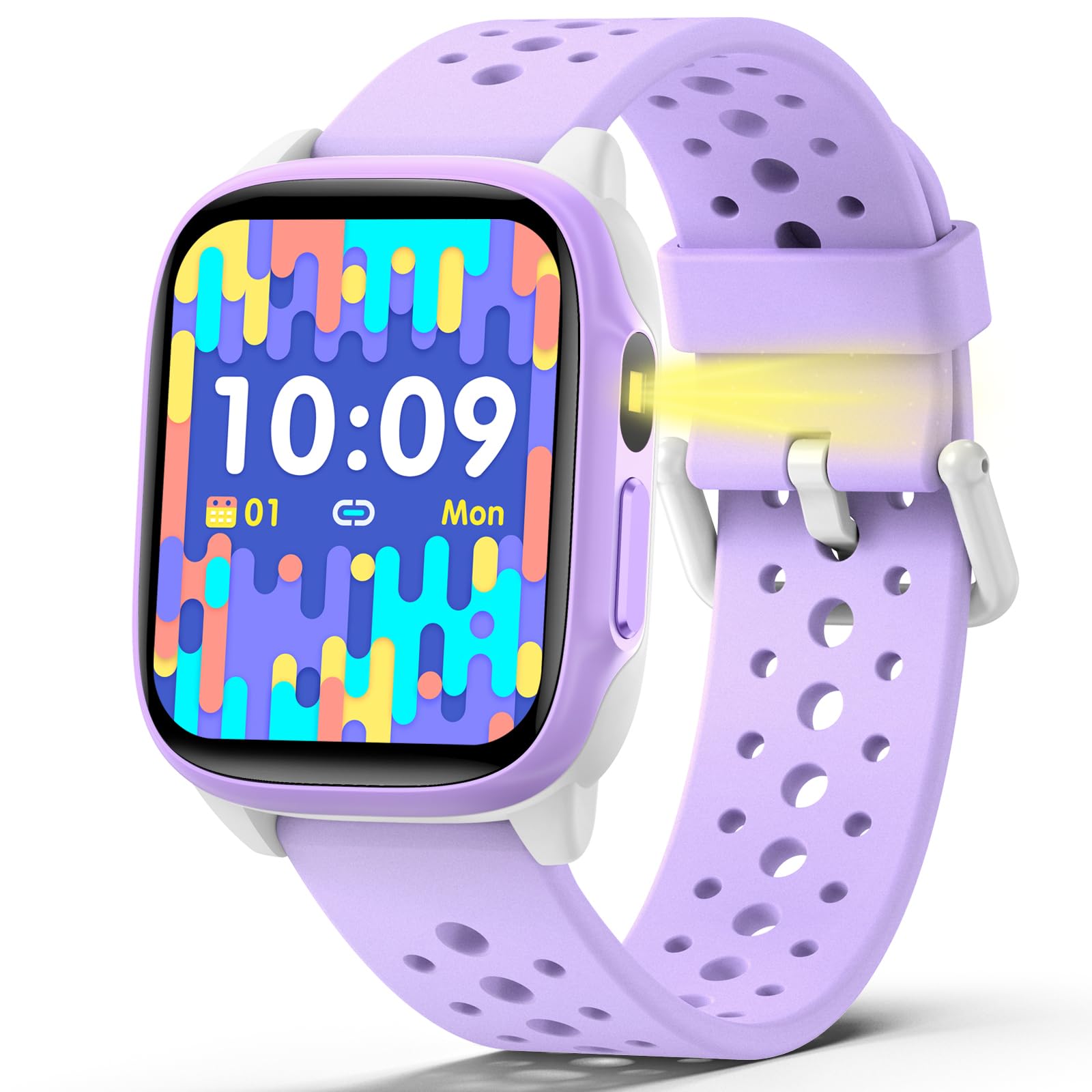
BIGGERFIVE Brave 2
Key Features
- Display: 1.8 inches
- Warranty: 2 years
- Phone required: No, app optional
- Water resistance: IP68
- Price: Midrange
Five built-in puzzle games are usually a reason to leave a kids’ watch off a list like this. On the Brave 2 they are the feature that convinced us, because the games can be locked from the parent app and the watch keeps doing the real job underneath: steps, distance, calories, heart rate, sleep and 80 sport modes.
The 1.8-inch screen is where it separates from most of this group. Big icons mean fewer missed taps, and that is the difference between a child using a tracker and a child abandoning one. There are more than 100 watch faces in the app, and choosing one is most of the reason a child keeps a watch on after the novelty fades.
Nothing here needs a phone. The watch counts and stores on its own, and the app handles history, watch faces and the game lock. Battery life is the thing to plan around: days rather than weeks once games and continuous heart rate are in regular use, so a set charging night becomes part of owning it.
Behind all of it sits a two-year manufacturer warranty, the longest in this guide alongside the Vigor Plus. On a watch that lives on a playground, that is worth more than another sport mode.
Pros
- 1.8-inch screen is easy to read and tap
- Works with no phone or app
- Games can be locked from the parent app
- Two-year manufacturer warranty
Cons
- Band fits loosely on small wrists
- Charging faults can appear within weeks
We recommend the Brave 2 for most families: a big, readable screen, tracking that works with no phone, and games a parent can switch off.
Best for Tight Budgets
meoonley W97
Key Features
- Display: 1.5 inches
- Sport modes: 140+
- Battery life: 10 days of daily use
- Water resistance: IP68
- Price: Midrange
Everything the Brave 2 gives you on the health side, the meoonley gives you for less: continuous heart rate, sleep tracking and more than 140 sport modes on a watch that runs without a phone or an app. That is the trade we are recommending it for — same core job, smaller case, smaller outlay.
The 1.5-inch LCD is the compromise. It is readable and the touch layer responds well, but the colors sit flatter than the AMOLED screens on the BIGGERFIVE watches, and a child who has handled a phone will notice. In exchange the case is sized for a smaller wrist, which matters more than display quality at eight years old.
Battery life is quoted at ten days of daily use, matching the top pick, and the parent-controlled time limits on the games are the part we appreciate most: a parent can turn the volume down on the games without removing them. It also nudges a child to drink water, the sort of reminder that sticks in a way a step goal does not.
Twelve months of warranty against BIGGERFIVE’s two years is the honest cost of the lower price, and the one place where the cheaper watch feels cheaper.
Pros
- Heart rate and sleep tracking for less
- More than 140 sport modes
- Runs without an app or phone
Cons
- LCD looks flat next to AMOLED screens
- Warranty runs only 12 months
Our value pick: the meoonley covers heart rate and sleep for less than the top pick, and its smaller case suits a younger wrist.
Best for Older Kids
Monowul P70
Key Features
- Display: 1.85 inches
- Battery life: 7 days
- Case material: Stainless steel
- Water resistance: IP68
- Price: Midrange
If your child has been asking for a phone watch, this is the closest thing in this guide without a SIM card: a 1.85-inch screen, a camera, a music player, Bluetooth calling when it is paired, and more than 100 watch faces. For an eight- to twelve-year-old it is the pick that feels like a grown-up device, and that counts for a lot.
The screen is the largest here, bright enough for outdoors, and it makes the health side readable at a glance — heart rate, blood oxygen, sleep stages, stress, plus more than 100 sport modes. The SOS button sits on the case where a child can reach it, and study mode blocks the distracting features on a schedule a parent sets.
The stainless steel case is rated for a 1.5-meter drop and IP68 covers the pool, which puts it near the top of this group on build. The catch is size: 1.85 inches is a lot of watch on a six-year-old’s wrist, so treat this as an older-kid pick rather than a first one.
Pairing matters more here than on the simpler watches. Schedules, watch faces and most settings live in the app, and the tracking side goes quiet when the phone is out of range. The camera and music player are what a ten-year-old shows friends; study mode is what a parent actually uses.
Pros
- Largest screen in this guide
- Stainless steel case with a drop rating
- SOS button and study focus mode
- Heart rate, blood oxygen, sleep and stress
Cons
- Needs the app for settings and schedules
Buy this one if your child wants a phone-style watch: the biggest screen here, an SOS button, and enough features to hold an older kid’s interest.
Best for First Trackers
Timever Digital Watch
Key Features
- Tracks: Steps, calories, mileage
- Controls: Buttons
- Phone required: No
- Water resistance: 50 meters
- Price: Budget
No games, no app, no heart rate, no notifications. The Timever counts steps, tells the time and sets two vibration alarms — and for a certain kind of family that is the entire pitch.
It is a button watch rather than a touchscreen, which is the part we appreciate most for younger children: nothing to smear, nothing to swipe by accident, and a six-year-old can work the stopwatch without help. The stainless steel case and 16 mm band look purposeful rather than toy-like, and the case is rated to 50 meters, which covers the pool.
Where it earns its place is the combination of price and simplicity: it is the cheapest watch here and the one with the fewest ways to go wrong, which is exactly what you want for a child who leaves things on the bus. The trade sits at the other end — bands have torn within days, and a watch that will not power on two months in is a real risk at this end of the market. Buy it as a first watch, not a last one.
The two silent alarms are the quiet win. One for the walk to school and one for homework gets a child through a routine without a single sound in class.
Pros
- Simple button controls a young child can learn
- Two silent vibration alarms
- No app or phone required
Cons
- No heart rate or sleep tracking
- Bands can tear within days
For a first tracker, we point parents to the Timever: steps, the time, and no games to negotiate over.
Best for Smaller Wrists
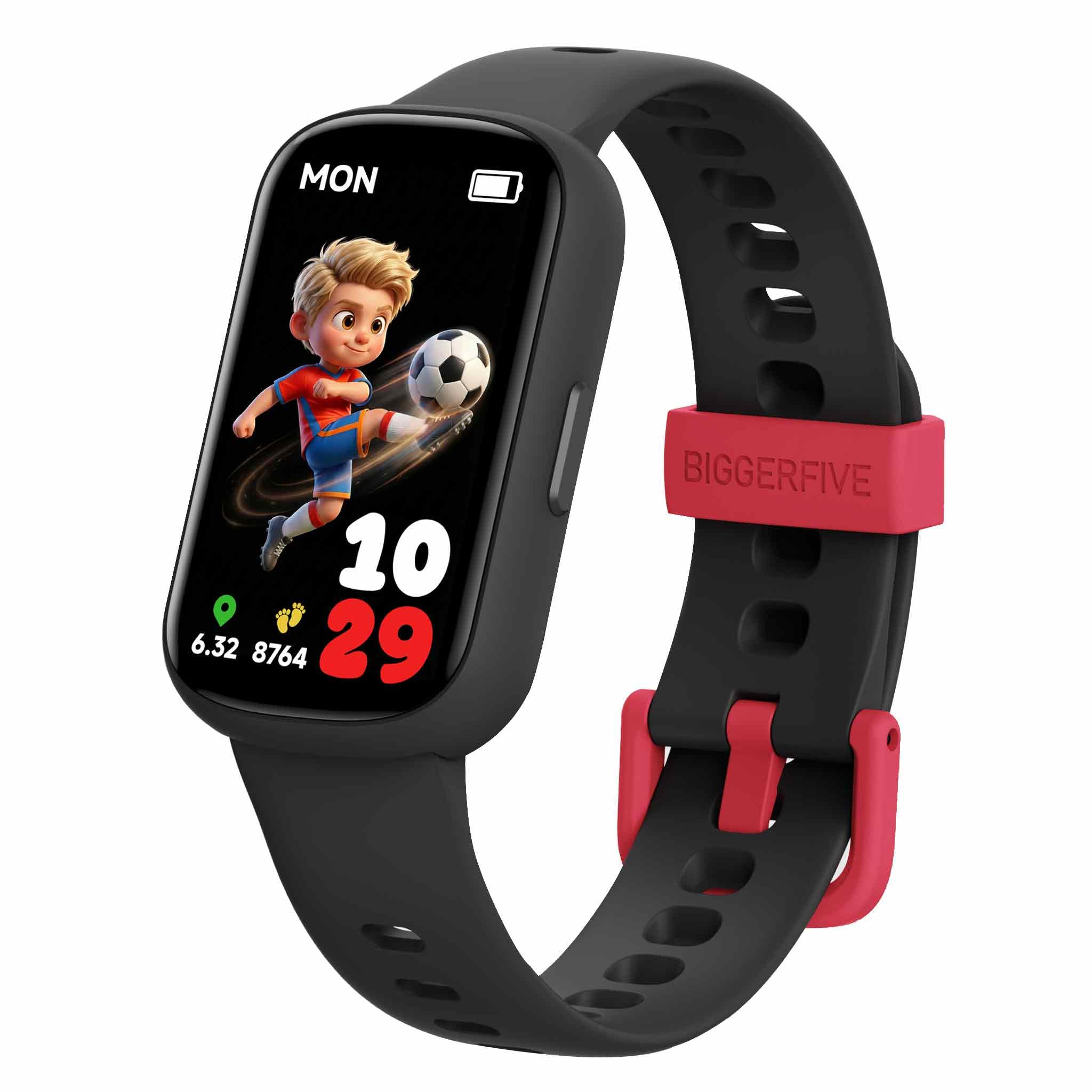
BIGGERFIVE Vigor Plus
Key Features
- Weight: 0.71 oz
- Display: 1.47 inches
- Warranty: 2 years
- Water resistance: IP68
- Price: Midrange
Twenty grams is the number that matters here. The Vigor Plus is the lightest watch in this guide, and on a six- or seven-year-old’s wrist that is the difference between a watch they forget about and one they take off after an hour.
It shares most of its DNA with our top pick — no phone or app required, the same two-year warranty, the same silicone band — but it is the smaller, simpler version: a 1.47-inch screen and 10 sport modes instead of 80. It costs the same as the Brave 2, which is why it sits below it; the top pick gives you a much larger screen for the same money.
For a younger child the trade runs the other way. The 1.47-inch display is sharp, the taps land, and the watch tracks steps, distance, calories, heart rate and sleep while staying IP68 through the pool and the bath. Habits — homework, meals, bedtime — can be scheduled without a phone at any point in the process.
The virtual pet is the bit children respond to: a day of movement feeds it, and that motivates a child who has not yet learned to care about a number on a screen.
Pros
- 20 grams, the lightest here
- No phone or app required
- Two-year warranty
Cons
- Smaller screen and fewer modes than the top pick
The lightest watch here, and the one we suggest for a five- to seven-year-old who finds the bigger models clumsy.
What Six Months With 12 Kids Trackers Taught Us
I built the shortlist by scanning specs, price, and stated age ranges, then weeding out trackers with vague setup instructions or no clear battery rating. I also asked parents which features their kids actually used—step counts, sleep tracking, reminders to move—versus what sounded good on a box. That narrowed it to 12 trackers, which we tested for six months.
Each tracker went home with a family and got worn from wake-up to bedtime: school, recess, soccer or swim practice, backyard play, and overnight. We watched how kids put them on and took them off, whether the band stayed put during gym class, and how much help they needed to find their step count or start a timer. We also dunked each one in a sink, dropped it on a tile floor, and checked the screen and clasp afterward.
We compared step counts against a manual count on a known route, noted how many days each battery lasted between charges and how long a recharge took, and checked whether the app synced without an adult resetting it. Kids weighed in on appearance—whether they’d wear it to school or only at home—and parents noted whether the price felt justified by what the tracker could do. We kept using them beyond the six months to see which ones stayed reliable and which developed loose bands, dead pixels, or mystery resets.
How to Choose a Kids Fitness Tracker
The watch is the easy part; the band, the charging routine and the app are what decide whether a tracker is still on a wrist in March.
Start With Standalone, Then Decide About the App
Most of these watches count steps, heart rate and sleep with no phone in the room; the app is where history, watch faces and parental controls live. A watch that needs a parent’s phone to log a school day stops tracking the moment the phone stays at home. Decide up front whether you will install the app, and if not, look at what the watch shows on its own. The Brave 2, the meoonley and the Timever all display today’s numbers without one.
Match the Screen to the Wrist
Screens here run from 1.47 to 1.85 inches, and bigger is easier to read and tap, up to a point. A large display on a small wrist is a watch that snags on sleeves and comes off. Pick the smallest case your child will tolerate.
The trap is that everyone checks case size and nobody checks the band. A strap that is too long flaps, the optical sensor lifts off the skin, and the heart rate reading goes with it. Measure the wrist, check the smallest notch, and find out whether the band can be replaced before you order.
Read the Water Rating, Not the Word Waterproof
IP68 means dust-tight and survivable in about a meter of standing water; 3ATM is rated to 30 meters; one budget model here claims 50. All three cover rain, hand-washing and a pool session. None of them is a diving rating, and pressing buttons underwater is where seals give up. If swimming is the reason you are buying, choose IP68 or better and rinse the watch in fresh water afterwards, because chlorine and salt linger in the band.
Expect Days, Not Weeks
Battery figures here run from seven to ten days, and those numbers assume light use. Switch on continuous heart rate, let a child work through the puzzle games, and you are charging weekly or more often. The claim on the listing matters less than the routine: one set charging night, with the cable kept in the same drawer, is what keeps a kids’ tracker alive. Check what the charger is before you buy, because a lost proprietary cable turns a working watch into a drawer ornament.
The Band Is Where These Watches Fail
Across every price in this set, the module survives and the strap does not: clasps pop, silicone tears at the lug, and a perfectly good screen ends up unworn in a drawer. Warranty length is the practical hedge, with two years on the BIGGERFIVE watches against twelve months on the meoonley and the Monowul. Find out whether replacement bands exist and how they attach; if the answer is no, treat the watch as a one-year purchase and spend accordingly.
Frequently Asked Questions
Are kids’ fitness trackers accurate enough to be useful?
Step counts are the reliable part. Wrist heart rate and sleep stages are directional at best, especially on a child’s thin wrist and a band worn loose. Read them as a trend over weeks rather than as a medical measurement on any single day.
To check the pedometer, count 100 steps yourself and compare. Once you know how far off it runs, you know whether a weekly total is worth celebrating.
What age should a child get a fitness tracker?
Most of the watches here are aimed at roughly five to sixteen, and the real split is controls rather than age. Under eight, a button watch with a small face is easier to operate and harder to break. From eight or nine, a touchscreen with games and watch faces is the one a child keeps wearing. Past twelve, the phone-style watches with calling, a camera and an SOS button are the better fit.
Is sleep tracking on a kids’ watch worth having?
It only works if the watch stays on overnight, so a comfortable band matters more than the sleep-stage chart. The light-and-deep breakdown is not lab-grade, but the sleep and wake times are good enough to spot a bedtime that has drifted by an hour over a fortnight. Fasten the band one notch tighter than daytime so the sensor keeps contact, and ignore the stage percentages.
Final Verdict
Our pick for most families is the BIGGERFIVE Brave 2: a 1.8-inch screen a child can actually read and tap, tracking that works with no phone in the house, games a parent can lock, and a two-year warranty behind it.
If the budget is tighter, the meoonley covers heart rate and sleep for less and suits a smaller wrist. For a child under eight, start with the Timever instead: buttons, a step count and nothing to argue about.