This post contains affiliate links. We may earn a small commission when you buy through our links — at no extra cost to you.
The first night home with twins, you discover a math problem nobody warned you about: two babies, two cribs, one hallway, and one adult who cannot be in both rooms at once. A good monitor doesn’t solve that, but it shrinks the house into something one tired person can manage — both faces on a single screen while you’re folding laundry or finally sitting down. What separates the models that actually help from the ones that add another job is how well they handle two feeds at once.
I’ve spent more nights than I’d like staring at a grainy gray rectangle, willing a chest to rise, and I’ve learned that a long feature list means nothing at 3 a.m. A monitor earns its spot on picture clarity in a dark room, sound that separates a real whimper from the fan, and a battery that survives until the morning feed. We’ve had 12 set up over cribs for eight months now, and the picks below are the ones I’d hand to another twin parent without a caveat.

Best for Value Twin Setup
GoodBaby SM663V2
Key Features
- View: Split screen, both cameras
- Screen: 5-inch LCD
- Battery: Up to 30 hrs (VOX)
- Cameras: 2
- Price: Budget
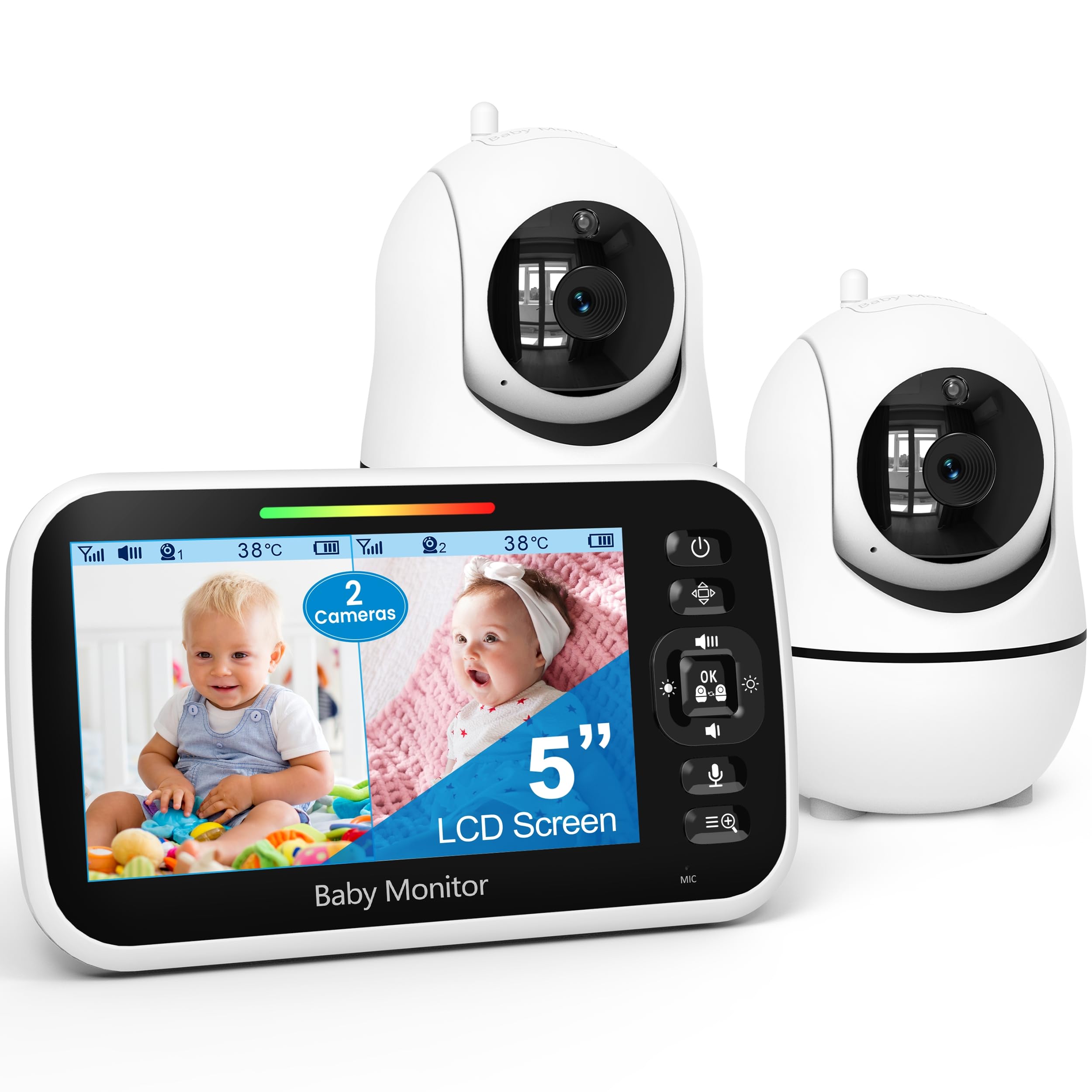
Two babies on one five-inch screen, for less money than any other split-screen unit here — that is the short version of why the GoodBaby is the monitor we recommend first. The split view is genuine rather than a marketing line: both cameras stream at once, side by side, and you can tap one to fill the screen when you want a closer look. The detail we did not expect to care about is the audio, which stays focused on one camera even while the screen shows both, so you choose which room you are hearing. For twins in one room that is neutral. For twins in two rooms, it means the baby you are not listening to is the one you have to watch.
Setup is about as close to nothing as this category gets. The cameras are corded, the parent unit is battery-powered, and there is no app, no account, no password and no router involved — you plug in and the picture appears. From the screen you can pan either camera 355 degrees and tilt it 120 degrees, which matters more with twins than with one baby: you can sweep the second cot without walking over to move a lens. Night vision switches itself on, there is a room temperature readout, and eight lullabies if your household uses them.
Read the battery claim carefully. The 30-hour figure is VOX mode — screen off, sound-triggered — and with the screen live you are closer to 10 hours. We treat the parent unit like a phone: it lives on a charger overnight and comes off it in the morning, which makes the number beside the point. If you want the sharpest split-screen image in this group rather than the best value, the Babysense is the one to look at instead.
Pros
- True split screen for both cameras
- No WiFi, no app, quick setup
- Pan and tilt on both cameras
- Cheapest split-screen pick here
Cons
- Lower-resolution picture than the 1080p picks
Our pick for most twin parents: a real split screen, a no-WiFi setup that takes minutes, and the cheapest split-screen price in this guide.
Best for Sharpest Picture
Babysense PRO
Key Features
- Screen: 5.5-inch split screen
- Battery: Up to 20 hrs (Eco Mode)
- Cameras: 2, expandable to 4
- Resolution: 1080p
- Price: Midrange
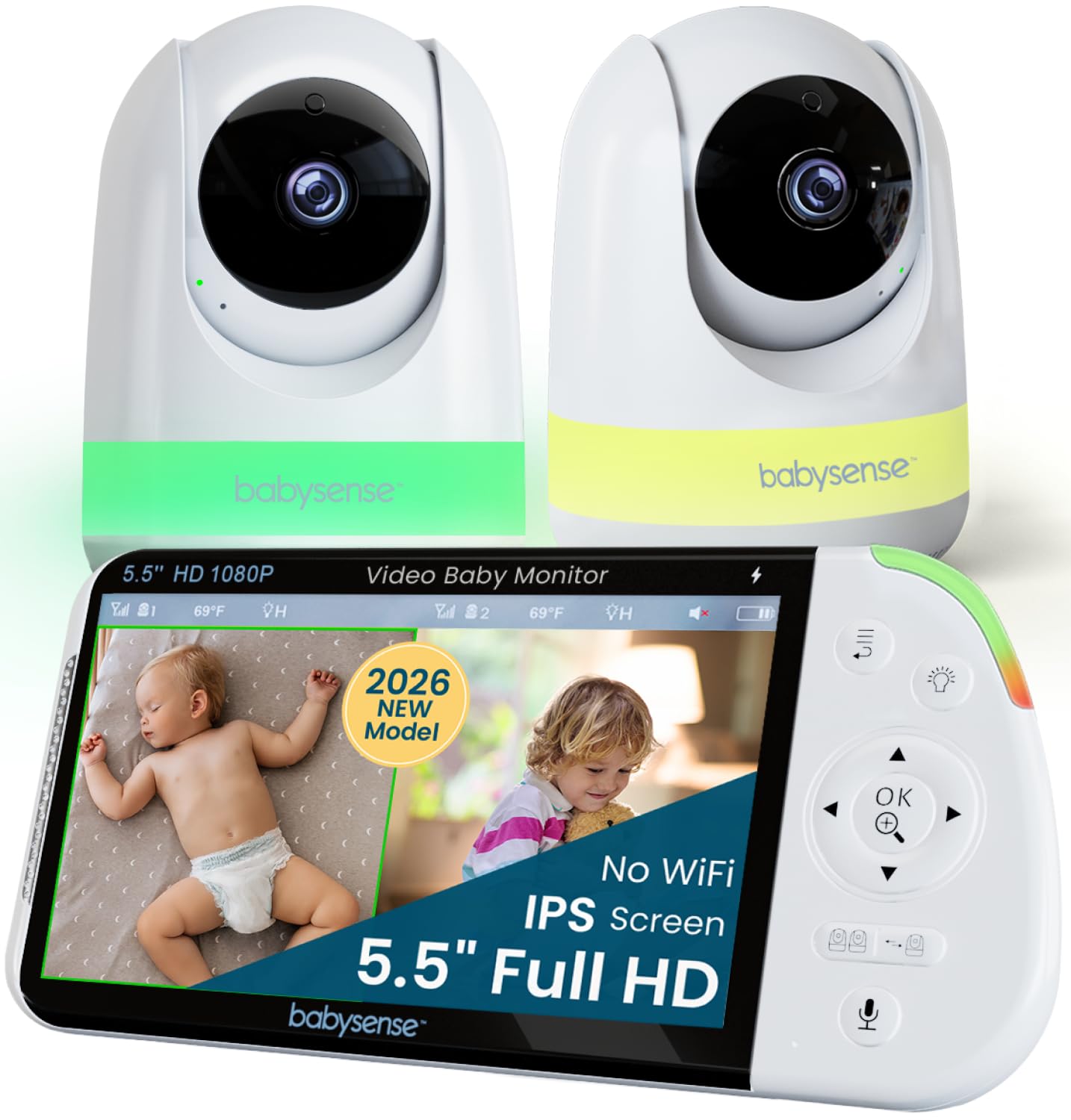
Full HD on both cameras is the headline, and it is the reason this one is in the guide. A 5.5-inch screen split down the middle does not leave much room per baby, and resolution is what stops a cot turning into a smudge when you zoom in to work out whether that shape is a foot or a bunny. The parent unit shows both rooms at once with no switching, and either camera will pan and tilt on command from where you are sitting.
What we did not expect to be the best part is the soothing hardware. A six-color night light and a white-noise machine are built into the system, so you are not buying a separate sound machine for each nursery, and you are not going into the room to switch one off. On a twin setup that is two gadgets and two bedside tables reclaimed, and it is a better argument for the extra spend than the resolution alone. The night light is also the thing we missed most when we went back to a plainer monitor.
There is no app here, no remote check-in, and the parent unit is the only screen you get — worth knowing before you fall for the picture. The other soft spot is the radio link, which can lose the cameras at the edge of the house. Keep the parent unit on the charger overnight and treat its 20-hour Eco-mode figure as headroom rather than a promise, and you get the most legible image in this group.
Pros
- Full HD 1080p on both cameras
- Night light and white noise built in
- Expandable to four cameras
Cons
- Cameras and parent unit can lose connection
The sharpest split-screen view here, with Full HD on both cameras and a night light and sound machine built in — the pick for parents who study the picture.
Best for Big Split Screen
VTech HQ Max Twin
Key Features
- Screen: 7-inch IPS split screen
- Battery: Up to 12 hrs video
- Cameras: 2
- Camera control: 360° pan, 122° tilt, 4x zoom
- Price: Midrange
Seven inches of split screen is the whole argument for this VTech. Split any parent unit down the middle and each baby gets a smaller window than you would like; a 7-inch panel leaves each of them roughly the space of a small phone screen, which is the difference between recognizing a position change and guessing at one. Both feeds stay live side by side, and the true-color IPS panel keeps the two rooms visually distinct even when the cameras are pointed at identical cots.
Controls are the second reason. Both cameras pan 360 degrees, tilt 122 degrees and zoom 4x from the parent unit, so you can chase a toddler around one room while leaving the other camera parked on the cot. Seven-color night lights, five lullabies, five ambient sounds and two-way talk all live on the same screen. It runs on encrypted FHSS with no internet and no app, and the parent unit is quoted at 12 hours of continuous video or 18 hours of audio only.
Our reservation is the speaker. Across our time with it, audio came through quieter than we wanted once we were more than a room away, and a monitor you cannot hear over a running shower is not doing its job — test the volume in your own house while the return window is open. Buy it for the screen and the camera control, which are the strongest in this group, and keep a second way to hear a cry at night.
Pros
- Largest split screen in this guide
- Pan, tilt and zoom on both cameras
- Night light and soothing sounds built in
- No WiFi, no app, no account
Cons
- Audio can be too quiet to rely on
- Softer image than the 1080p picks
The biggest split screen in this guide, with full pan, tilt and zoom on both cameras — and the one compromise is how quietly it plays a cry.
Best for Family Sharing
Momcozy BM04
Key Features
- Access: Parent unit plus WiFi app
- Screen: 5-inch split screen
- Cameras: 2, up to 4 supported
- Shared users: Up to 20
- Price: Premium
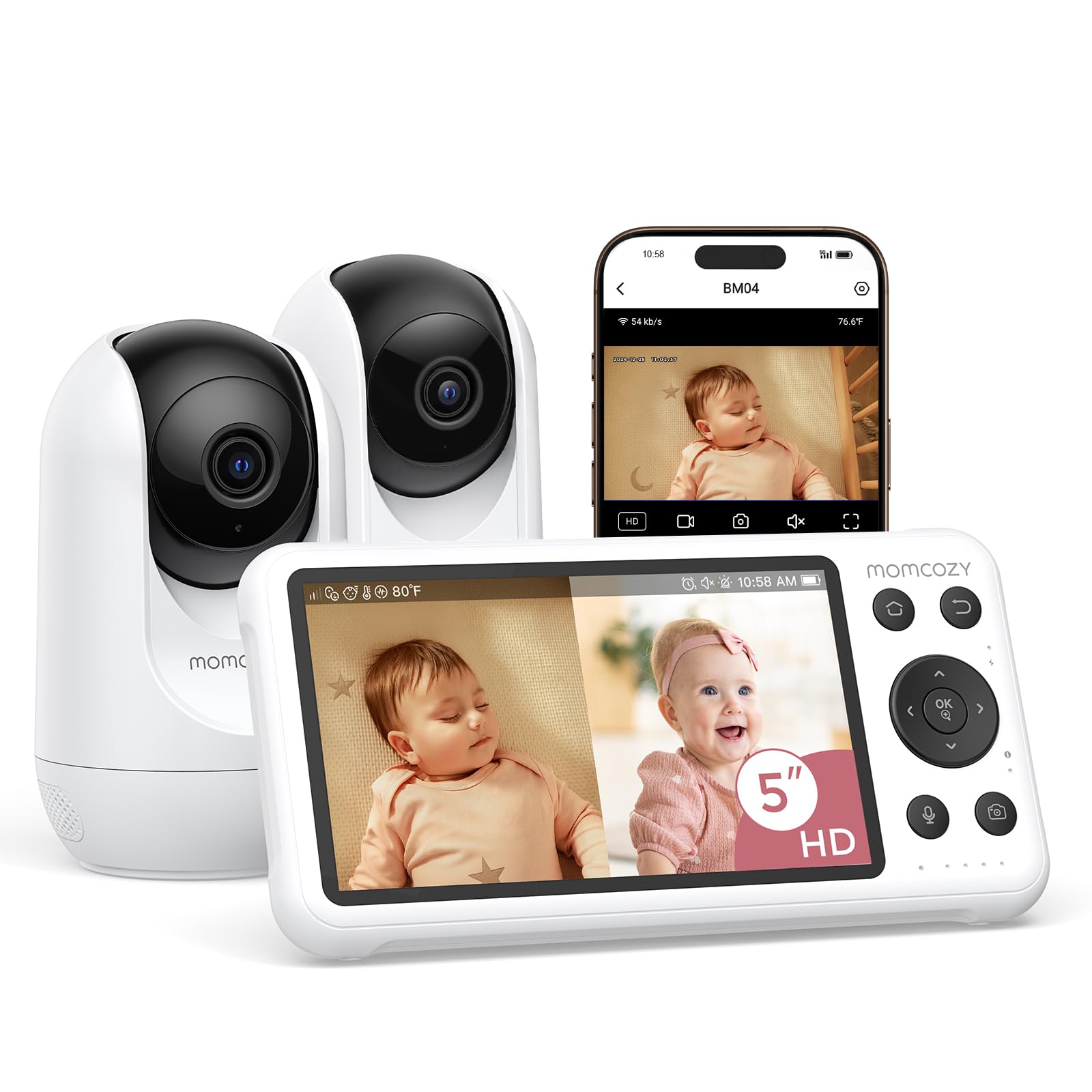
If someone other than you needs to look in — a partner at work, a grandparent three time zones away — the Momcozy is the pick in this guide, and that is the reason to consider spending more on it than on anything else here. It is the only monitor in this group that pairs a no-WiFi parent unit with a WiFi app, so the nursery feed stays off the internet while the phone still works when you are out.
The local side is familiar and unfussy: a 5-inch split-screen parent unit, two cameras, 1080p, night vision, two-way talk and a battery that carries around the house. What changes is the app. Up to 20 people can be given access, which is more than most families will use and exactly right if you have a rotating cast of grandparents, sitters and night nurses. The system takes up to four cameras, so the twins’ room plus a playpen is not a stretch.
The app is also the risk. Connection between the parent unit and the phone can drop, and the notifications run sensitive enough that a creaking floorboard pulls you out of bed. Ours settled once we turned the motion alerts down and made the parent unit the primary screen, with the phone as a second opinion rather than the alarm. Do that on day one and the sharing feature earns its keep.
Pros
- Parent unit and WiFi app in one system
- Up to 20 people can share the view
- Takes up to four cameras
Cons
- App can drop its connection to the cameras
The one to buy if a partner or grandparent needs the view on a phone — a private parent unit for home and an app for everywhere else.
Best for Simple Two-Room Setup
HelloBaby HB6550-2

Key Features
- View: One camera at a time
- Screen: 5-inch IPS
- Battery: Up to 30 hrs (ECO)
- Cameras: 2
- Price: Budget
There is no split screen here. The HB6550 shows one camera at a time, with a one-tap switch between them and an automatic cycle if you turn it on, so with twins you are either looking at one baby or watching the screen rotate between the two. That single fact decides who this monitor is for, and it is why it sits outside our top tier in a guide built around seeing both.
For twins who share a room, it is a lot of monitor for the money: a 5-inch IPS screen, two cameras with 355-degree pan and 120-degree tilt, a 178-degree wide view, 30 hours in ECO mode, and no WiFi or app anywhere in the chain. Setup took us minutes and the night vision is clear enough to read a breathing shape without zooming. What it cannot do is show you both at once, and in two separate nurseries that is the thing you actually want. Durability is the other question mark — a unit that stops turning on is the failure that hurts most with twins, so buy this one from a seller with an easy return.
Pros
- No WiFi, no app, nothing to configure
- Clear night vision and a 178° wide view
- Up to 30 hours in ECO mode
Cons
- Battery can stop holding a charge
A simple, well-priced two-camera monitor for twins in one room — as long as you can live without both of them on screen at once.
Best for Large-Screen Value
Kokit KK70-2

Key Features
- Screen: 7-inch split screen
- Battery: Up to 100 hrs (VOX)
- Cameras: 2
- Resolution: 1080p
- Price: Midrange
A hundred hours of monitoring per charge is the kind of number that makes you look twice, and it is what Kokit puts on the box for this 7-inch twin set. It is a VOX figure — the screen sleeps until a sound wakes it — so treat it as the ceiling rather than the norm. Even so, for a monitor you carry between rooms, a 5,000mAh parent unit with that claim behind it puts the battery maths on your side.
The rest of the package reads like the more expensive twin units: a 7-inch panel showing both cameras at once, 1080p cameras, 355-degree pan and 120-degree tilt with 4x zoom, and a 2.4GHz FHSS link with no WiFi and no app. The screen is the part that matters. A 7-inch split gives each baby a pane you can read at a glance, which a 5-inch split does not really manage — and pairing that panel with 1080p cameras is what separates this from the VTech, whose 7-inch screen comes with softer 600p cameras.
Here is our hesitation: Kokit is a newer name in this category, and a new name means you are buying the specification and the support terms rather than a long history of how the thing holds up in month eighteen. The setup is quick, the picture is good and nothing about it feels cheap. If the large screen and the sharp cameras are what you are after and you are comfortable being early on a brand, it earns its place; if you want the proven version of the same idea, the Babysense is where we would point you.
Pros
- 7-inch split screen with 1080p cameras
- 100-hour VOX battery claim
- No WiFi or app to set up
Cons
- Newer brand with a limited track record
A 7-inch split screen with 1080p cameras and no WiFi — a strong specification from a newer brand, if you can live without a long track record.
Best for App Check-Ins
VTech Smart HD Plus

Key Features
- Access: Parent unit plus free app
- Screen: 5.5-inch split screen
- Cameras: 2
- Viewing angle: 135°
- Price: Midrange
The question this VTech answers is the one you ask on your first day back at work: can I see both of them from here? Yes. Both cameras stream to the free MyVTech Baby Plus app, and the 5.5-inch parent unit does split screen at home, so you are not forced to choose between a phone and a dedicated monitor — you get both, and the app shares the view with whoever else is helping.
At home it behaves like the rest of this group: split screen on the parent unit, two cameras, night vision, two-way talk, and a multi-color night light on each camera that you can adjust from the unit or the phone. The wide-angle lenses take in a whole room per camera, which is the difference between seeing a cot and seeing the corner of the room beside it.
Two practical notes before you buy. The app side wants a 2.4GHz network, so a router broadcasting a single merged network name can cost you an evening of pairing — split the bands first if you can. And the cameras are corded with wall brackets in the box, so plan your sockets and the height of each mount before you drill anything.
Our read: it is the right pick here if app access is a requirement and you still want a real parent unit, and it is the least-proven of the split-screen units in this guide, with night vision that can look soft next to the Babysense. Buy it for the dual access and the wide view. Do not buy it expecting the sharpest picture on this page.
Pros
- App plus a local parent unit
- Wide-angle view of each room
- Night light on each camera
Cons
- Night vision can look soft
- App connection can take a while to settle
The twin monitor to choose when you need the app as much as the parent unit — dual access, wide views, and a picture that is good rather than the sharpest here.
How We Tested Baby Monitors for Twins
Our shortlist started with research rather than a shopping cart. I read spec sheets and parent forums to find monitors that genuinely support two cameras — several kits advertise dual viewing but make you toggle between feeds — and I crossed off anything that locks basic features behind a monthly subscription, since a recurring fee quietly changes what you’re actually paying for. Screen size, parent-unit weight, and whether the battery is user-replaceable narrowed it further, and 12 monitors made the cut.
Those 12 lived with two families over eight months, mounted over side-by-side cribs in a shared nursery and used through naps, overnight stretches, and the 5 a.m. feed. We carried the parent units from the nursery to the kitchen, down to the basement laundry, and out to the backyard, noting where the signal thinned or the picture stalled. Each one was unplugged at bedtime and checked again at first morning wake-up to see how much battery was left.
In the dark, we stood at the crib rail at 2 a.m. and asked whether we could see a chest rise under night vision, and whether the image turned to mush when a baby rolled into the far corner. We listened for the difference between a whimper and a white-noise machine, noting which units hissed or clipped the top of a cry. When a real cry happened, we timed how long it took to reach the parent unit. We also rebooted the router mid-nap to see if the camera reconnected on its own, kept a running log of freezes and dropouts, and handed the parent unit to a grandparent to see whether they could mute it in a dark room without waking anyone.
How to Choose a Baby Monitor for Twins
The first decision isn’t brand or budget — it’s whether both babies appear on the same screen at the same time, because everything else follows from that.
Split screen, or one camera at a time
A split screen shares one panel between two feeds, so the panel size matters more than the camera count. On a 5-inch parent unit each baby gets a window roughly the size of a phone icon; a 7-inch unit like the VTech HQ Max Twin or the Kokit gives you panes you can read from across a room without leaning in. Count panes, not cameras: a two-camera monitor with a single display is not the same product, and the HelloBaby HB6550-2 is the clearest example here — it cycles between cameras rather than showing both.
Our rule of thumb: twins in separate rooms justify paying for a split screen, because you cannot see one baby while you look at the other. Twins in one cot, or one room where you are reacting to a sound more than studying a face, do fine with a single-view unit and save you the complexity. Whichever you choose, check how the audio behaves — on most of these the parent unit plays one camera’s sound at a time even in split view, so you always know which room you are listening to.
WiFi, no WiFi, or both
Most of the picks here run on 2.4GHz FHSS with no internet connection at all: the camera talks straight to the parent unit, there is no account to create, and there is nothing on your network for anyone to log into. What you give up is distance — no checking in from work, and the parent unit is the only screen in the house.
If remote viewing matters, two of these do both jobs. The Momcozy BM04 and the VTech Smart HD Plus pair a WiFi app with a local parent unit, so the nursery keeps working when the router doesn’t. The trade is that you have added the component that fails: connection dropouts are a far more common theme on app models than on FHSS-only ones. The other trap is the network itself — these cameras generally want a 2.4GHz band, so a router publishing one merged network name can turn a ten-minute setup into a long evening.
Sound and battery are what you notice by month two
Picture quality gets the attention, but sound is the part that wakes you. Volume at the parent unit varies widely across this group, and some units that photograph beautifully are too quiet to hear a cry through a closed door. Test that in your first week, from the distance you will actually be, while the return window is still open.
Battery claims need the same suspicion. A 30-hour or 100-hour number is a VOX or Eco-mode figure measured with the screen asleep; leave the picture on all night and you are typically looking at a fraction of it. Plan for a nightly charge regardless, and read a long claim as headroom for naps, garden afternoons and power cuts rather than an all-night guarantee.
Two rooms, two cameras, one plan
Every camera here is corded, so the outlet decides where a camera goes, not the other way round. Walk both rooms and pick the socket before you pick the shelf: a camera high in a corner sees more of a cot than one on a dresser, and wall brackets ship with several picks, including both VTech twin models and the Momcozy.
Pan and tilt will not rescue a camera jammed against a wall, so give each one a little clearance and angle it so the cot fills the frame rather than the whole room. Set both cameras up and run the parent unit to where you actually spend your evenings before the babies arrive — doing it at 2 a.m. with a newborn in each arm is how people end up leaving a camera on a windowsill.
Frequently Asked Questions
Can one camera cover both twins if they share a cot?
While they are small enough to share, a single wide-angle camera placed to take in the whole cot does the job, and a pan-and-tilt model lets you reframe without moving the mount. The moment they move into separate cots — or one starts rolling — you want a second camera, and adding one later is often more expensive than buying the pair up front. If you are buying for the long run, buy the two-camera set now.
How far can the parent unit be from the cameras?
The big figures — 1,000 feet and similar — are line-of-sight, measured outdoors with nothing in the way. Indoors, walls, floors and foil-backed insulation cut that down sharply. The practical test is the only one that matters: walk the parent unit to the far end of your house, garage or garden in the first week, while you can still return it. If it drops out where you spend your evenings, the number on the box is irrelevant.
Can I add a third or fourth camera later?
Yes on several of these. The Babysense PRO and the Momcozy BM04 both take up to four cameras, and the HelloBaby HB6550 lists four channels. The catch is that add-on cameras have to come from the same maker and the same system — you cannot mix a Kokit camera into a VTech setup. Decide before you buy whether you will eventually want one over a playpen, because changing your mind later means replacing everything.
Do any of these monitors need a subscription?
Not for the core job. Live video, night vision and two-way talk run between the cameras and the parent unit on every pick here, with no monthly fee, and where an app is involved it is free to download. Recorded or cloud-stored video is the feature that tends to carry a plan, so if clips matter to you, check the storage terms for the specific model before ordering.
Final Verdict
For most twins, buy the GoodBaby SM663V2. It pairs a true split screen with the cheapest split-screen price in this guide, the setup takes minutes, and there is nothing to configure at 2 a.m. Two situations change the answer. If you will be studying the picture — checking a breathing shape without zooming — the Babysense PRO’s 1080p cameras on both feeds are worth the step up. If a partner or a grandparent needs to look in from a phone, the Momcozy BM04 is the one monitor here that gives them that without putting the nursery on the internet.
Neither alternative is a better default; each is a better answer to a more specific question. Buy for the thing you will actually do at three in the morning, and let the spec sheet settle the rest.