This post contains affiliate links. We may earn a small commission when you buy through our links — at no extra cost to you.
A baby monitor is one of those purchases you hope becomes background noise—and then you spend the next year glancing at it a hundred times a night. I rearranged the camera angle three times during my first week home with a newborn and still got up to check the nursery in person. A good monitor quiets that loop: a clear enough picture to see a chest rise, sound that carries a sleepy sigh without crackle, and a connection stable enough that you’re not troubleshooting at 2 a.m.
For six months, my team and I tested 12 monitors in nurseries, through naps and overnight, and on a few trips away from home. We compared picture quality in dim light, sound fidelity against a fan’s hum, how quickly each paired after a router reboot, and whether the battery lasted a full night off the charger. The most reliable were rarely the ones with the longest feature list. The right pick depends on your room, your Wi-Fi, and what you’ll actually use for the price—and the ones below earned their place.


Best for One Nursery
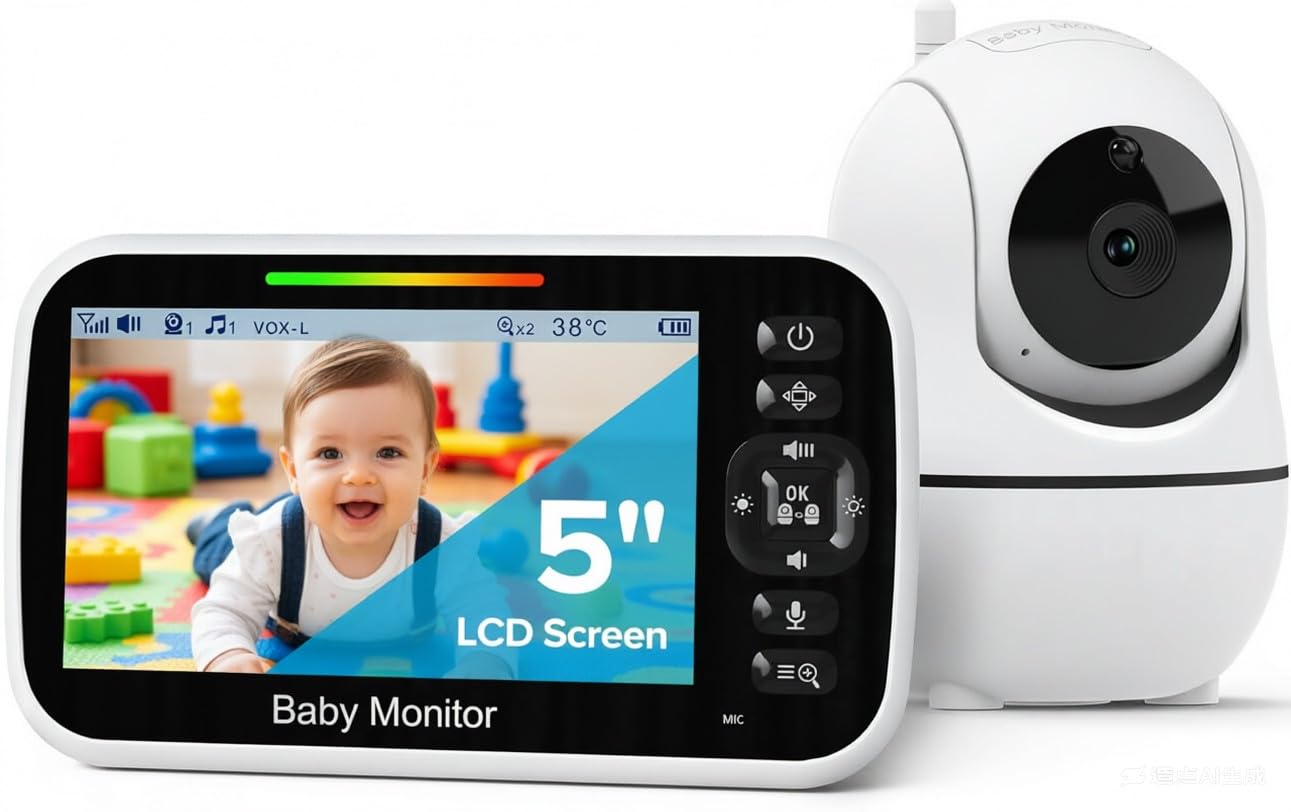
GoodBaby SM663
Key Features
- Screen: 5 inches
- Battery: 30 hr VOX / 10 hr screen-on
- Connection: No Wi-Fi, 2.4GHz FHSS
- Camera movement: 355° pan, 120° tilt
- Price: Midrange
The 5-inch screen is what made us stop scrolling. It’s the largest display on any single-camera video monitor here, and size is the difference between checking on a baby and squinting at one from across a dark room. The camera pans 355 degrees and tilts 120 from the parent unit, so a toddler who has migrated to the far corner of the crib is a button press away rather than a trip down the hall. That combination — a big picture plus a camera you can aim without getting up — is the entire reason this one sits at the top.
The rest of the package is built for 2 a.m. Infrared night vision keeps the nursery readable with the lights off, the room temperature sits on screen beside the picture so you’re not guessing whether the baby is too warm, and there’s a two-way talk button plus eight lullabies for the nights you want to settle things without opening the door. Setup is two adapters and two power buttons; there’s no app, no account, and no network to fail at the worst moment.
Battery needs the right expectation. The 3,500mAh parent unit is rated for roughly 10 hours with the screen on, or up to 30 in the VOX mode that wakes the display only when the room gets loud. Screen-on runtime is the shakiest number on the spec sheet, and a full night on battery with the picture running is not something to count on. The fix is trivial: leave the parent unit on its charger by the bed and use VOX when you want to carry it around. The camera has no battery of its own and stays plugged in at the crib.
What tips it for us is how little you give up to get there. Compare it with the VTech VM819, which trades screen size and camera movement for a longer continuous-video battery, or the HelloBaby HB6550-2, which covers two rooms at the top of the price range. For one nursery and one baby, this is the balance of view, control, privacy and price that suits the most households — and the one we hand to parents who want to buy once.
Pros
- Largest screen of the single-camera video picks
- Remote 355° pan and 120° tilt from the parent unit
- No Wi-Fi, no app, no account to manage
- Room temperature and eight lullabies built in
Cons
- Camera must stay plugged in at the crib
- 480p picture is soft on a 5-inch screen
For one nursery, this is the monitor we point most parents to: a 5-inch screen, remote pan and tilt, and a closed no-Wi-Fi link, all in one simple setup.
Best for All-Night Video
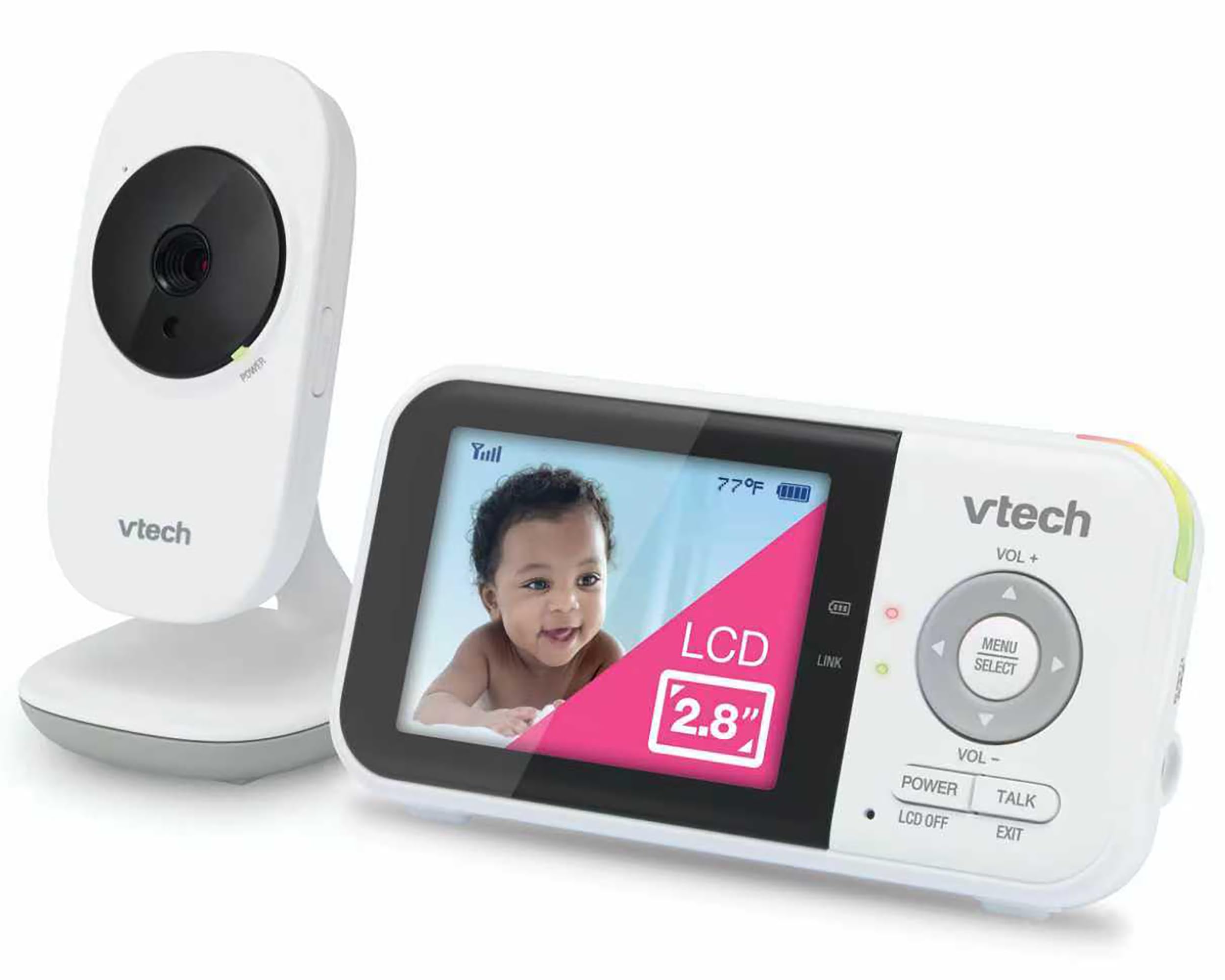
VTech VM819
Key Features
- Screen: 2.8 inches
- Battery: 19 hr video / 29 hr audio
- Connection: No Wi-Fi, 2.4GHz FHSS
- Night vision: Automatic infrared
- Price: Midrange
Nineteen hours of continuous video is the figure that sells this one — the longest screen-on run of anything here, on a 2,600mAh parent unit that will go from bedtime to breakfast and keep going. VTech stretches that to 29 hours with the screen off in audio mode. If you have ever had a monitor die at 4 a.m. and woken to a dead screen, this is the direct answer to that specific misery.
What you get instead of a big display is a monitor that behaves quietly. The screen stays dark and silent while the nursery is quiet, then wakes the moment the room makes noise — the setting we left it on overnight, because it’s the closest thing to having the room to yourself until something happens. Two lullabies and two ambient sounds, white noise and a trickling stream, play from the camera unit, the temperature shows on screen, and VTech backs the set with a one-year warranty.
Where it holds up overnight is the dark. Infrared night vision keeps the crib visible with no lamp on, and here’s the part that surprised us: the small screen is easier to live with in a dark bedroom than a bright 5-inch panel, because it throws far less light at the person who is supposed to be going back to sleep. There’s a real case for the compact size, and it’s the one we make when someone asks whether a bigger screen is always better.
Pros
- 19 hours of video per charge, the longest here
- 29 hours in audio-only monitoring mode
- Screen stays dark until the room gets loud
- Two lullabies and two ambient sounds
Cons
- Fixed camera with no remote pan or tilt
Nineteen hours of continuous video is why this is our all-night pick, and the parent unit is light enough to carry from the bedroom to the kitchen without a cable.
Best for Audio-Only Monitoring
VTech DM221
Key Features
- Type: Audio only
- Range: 1000 ft
- Connection: DECT 6.0
- Night light: Yes, on baby unit
- Price: Budget
Audio-only is a real choice, not a compromise, and this is the monitor that makes the case. You hear the rustle before the cry, the sheet moving, the first small noise — things a screen shows you only if you happen to be looking at the right moment. There’s no glow in the room and no temptation to watch, which sounds like a small thing until it’s 3 a.m. and you have checked a video feed six times without any of it being necessary.
The best detail here is the five-LED sound meter on the parent unit. Mute the speaker and the lights still show how loud the nursery is, so you can sleep with the monitor beside the bed and only reach for it when the last light comes on. There’s also a night light on the baby unit that you can switch from the parent side, a talk-back intercom for reassurance without walking in, and a sensitivity setting that decides how loud a noise has to be before it comes through — the setting that stops a white-noise machine from holding the channel open all night.
Underneath the simplicity is DECT 6.0 at 1.88 to 1.90GHz, a 1,000-foot line-of-sight range claim, a vibrating sound alert for when the speaker is muted, and a rechargeable parent unit. It also carries the highest buyer rating of anything in this roundup, which after this many years on sale tells you the formula has held. If a screen makes you more anxious rather than less, start here and don’t apologize for it.
Pros
- Five-LED sound meter works with the speaker muted
- Night light on the baby unit, switched from the parent
- Clear DECT audio with very little hiss
- Highest buyer rating of any monitor here
Cons
- Battery needs a nightly top-up
- Parent unit can lose its link with the baby unit
We recommend the DM221 to anyone who listens more than they watch: clear DECT sound, a meter you can read in the dark, and a night light, with no screen glowing in the bedroom.
Best for Two Kids’ Rooms
HelloBaby HB6550-2
Key Features
- Screen: 5 inches
- Battery: Up to 30 hr ECO
- Cameras: 2
- Camera movement: 355° pan, 120° tilt
- Price: Premium
Two cameras, one 5-inch screen. The detail worth knowing before you pay for it: this shows one room at a time, switching on a timer or with a tap, rather than splitting the display in two. For a newborn in one room and a toddler in another that’s a workable rhythm — a few seconds on each — but you are cycling through rooms, not watching both at once. If you assumed split screen, better to find that out now.
What the top-of-range price buys is coverage. Both cameras pan 355 degrees and tilt 120 from the parent unit, so you can follow a moving child in either room, and the 5-inch IPS panel is genuinely easy to read across a dark nursery. Setup is the part that impressed us most: pairing the second camera is a menu step, not a reinstall, and the whole system runs without touching your network. For a household that already knows it needs two rooms, that tidiness is worth more than another feature on a list.
Battery life is quoted at up to 30 hours in ECO mode, the setting where the screen sleeps until the room makes noise. With the picture on all night, expect a fraction of that, so the parent unit will live on a charger by the bed like most of the video monitors here. The price is the highest in this roundup, which makes the question a simple one: do you have a second room to watch? If the answer is yes, this is the cleanest answer we’ve found.
Pros
- Two pan-and-tilt cameras on a single screen
- 5-inch IPS display reads well in a dark room
- Pairs a second camera from a menu, no network
Cons
- One camera view at a time, no split screen
- Sound can be too quiet and trails the picture
The one we recommend for two children: two pan-and-tilt cameras on one 5-inch screen, with switching quick enough to keep up with both bedrooms.
Best for Budget Video
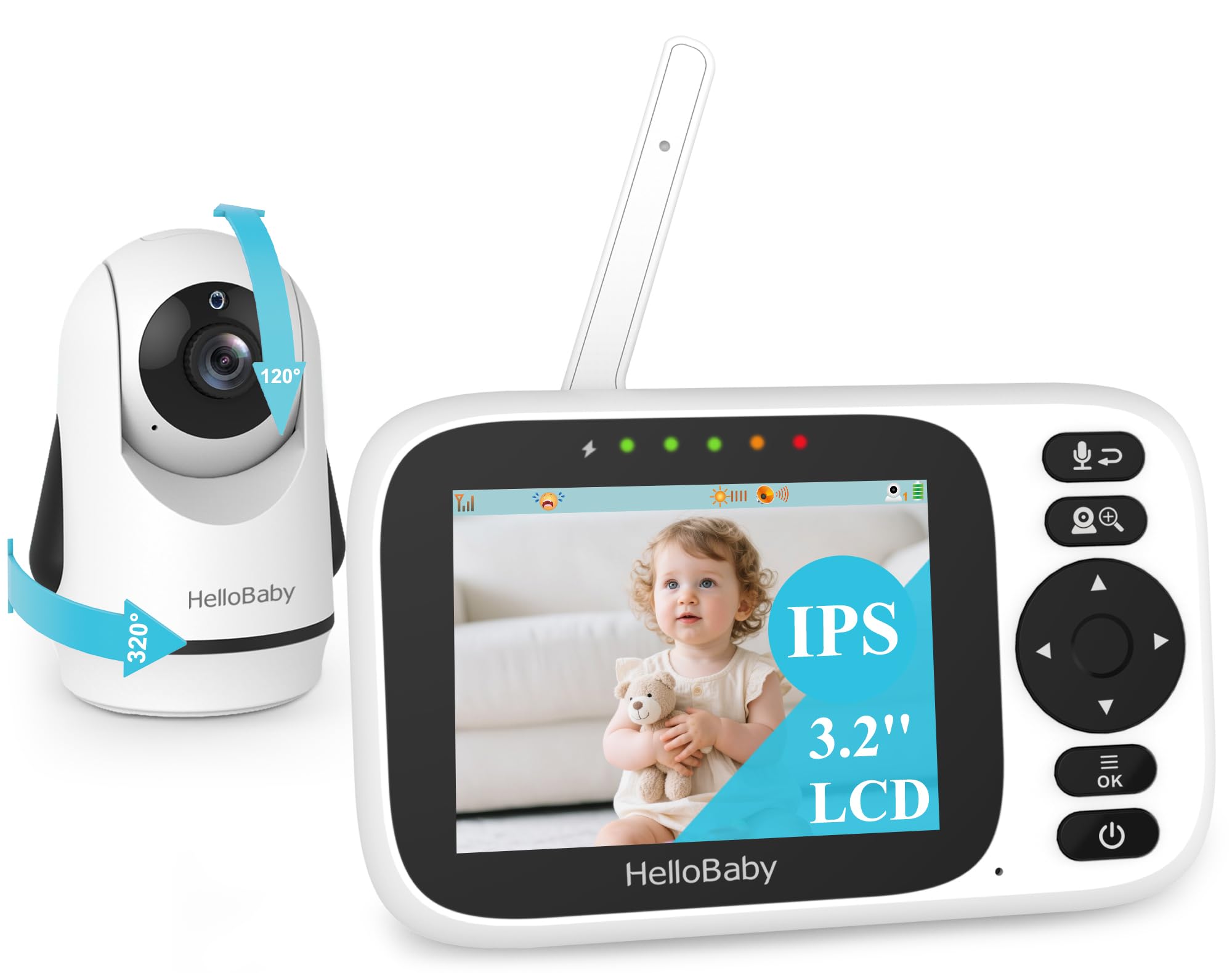
HelloBaby HB6339
Key Features
- Screen: 3.2 inches
- Battery: Up to 14 hr
- Resolution: 720p
- Camera movement: 320° pan, 120° tilt
- Price: Budget
A 3.2-inch parent unit that can aim the camera is the trick this one pulls off at the low end of the price scale. It fits on a narrow shelf, in a bag, in a stroller pocket, and it still gives you 320 degrees of pan and 120 of tilt from the buttons instead of your hands. Nothing about it feels stripped down in the way budget monitors usually do, and that’s the judgement that put it in the runner-up group rather than the long list.
Setup is the other thing it gets right: two adapters, two units, done. No pairing screen, no app, no account, and the picture comes up in 720p with a 2x zoom that’s actually worth using for a look at a sleeping face. There’s an ECO mode that puts the screen to sleep until the room gets loud, eight lullabies, a temperature reading with alerts, and automatic infrared night vision. For a nursery a wall or two from the kitchen, that’s everything you need and nothing you have to learn.
The compromises are real but predictable. Battery life is rated up to 14 hours and the charge has been uneven between units, so treat the parent unit as something that lives near an outlet with a battery for carrying between rooms. The signal also gives up sooner through multiple walls than the bigger sets here do — which is fine for a small house and a limitation for a long one. For the money, we have not found a better balance.
Pros
- 320° pan and 120° tilt at a budget price
- Compact parent unit that travels easily
- 720p picture with a usable 2x zoom
- Setup is two adapters and nothing else
Cons
- Battery charge is inconsistent between units
- Signal can drop through several walls
We keep recommending this one to people who want video on a budget: real pan and tilt, a 720p picture, and setup that takes minutes rather than menus.
Best for Travel and Spare
Motorola AM21

Key Features
- Type: Audio only
- Range: 1000 ft
- Battery: 2 AAA, not included
- Connection: DECT
- Price: Budget
The AM21 does three things: it listens, it lights up when the room gets loud, and it tells you when you have walked out of range. There’s a sensitive microphone with cry detection, a volume dial rather than a menu, and three LEDs covering power, sound and out-of-range. It is the least complicated monitor here by a wide margin, and getting it running means plugging in the baby unit and putting cells in the parent unit.
That simplicity is the point. This is the set to keep in a bag for a night at a relative’s house, or to drop in a spare room without much outlay: it’s small, the DECT link is secure and needs no network, and there is nothing to configure when you arrive. We like it far less as the only monitor in a house — the feature list is thin next to the VTech audio sets, and you give up the extras that make a full-time monitor pleasant.
Power is the part to plan around. The parent unit runs on two AAA cells and goes through them quickly enough that a full night on batteries is a stretch, so the honest setup is a plug by the bed and cells for carrying it room to room. Range is the usual 1,000-foot outdoor claim; through interior walls it behaves like the other DECT sets here, which is to say it covers a normal house and stops somewhere near the garden.
Pros
- Secure DECT link with cry detection
- Small enough to pack for a night away
- Volume dial and simple LED alerts
Cons
- Parent unit takes two AAA cells, not included
- Fewer extras than the other audio picks
We treat the AM21 as the spare: DECT audio and cry detection for a second room or a night away, small enough to live in a diaper bag.
Best for Second Room
Baby Ganibs BG1049

Key Features
- Range: 1000 ft outdoor, 165 ft indoor
- Screen: 4.3 inches
- Battery: 16 hr screen-on / 30 hr ECO
- Camera movement: 320° pan, 120° tilt
- Price: Budget
Two numbers on this listing do more work than the rest: 1,000 feet outdoors and 165 feet indoors. That’s the most honest range spec in this roundup, and it matches what a 2.4GHz signal actually does when it meets a floor and two walls. Plan around the smaller figure and you won’t spend the first week disappointed at the far end of the house — which is more than we can say for a bare 1,000-foot claim.
For budget money you get a 4.3-inch screen, a camera that pans 320 degrees and tilts 120 from the parent unit, a 3,500mAh battery rated for 16 hours with the picture on and up to 30 in ECO mode, night vision, two-way talk and eight lullabies. Picture and night vision are the parts that hold up: the screen is clear, the camera takes in a whole small room in the dark, and the pan control means you can check the far corner without going in.
The reason it sits in this tier rather than higher is the charging. The battery is the component that goes, and the parent unit can stop accepting a charge after a few months — a hard thing to discover at 2 a.m. with a baby already crying. As a second monitor, a travel set, or the camera for a room you don’t watch every night, the value is genuinely strong. As the only monitor in the house, we would want a backup plan.
Pros
- 4.3-inch screen at a budget price
- Remote 320° pan and 120° tilt
- Realistic indoor range figure
Cons
- Battery can stop accepting a charge
Our value pick for a second room: a 4.3-inch screen, remote pan and tilt, and range figures that are honest about walls.
How We Tested Baby Monitors Overnight, at Naptime, and on the Road
We started by mapping the baby monitor market—local-video models with a dedicated parent unit, Wi-Fi cameras that stream to a phone, and hybrids that do both—then filtered by size, mounting options, price, and whether basic features required a subscription. We brought in 12 monitors and used each one the way a family actually would.
For six months, they lived on dressers, clamped to crib rails, and in a toddler’s room, through naps, overnight, and a few trips away from home. I set up each monitor solo without opening the manual and timed how long it took to get a live view, then handed the app or parent unit to my partner to see whether the controls made sense without a tutorial. We checked picture quality in blackout, with a night-light, and in morning sun—could we see a sleep sack’s zipper and the rise and fall of a chest? We played a recorded fan hum and a real cry at low volume to hear whether the audio distorted, lagged, or clipped the first second. We also handled each unit daily, adjusting angles and packing a few for travel, and noted which felt sturdy and which buttons needed a second press.
Reliability got the longest test: we left each monitor running for consecutive overnights, logged dropouts, freezes, and random restarts, then rebooted the router mid-nap to see how fast it reconnected and whether notifications still arrived. For battery life, we ran each parent unit and phone off the charger overnight and checked the percentage by morning. At the end, we tallied which features we actually used after a month—and which we paid for but ignored—to judge value.
How to Choose a Baby Monitor
The first decision isn’t brand or screen size — it’s whether you want to hear your baby or watch them, because that one choice sets the price, the battery life, and how much of your night goes into checking a screen.
Audio or Video First
An audio monitor answers one question: is this worth getting up for? A video monitor answers a different one: is the baby actually asleep, or just quiet? We reach for video in a bigger house and for audio in a small one, where the nursery is a wall away and a screen mostly gives you something to stare at from bed.
Audio sets cost less, run on simpler hardware, and put nothing glowing in your bedroom. Video earns its price when the crib is out of earshot, or when you want to check a sleeping position without opening the door and waking everyone. Decide which question you ask at 3 a.m. before you start comparing screens.
The Closed Link or the Internet
Every pick here links the camera straight to a parent unit over DECT or 2.4GHz FHSS — no router, no account, no cloud, nothing to log into. That means the monitor still works when the internet doesn’t, and there’s no password standing between a stranger and your nursery. The trade is reach: you can’t check the feed from work.
If remote viewing is the whole point, you’re shopping for a Wi-Fi camera instead, and the questions change to app reliability and account security. For a monitor that stays in the house, we prefer the closed link every time.
What You’ll Actually See
A 5-inch screen is easier to read across a dark room than a 2.8-inch one, but it also drains battery faster and throws more light at the person trying to fall back asleep. Resolution matters less than field of view: a fixed 55-degree lens can cover a crib nicely, while anything you want to sweep — a toddler’s whole room — needs remote pan and tilt.
Test the night view before you commit to a wall mount. Stand in the nursery with the lights off and look at where the camera would sit; that tells you more than any resolution figure on the box.
Battery, Chargers and Range Claims
Battery figures flatter. The big numbers are usually quoted with the screen off, in ECO or audio mode, so compare the screen-on video hours if you plan to watch all night — among these picks that range runs from about 10 to 19 hours. Whatever the claim, the parent unit is happiest on a charger beside the bed.
The camera plugging into the wall is the norm here — the parent unit is the part with the battery — so the crib needs an outlet that isn’t behind the crib itself. And 1,000 feet is an outdoor, line-of-sight number. Through two interior walls, expect a normal house and a bit of garden, no more.
Frequently Asked Questions
Where should I put the baby monitor camera?
High and angled down, at least three feet back from the crib, with the cord run behind furniture and out of reach. A wall mount on a stud, or a high shelf across the room, is the safe default. Keep the camera off the crib rail and never let a cable hang inside the crib.
Find the outlet before you settle on the view, because the camera is the part that has to reach a socket. Then check the parent unit from the rooms you’ll actually use at night.
Can I add a second camera later?
Only on models built for it. The GoodBaby SM663 pairs with its own add-on cameras (SM663 and SM663V2) and the HelloBaby sets take their matching extra cameras, but the audio monitors here take none, and a single-camera HelloBaby is a different system from the two-camera bundle.
Check the model number against the listing before you order. If two rooms are already likely, buy the two-camera set once instead of upgrading later.
Do no-Wi-Fi baby monitors work when you travel?
Yes. The two units talk directly to each other, so all you need is an outlet for each — no network, no account, nothing to configure in a strange house.
Pack a short extension cord, since the camera side is the one that has to reach a wall, and set both units up before the baby goes down so you can confirm the link through unfamiliar walls.
Final Verdict
For most families, the GoodBaby SM663 is the one to buy: a screen big enough to read at 3 a.m., a camera that moves without you walking down the hall, and a closed link that doesn’t involve an app or a password.
If you’d rather listen than watch, the VTech DM221 is a better monitor than most video sets — clearer sound, less to go wrong, and nothing glowing in the bedroom. And if two children fill your evenings, pay once for the HelloBaby HB6550-2 instead of buying a second single-camera set later.