This post contains affiliate links. We may earn a small commission when you buy through our links — at no extra cost to you.
The first night a baby camera fails you is never dramatic — it’s a frozen frame, a feed that won’t reconnect, or a cry you hear from the hallway before the app tells you anything. What you actually want from a wireless camera is duller than that: a clear picture at 3 a.m., audio that doesn’t lag behind the actual sound, and a connection that holds when the router sits two rooms away. That reliability is what lets you stop checking the app and go back to sleep.
The spec sheet is a poor predictor here. A camera that streams beautifully in daylight can turn into a gray smear once the lights go out, and the model with the longest battery claim isn’t always the one that survives a full night with motion alerts on. My team and I have spent the past six months living with 11 wireless cameras — overnight, through naps, and on a couple of trips to Grandma’s house — and the ones worth your money sorted themselves out fast. Picture quality, easy setup, and a wifi connection that holds are what separate them, and the picks below got all three right.
Best for All-Night Nursery Duty
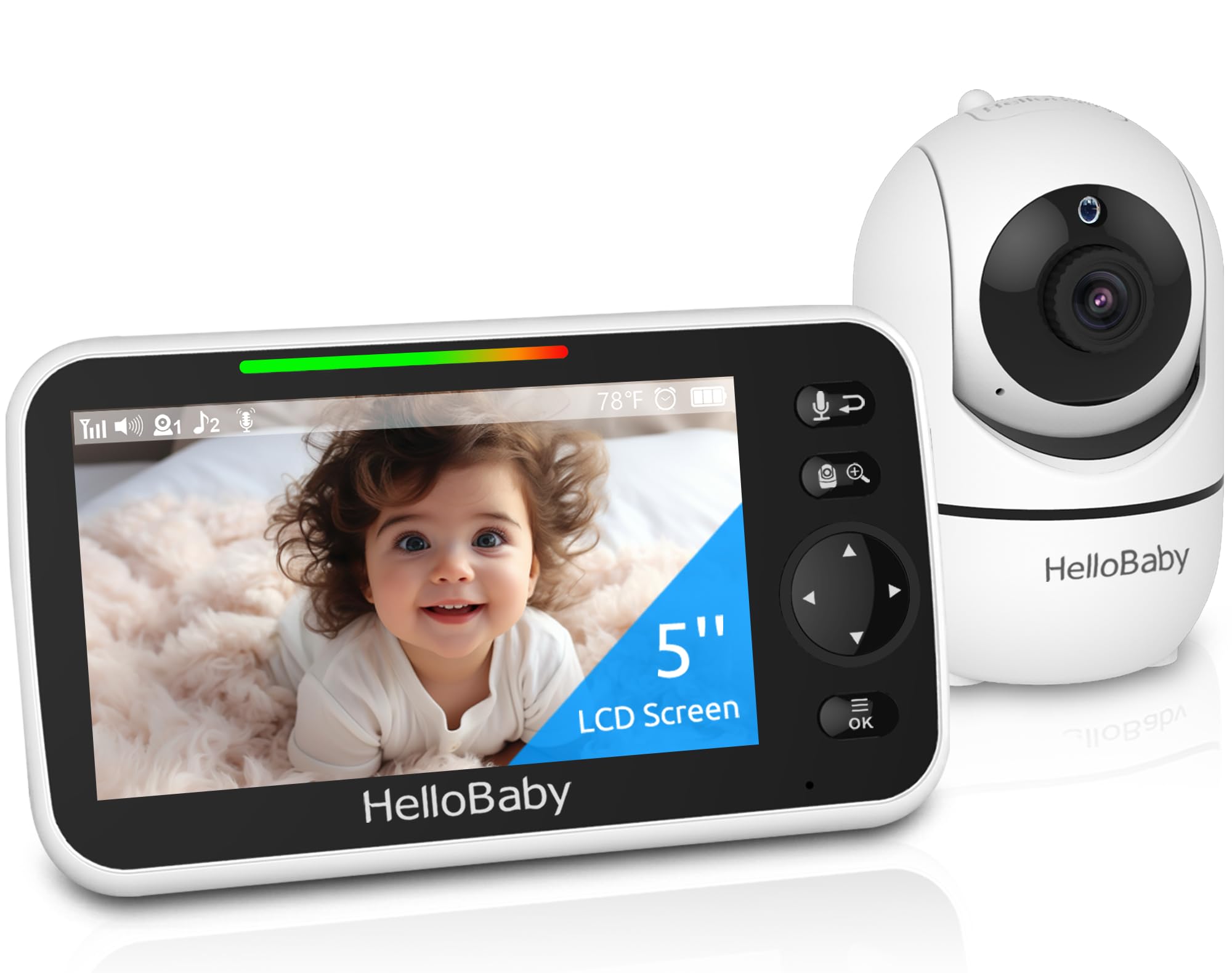
HelloBaby HB6550
Key Features
- Display: 5 in IPS
- Connection: 2.4GHz FHSS, no WiFi
- Camera movement: 355° pan, 120° tilt
- Claimed battery: Up to 30 hours
- Price: Midrange
Unboxing is the whole setup. The camera goes on a wall or a shelf, both adapters go into outlets, and the 5-inch parent unit is already paired to it. There’s no account, no network name, no password, and nothing to log back into when the baby stirs at 2 a.m. If you have ever stood in a doorway waiting for a phone app to reconnect, this is the alternative.
That simplicity is why it’s our top pick, but the hardware earns it too. The camera pans 355 degrees and tilts 120 from the parent unit, so sweeping the crib doesn’t mean walking back into the room, and the infrared night vision gives a clear enough picture to read a sleeping baby’s position in a fully dark nursery. Resolution is a modest 480p — the Nanit streams 1080p — but on a 5-inch screen it holds up fine.
The 30-hour battery figure deserves a caveat. It’s a best-case number, and running with the screen on burns through it faster. Charging is the longer-term weak point, with parent units that stop taking a charge after a year or so of nightly use, so keep the adapter at your bedside and treat the cordless hours as a bonus rather than the plan. Two-way talk is the other soft spot: it can sound thin and arrive slightly behind your voice, which matters less than it sounds — you use it to say shh, not to hold a conversation.
One more thing we appreciated: the temperature reading sits on the main screen, so the is-the-nursery-too-cold question gets answered without a second device. For a first monitor in a small house, that’s the kind of small convenience that makes it feel considered rather than cheap.
Pros
- Pre-paired, plug-in setup with no account
- Remote 355° pan and 120° tilt
- No WiFi, no app, no cloud
- Clear infrared night vision
Cons
- Two-way audio can sound thin and slightly delayed
Our default recommendation: pre-paired, off your WiFi, with a 5-inch screen, remote pan and tilt, and night vision that holds up in a dark room.
Best for Value Big Screen
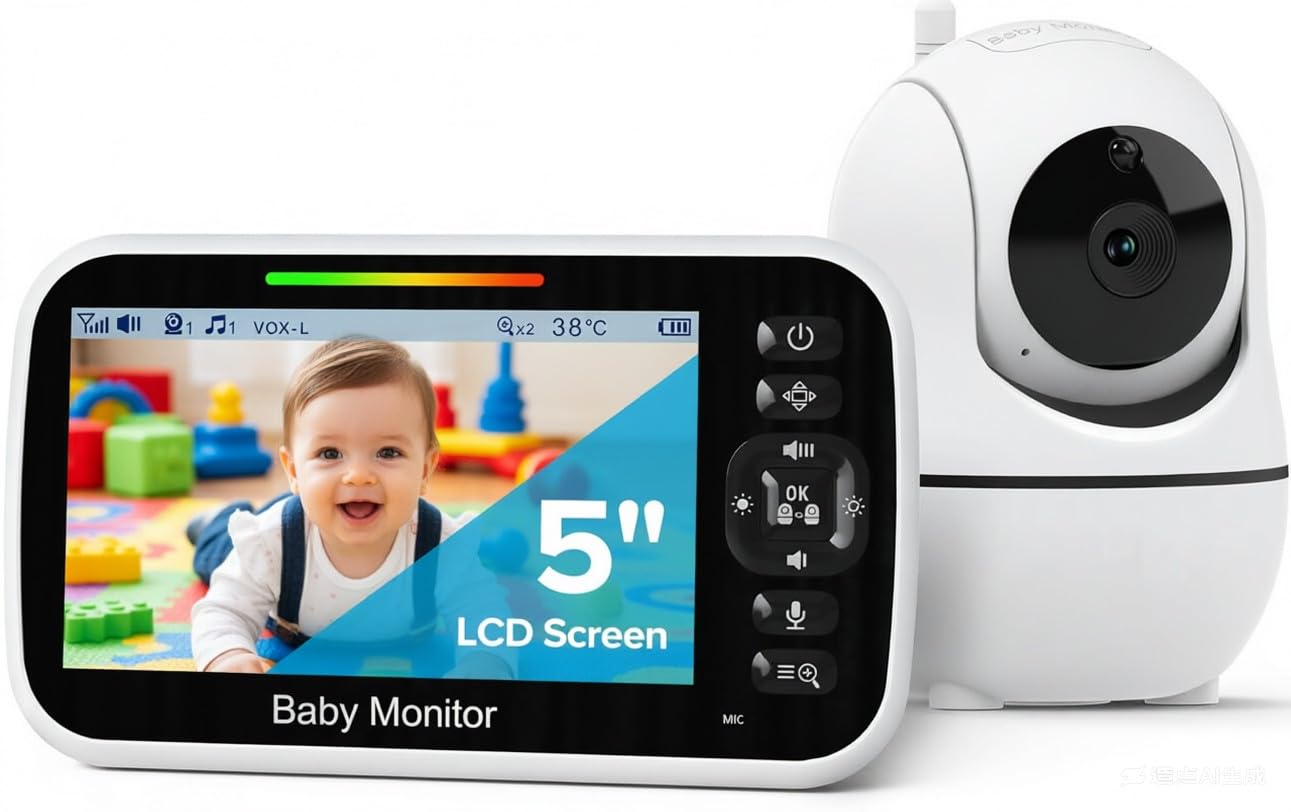
GoodBaby SM663
Key Features
- Display: 5 in LCD
- Resolution: 480p
- Camera movement: 355° pan, 120° tilt
- Claimed battery: Up to 30 hr VOX, 10 hr screen on
- Price: Budget
If you want a big screen without paying for one, this is where we send people. The SM663 matches our top pick on the things that matter at night — a 5-inch display, remote 355-degree pan with 120-degree tilt, and infrared night vision that reads clearly in a dark room — then adds a room-temperature readout, a feeding alarm and eight lullabies. It is the value pick of this group, and not by a small margin.
Picture quality is the honest compromise. It’s a 480p camera on a 5-inch screen, which is perfectly usable: you can see whether a blanket is over a face, which is what you’re actually asking. You won’t count eyelashes, and the night vision, not the resolution, is what carries it after dark.
Battery is where you should set expectations. GoodBaby quotes 30 hours in VOX mode, when the screen sleeps until sound wakes it, and about 10 hours with the display on the whole time. Most nights you’ll want the second figure, so plan on the charger beside the bed and enjoy the cordless window for naps and evenings downstairs. The rest of the package — the temperature readout, the feeding alarm, the lullabies — is the sort of thing that usually gets cut from a budget monitor.
Pros
- 5-inch screen and remote pan at the value end
- Room temperature readout and feeding alarm
- No WiFi, no account, no app
Cons
- 480p sensor limits fine detail
- About 10 hours with the screen on
We point value shoppers here: a 5-inch screen, remote pan and a temperature readout, as long as the charger stays by the bed.
Best for No-Frills Simplicity
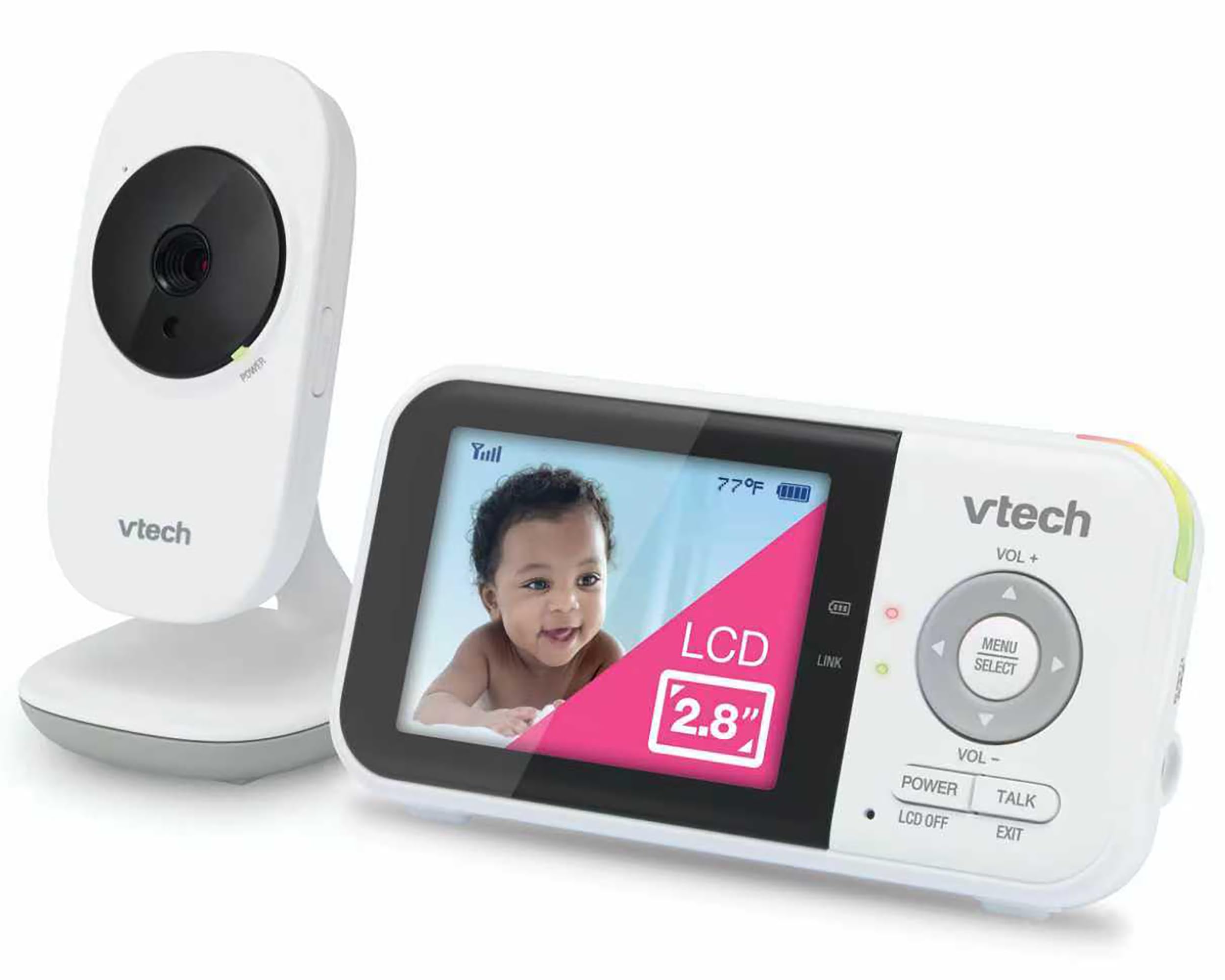
VTech VM819
Key Features
- Display: 2.8 in LCD
- Connection: 2.4GHz FHSS, no WiFi
- Field of view: 55°
- Claimed battery: Up to 19 hr video, 29 hr audio
The VM819 is defined by what it leaves out. No pan, no tilt, no zoom, no app: a fixed 55-degree camera and a 2.8-inch parent unit with buttons. There is nothing on this monitor to explore, and the restraint reads as deliberate rather than skimped.
The lens is the one thing that demands attention. At 55 degrees it is narrow, so placement matters more than on the pan-and-tilt models here: aim it before the baby goes down and check the view in the dark from the parent unit, because the only way to fix a bad angle later is to walk back in. Once it’s aimed, night vision is clean, the sound-activated screen keeps the nursery dark until something wakes the baby, and the temperature readout and lullabies are there if you want them.
Battery is where this one wins its place in the roundup. VTech rates the parent unit at up to 19 hours of continuous video, or 29 hours with audio only, which is a long cordless shift — plug it in while you sleep and it’s ready for the day. For a grandparent’s house or a second setup for naps, the lack of features is the feature.
Pros
- Up to 19 hours of video on the parent unit
- Nothing to configure; pre-paired out of the box
- Sound-activated screen keeps the nursery dark
Cons
- 2.8-inch screen is small for a bedside check
- No pan, tilt or zoom on the camera
We recommend it to anyone who wants a screen, a camera and nothing to configure, and can live with a 2.8-inch display.
Best for Checking in Remotely
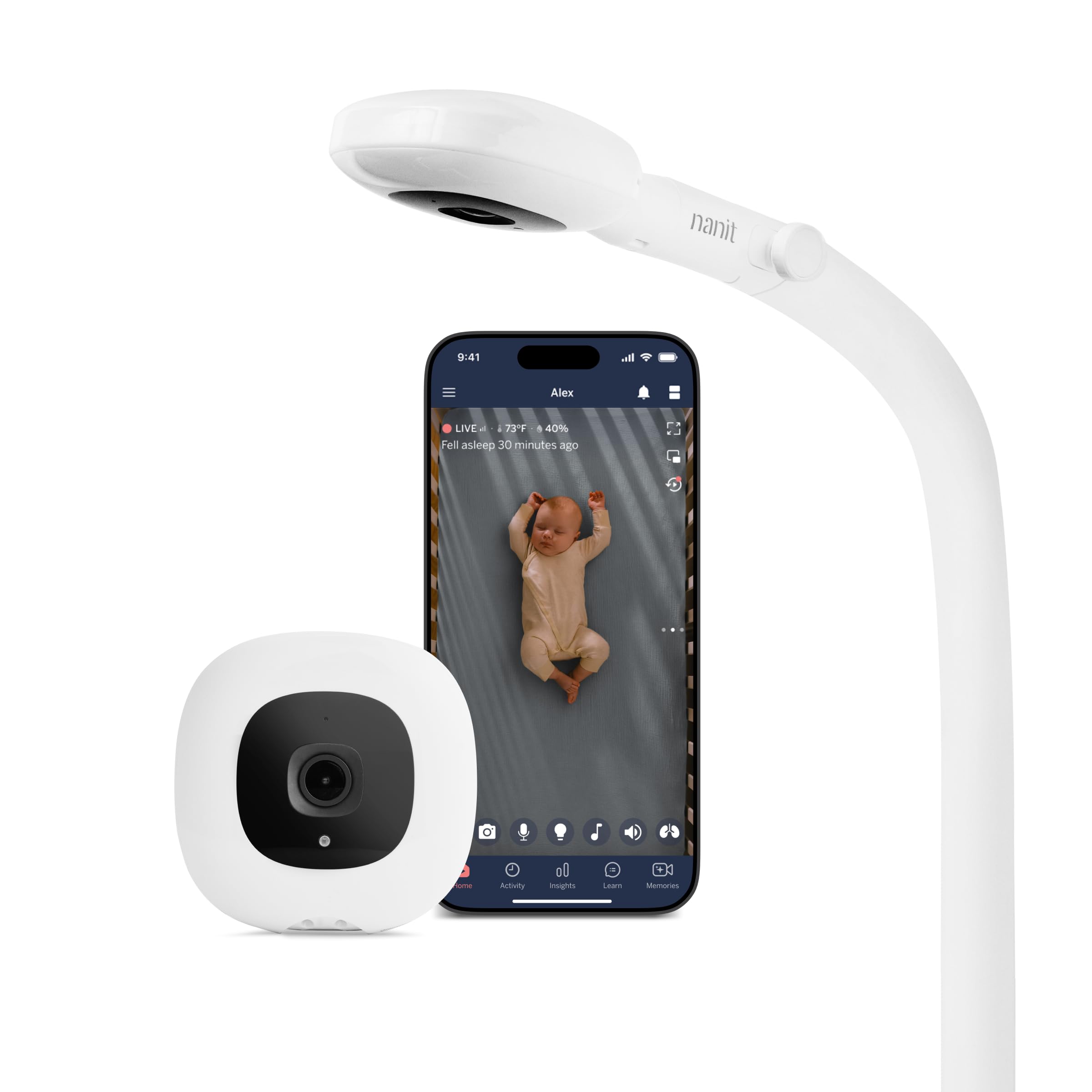
Nanit Pro
Key Features
- Mount: Floor stand included
- Connection: WiFi, app-based
- Resolution: 1080p
- Smart features: Sleep tracking, motion alerts
- Price: Premium
There’s no parent unit in the box with the Nanit Pro, and that’s the point. The camera streams 1080p to an app on your phone from an included floor stand that holds the lens directly over the crib — an overhead angle the parent-unit monitors here only get with a ceiling mount.
We think the overhead view is the real product. Looking straight down into a crib tells you more at a glance than a three-quarter angle from a shelf, and it’s what makes the sleep tracking worth having: the app logs sleep periods, wake-ups and room temperature and humidity, and pushes motion and sound alerts to your phone. For a parent back at work, that’s a different kind of reassurance than a screen on the dresser.
The costs are real and worth naming. It’s the most expensive pick in this group, the free app keeps a day of history before it resets, and everything — video, alerts, the whole thing — depends on your WiFi staying up and your phone being charged. If the internet drops at 3 a.m., you own a camera and no monitor.
None of that makes it a bad choice; it makes it a different one, for a household where looking in from somewhere else is the point. If you go this route, keep a cheap audio-only monitor as the overnight backup. It’s the arrangement that survives a router reboot.
Pros
- 1080p overhead view from the floor stand
- Sleep tracking and motion alerts in the app
- Check in from anywhere on your phone
Cons
- Needs WiFi and a charged phone to work
- Free app keeps only a day of history
The pick for checking in from work: 1080p overhead video and sleep tracking, in exchange for a monitor that lives on your WiFi.
Best for Big-Screen Monitoring
VTech Advanced HQ Max

Key Features
- Display: 7 in IPS
- Connection: 2.4GHz FHSS, no WiFi
- Camera movement: 355° pan, 122° tilt, 4x zoom
- Claimed battery: Up to 12 hr video, 18 hr audio
- Price: Midrange
Seven inches of IPS panel is a lot of screen for a parent unit, and in a dark nursery it’s the nicest one to look at here: wide viewing angles, rich color, and a picture big enough to read from across the room without picking the unit up.
The rest of the package is generous on paper. A 5,000mAh battery rated for up to 12 hours of video or 18 hours of audio, 355-degree pan with 122-degree tilt and 4x zoom, a 110-degree lens, a night light you trigger from the parent unit in seven colors, plus five lullabies and five ambient sounds.
Our reservation is the part a monitor can least afford to get wrong. Audio is the weakest of this group: at lower volumes a stirring baby can be hard to hear, and that’s the sort of thing that only shows up once you’re sleeping with sound on and the screen off. Add a 600p image that looks soft stretched across seven inches, and this is a screen-first purchase rather than an all-rounder.
Buy it because you want the big display and the night light — for a toddler’s room, or for a parent who reads the monitor from bed without reaching for glasses. Keep the volume high, and if you plan to rely on sound alone, the VTech VM819 is the safer bet for that.
Pros
- 7-inch IPS screen, the largest here
- Night light controlled from the parent unit
- 355° pan, 122° tilt and 4x zoom
- 12 hours of video on a 5,000mAh battery
Cons
- Audio can be too quiet at low volume
- 600p image looks soft on a 7-inch screen
We rate the screen, not the speaker: 7 inches of IPS and a controllable night light, with audio that needs the volume up.
Best for Travel and Naps
VTimes VT31

Key Features
- Display: 2.4 in LCD
- Connection: 2.4GHz FHSS, no WiFi
- Night vision: Automatic infrared
- Claimed range: 1,000 ft
- Price: Budget
This is the one that goes in the diaper bag. The VT31 pairs a small camera with a 2.4-inch parent unit, both pre-paired out of the box, and covers the basics: automatic night vision, two-way talk, eight lullabies, a temperature sensor and a claimed 1,000-foot range. For a second monitor, or a first one that travels to a grandparent’s house, we think that’s the right set of compromises.
The screen is the whole trade. On a hotel nightstand a foot from your head, 2.4 inches is plenty and the unit disappears into a bag. At home, on a dresser across a dark bedroom, you’ll be squinting at a postage stamp. It’s a travel monitor that can do nightly duty, not the other way around.
The package includes two adapters, which matters more than it sounds: one lives in the bag, one stays by the bed, and you never arrive somewhere with a dead parent unit. Charging is where budget units of this shape tend to fade, so run it off the adapter overnight and let the cordless hours be a bonus.
Pros
- Small enough to live in a diaper bag
- Two power adapters included
- Night vision, two-way talk and lullabies included
Cons
- 2.4-inch screen is hard to read at a distance
- Connection can drop and interrupt the feed
The diaper-bag monitor we reach for: small, inexpensive and good enough for travel, as long as you’re not reading it across a dark room.
Best for Small Nurseries
HelloBaby HB6148

Key Features
- Display: 4.3 in IPS
- Night vision: Automatic infrared
- Camera movement: 350° pan, 120° tilt
- Claimed battery: Up to 30 hr ECO, 16 hr normal
- Price: Budget
Take our top pick, shrink the screen to 4.3 inches and cut the price, and you have the HB6148. The remote pan and tilt survive the downgrade — 350 degrees across and 120 degrees up and down — along with the 2.4GHz FHSS link that keeps the feed off your network and off your phone.
It’s the better fit for a small flat or a nursery where the parent unit moves from room to room with you. We found the 4.3-inch unit easier to keep in a pocket than the 5-inch models, and at arm’s length the picture is clear enough to read a sleeping baby’s position.
Two things to know. Night vision is strong and works in a fully dark room, which is the feature this model gets most right. Audio is the weaker half: sound can break up with static, particularly at higher volumes. The battery is rated for up to 30 hours in ECO mode, closer to 16 with the screen on, and the charge circuit is the part that ages.
What settles it for us is that nothing important gets cut. The camera takes a wall mount, the parent unit carries one-handed, and the 480p picture matches the bigger HelloBaby. You’re shrinking the screen, not the monitoring.
Pros
- Compact 4.3-inch parent unit travels easily
- Remote 350° pan and 120° tilt
- Strong night vision in a dark room
- Cheaper than the 5-inch HelloBaby
Cons
- Audio can break up with static
A smaller, cheaper sibling to our top pick, and the better fit for a one-bedroom flat where the parent unit travels with you.
How We Tested the Best Wireless Baby Cameras
We started with roughly 30 cameras on the market, then cut the list to models that could stream to a phone without a mandatory subscription and that had been on sale long enough to have a real track record. From there we bought 11 units across the price range, from basic fixed-lens cameras to pan-and-tilt models with two-way audio, and used each one for the better part of six months — long enough for the novelty to wear off and the annoyances to surface.
Every camera went through the same setup: unboxed at the kitchen counter, timer running, first live picture on a phone timed to the second. Each then moved into a nursery and ran overnight, through naps, and on two trips out of town. For picture quality we looked at the image in daylight, in a dim room with a nightlight, and in total darkness, judging whether we could make out a sleeping baby’s chest rising rather than whether the box said 1080p.
Connectivity got its own round of abuse. We watched the feed from a room two walls away, carried the camera to the far corner of the house, and pulled the router plug to see how quickly it reconnected on its own. Battery life was logged with motion and sound alerts switched on, not in some low-power mode. For audio we played a recorded cry at a fixed distance and listened for delay and for distortion at the top of the volume. Then we weighed all of it against price, including whatever the app charges monthly, because a camera that costs more than it saves you in worry isn’t a good value.
How to Choose a Wireless Baby Camera
The first decision isn’t screen size or resolution — it’s whether the camera talks to your phone or to a parent unit, and that choice shapes everything else about how you’ll use it.
No-WiFi or app-based: pick the kind of night you want
A no-WiFi monitor sends its own encrypted signal from camera to parent unit, which is why it keeps working when the internet doesn’t and why your phone can stay downstairs. The trade is reach: there is no way to look in from the office. An app camera like the Nanit goes the other way, with 1080p from anywhere, but your overnight coverage now depends on your router and a charged phone.
Decide which failure you can live with before you shop. If a dropped connection at 3 a.m. is the nightmare, buy the parent unit. If missing an hour of the day is, buy the app.
Judge the picture in a dark room, not on the spec sheet
The trap here is assuming a bigger screen means a sharper picture. Several monitors in this group are 480p, and on a 5-inch parent unit that is perfectly legible at arm’s length; stretch the same detail across 7 inches and it looks soft. What matters at 3 a.m. is infrared performance, and whether the LEDs glow — visible red light close to a crib can keep a light sleeper stirring.
Look for night-vision footage before you buy rather than daytime samples, and prefer a unit that describes its infrared as invisible if the camera will sit near the crib.
Battery claims are best-case — plan for the charger
Advertised hours usually describe VOX or ECO mode, where the screen sleeps until sound wakes it. With the display on all night you’ll see far less, and the parent unit is the part that runs flat; the camera stays on mains. The practical answer is a charging spot at the bedside and the sound-activated screen switched on.
Treat cordless hours as the thing that lets you carry the monitor to the kitchen, not as an overnight guarantee. Every unit here is designed to be plugged in while you sleep.
Aim the camera before bedtime, and mind the cord
A 55-degree lens like the VTech VM819’s has to be pointed deliberately; a 110-degree lens or remote pan and tilt gives you slack when the crib moves. Either way the camera needs an outlet, so walk the nursery and find the socket before you fall in love with a shelf.
Then keep the cord well clear of the crib — several feet away and out of reach — because the cord, not the camera, is the strangulation risk with any monitor.
Extras worth paying for, and the ones that just fill a list
Two earn their place in our book: a room-temperature readout, which settles the blanket argument without a second device, and two-way talk, which is how you settle a baby without opening the door. Lullabies and cry detection are pleasant rather than decisive.
Sleep tracking like the Nanit’s is a real upgrade for some parents, and split screen only matters once you own a second camera. Don’t let a feature count decide it for you.
Frequently Asked Questions
Can I use a baby monitor when we travel?
Yes, and a no-WiFi unit is the easier one to take: it needs two outlets and nothing else. Pack the parent unit’s adapter in the bag — some models ship with two, which is how you avoid arriving somewhere with a dead monitor.
Before an overseas trip, check that the camera’s adapter accepts 100-240V. And put the parent unit on the nightstand, not across the room, because a small screen is only readable up close.
Is a monitor worth it if the nursery is right next door?
Often the sound is what earns it. A unit with a sound-activated screen and an audio-only mode covers that job, and if you genuinely only need audio, an audio-only monitor does it for less.
The camera earns its keep the first time you want to check a sleeping position or a blanket without opening a creaky door at 2 a.m.
Can I add a second camera later?
Only if that model says it supports extra cameras, and usually only from the same maker and family — the HelloBaby HB6550 lists four channels and requires the matching add-on camera.
If a second child is likely, buy the multi-camera version up front. A camera from a different brand will not pair with a parent unit.
Final Verdict
The HelloBaby HB6550 is the camera we recommend to most families. Pre-paired, off your network, with a 5-inch screen and remote pan and tilt, it does the job that matters at 3 a.m. without asking you to unlock a phone first. Keep the charger by the bed and it will hold up.
Two requirements change the answer. If you need to look in from somewhere else, the Nanit Pro is the only pick here that does it. If you want the fewest moving parts and the longest cordless stretch, the VTech VM819 is the one.