This post contains affiliate links. We may earn a small commission when you buy through our links — at no extra cost to you.
The baby is finally down, and the last thing you need is a monitor that needs a password reset or drops its signal because the internet blinked. Wi-Fi monitors can be convenient, but they also invite hacking worries, app glitches, and the dreaded "camera offline" notification at 3 a.m. A non-Wi-Fi baby monitor fixes that by running on a dedicated closed system — no cloud, no app, no router dependency — so the only thing you’re watching is your baby, not a loading screen.
I’ve spent the past six months living with a dozen of these monitors — setting them up in my own nursery, testing them through walls, and handing them to sleep-deprived parents — and the differences in picture quality, sound clarity, and battery life are real. The best ones feel like a simple extension of your home, not another gadget to troubleshoot. Before you scroll, know that you’re trading remote viewing and smart-home tricks for privacy, reliability, and a price tag that’s usually easier to swallow. The picks below were chosen for how well they work when you’re half-asleep and need an answer fast.

Best for Everyday Nursery Monitoring
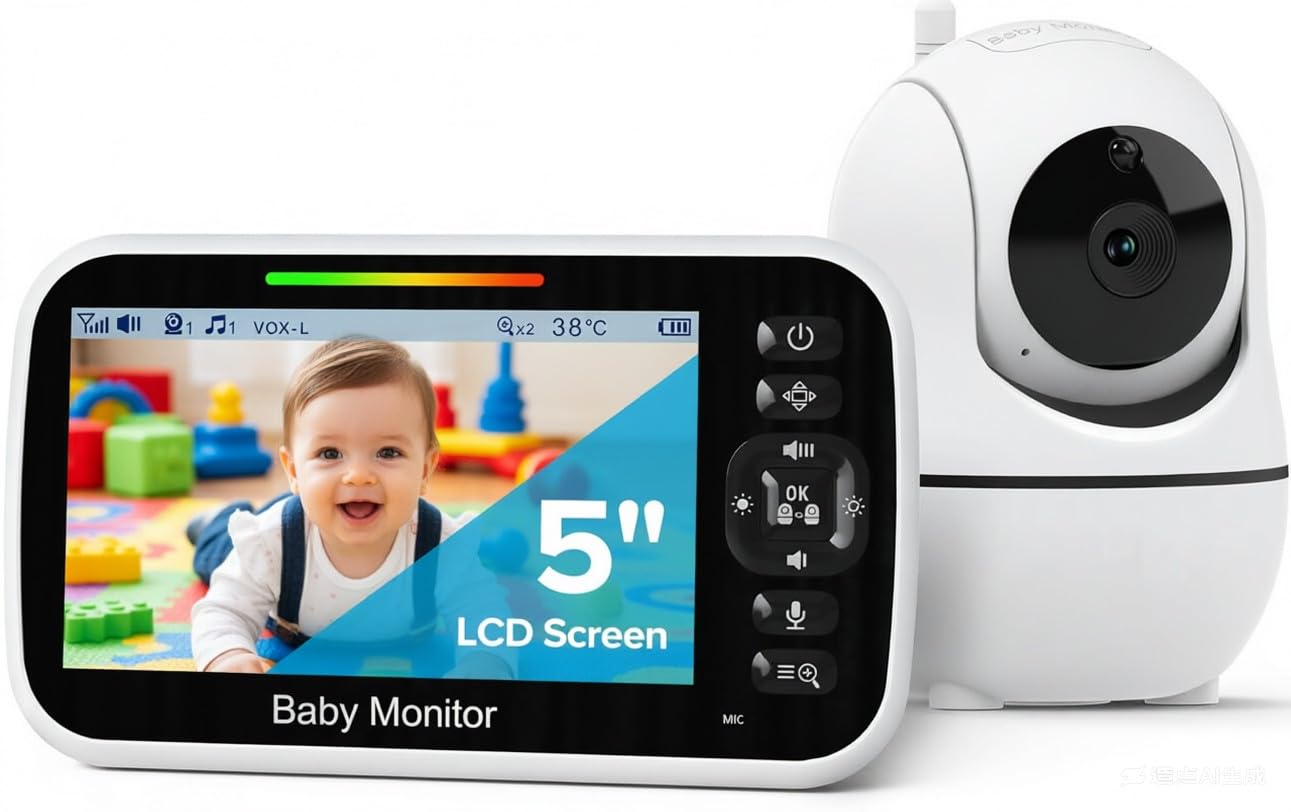
GoodBaby SM663
Key Features
- Extras: Temperature sensor, 8 lullabies
- Screen: 5 in LCD
- Camera movement: 355° pan, 120° tilt
- Parent-unit battery: 30 hrs VOX, 10 hrs screen on
- Price: Midrange
Five inches of screen, a camera that pans and tilts from the parent unit, and the nursery’s temperature sitting in the corner of the display — that is a full-size monitor’s feature list, and this is the least expensive place to get it among the five-inch-and-up models here. The remote pan is not a gimmick: it is what lets you follow a baby who has rolled to the far rail without tiptoeing in to move the camera, and the temperature readout retires the separate nursery thermometer.
Night is where a monitor actually earns its keep, and the automatic infrared here switches over on its own and gives a usable view of the whole crib rather than a bright blob in the middle. It is the part of this monitor we trust most, and the part that gets the least attention on the listing. The camera runs off mains power with no cell of its own, so the outlet and the cable route decide where it goes — plan that before you plan the shelf.
We run the parent unit in VOX mode overnight: the screen sleeps, the audio stays live, and it wakes the moment the baby stirs, which is where the 30-hour figure comes from. Leave the picture on all night instead and you are nearer 10 hours, so a daily top-up becomes part of owning it. Two-way talk and the eight lullabies are the sort of thing you ignore in the specs and then use constantly in the first month.
What settles it for us is that nothing feels subtracted. Picture, night vision, camera control, temperature and talk-back are all present, and adding the others up costs more. If your priority is a parent unit that genuinely survives a night unplugged, the HelloBaby below is the better buy; for everyone else this is where we start.
Pros
- Five-inch screen with remote pan and tilt
- Room temperature shown on the parent unit
- Lowest price of the full-size monitors here
- Night vision that needs no fiddling
Cons
- Screen-on battery is well short of a full night
- Camera unit must stay plugged in
The one we recommend to most parents: a full-size 5-inch picture with remote pan, tilt and a room thermometer, at the lowest price of the big-screen monitors here.
Best for Dark-Room Watching
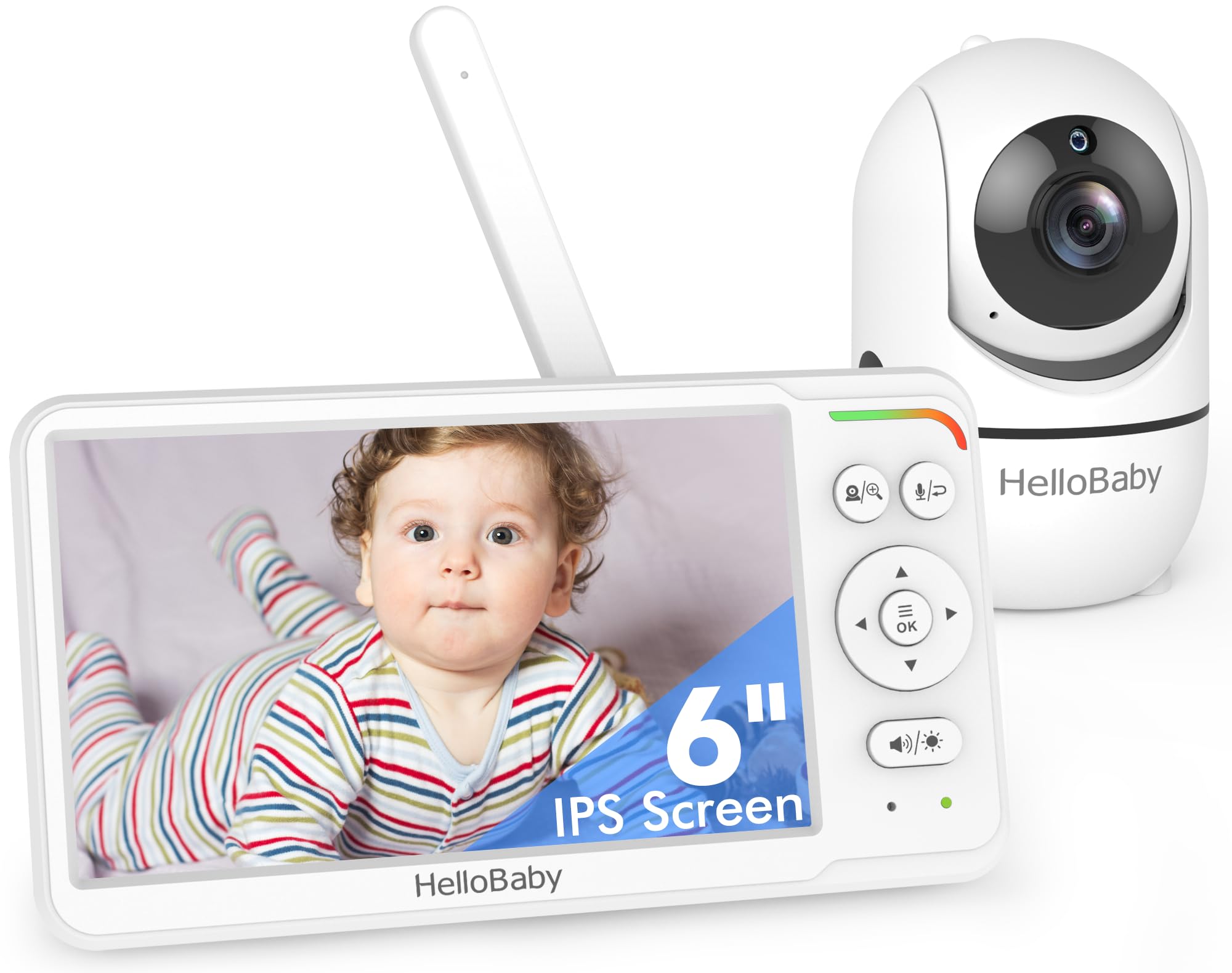
HelloBaby HB6560
Key Features
- Screen: 6 in IPS, split screen
- Night vision: Invisible infrared
- Camera movement: 355° pan, wide-angle lens
- Parent-unit battery: 16 to 30 hrs
- Price: Midrange
Six inches of IPS glass is the reason to look here. It is the largest display in this group short of the 7-inch VTech, it holds its color when you are viewing it from an angle on the nightstand, and it splits into two views if you add a second camera from the HB6560 line. On a unit you glance at in the dark, the extra inch and a half over the GoodBaby is noticeable rather than theoretical.
The night picture is genuinely good: the infrared does not glow red in the corner of the room, so it never becomes the thing your baby stares at, and the wide lens with a 355-degree pan covers a whole nursery without repositioning. Sound is the weaker half — clear when the parent unit is nearby, thin from three rooms away, which is the trade for a speaker this small.
Battery is where this one pulls ahead. A full night on eco mode is realistic rather than hopeful, the 16-to-30-hour range is quoted with the screen in use rather than only in sleep mode, and the charging complaints that dog most of this category barely register here. We think the extra spend over the GoodBaby is fair for the bigger screen and the stronger cell; in a small nursery on a tight budget, the cheaper one is genuinely enough.
Pros
- Six-inch IPS screen, split-screen ready
- Battery holds through a night on eco mode
- Invisible infrared doesn’t glow in the room
- Wide lens with 355-degree remote pan
Cons
- Audio is thin at a distance
Worth the step up if the nursery is dark: the biggest screen here short of the 7-inch VTech, and a battery that holds a night without a charge.
Best for Set-And-Forget Nights
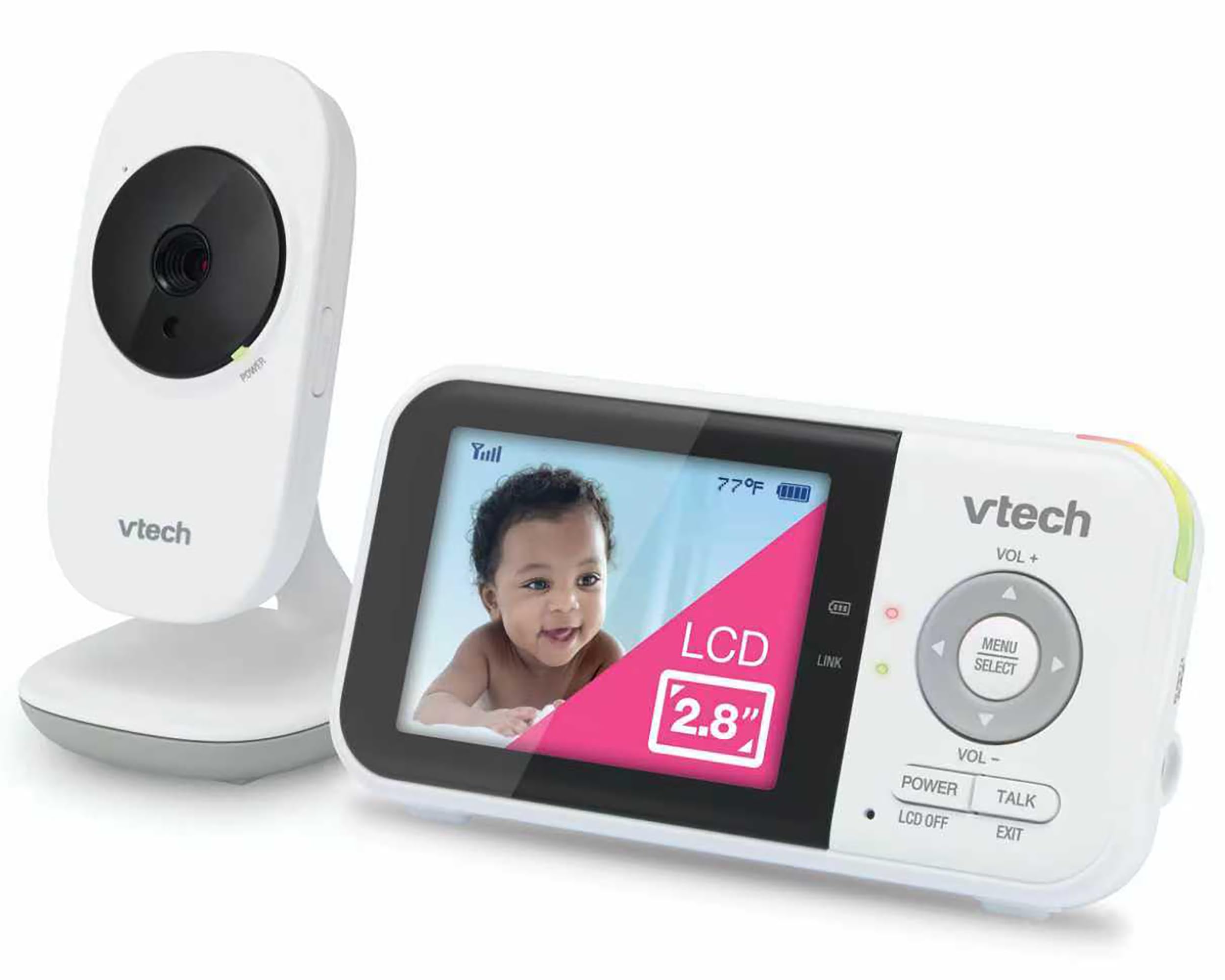
VTech VM819
Key Features
- Range: Up to 1,000 ft
- Extras: Sound-activated screen, 2 lullabies
- Screen: 2.8 in LCD
- Parent-unit battery: 19 hrs video, 29 hrs audio
- Price: Midrange
A 2.8-inch screen looks like a step backwards until you understand what it is for. This is the monitor we reach for when the goal is to stop thinking about the monitor: the sound-activated display stays dark and silent while the nursery is quiet, then lights up the moment there is a noise, so the parent unit is not a glowing rectangle on your nightstand at two in the morning. VTech quotes 19 hours of continuous video, or 29 with audio only, which is a long night by the standards of this group.
What you give up is coverage. There is no pan or tilt — VTech lists a 55-degree field of view and 2x digital zoom — so you aim it once, high and angled down, and live with the framing. For a crib that stays put, and a parent who wants a small unit that asks nothing of you between charges, that is a fair trade. If you want to watch the room rather than the crib, the motors on the GoodBaby and the HelloBaby are worth having.
Pros
- Screen stays dark until the baby makes noise
- Up to 19 hours of video on a charge
- Simple plug-and-play setup, 1,000 ft range
Cons
- Fixed camera with a 55-degree view
- Small 2.8-inch screen
For parents who want to stop thinking about the monitor: the screen stays dark until the baby makes a sound, and the battery is quoted at 19 hours of video.
Best for Audio-Only Travel
Motorola AM21
Key Features
- Link: DECT, 1.88–1.90 GHz
- Power: 2 AAA batteries or mains
- Range: Up to 1,000 ft
- Alerts: Cry detection, out-of-range LED
- Price: Budget
There is no screen on the Motorola, and that is the recommendation. You get a secure DECT link to a parent unit small enough for a pocket, cry detection, out-of-range and sound LEDs, and up to 1,000 feet of range for less than anything else here. For a newborn sleeping in the next room, hearing is what you actually use; the video is mostly for your own peace of mind, and it stops being useful the moment you are doing dishes two rooms away.
Two things to know before you order. The parent unit takes two AAA batteries, and they are not in the box, so add a pack; on batteries alone this is a daytime monitor, and overnight it lives on the adapter. And there is no camera to check, which is the point — buy it as a travel unit, a grandparent’s set or a second monitor rather than a replacement for video. No screen also means no light in your room at night, which is why plenty of parents keep an audio unit long after they have bought a camera.
Pros
- Secure DECT audio link, no WiFi or app
- Cry detection with clear LED alerts
- Cheapest monitor in this group
Cons
- No video at all
- Two AAA batteries not included
All the monitor a newborn needs: a private DECT audio link, cry detection and a pocket-sized parent unit, for the least money in this group.
Best for Sitter and Travel Use
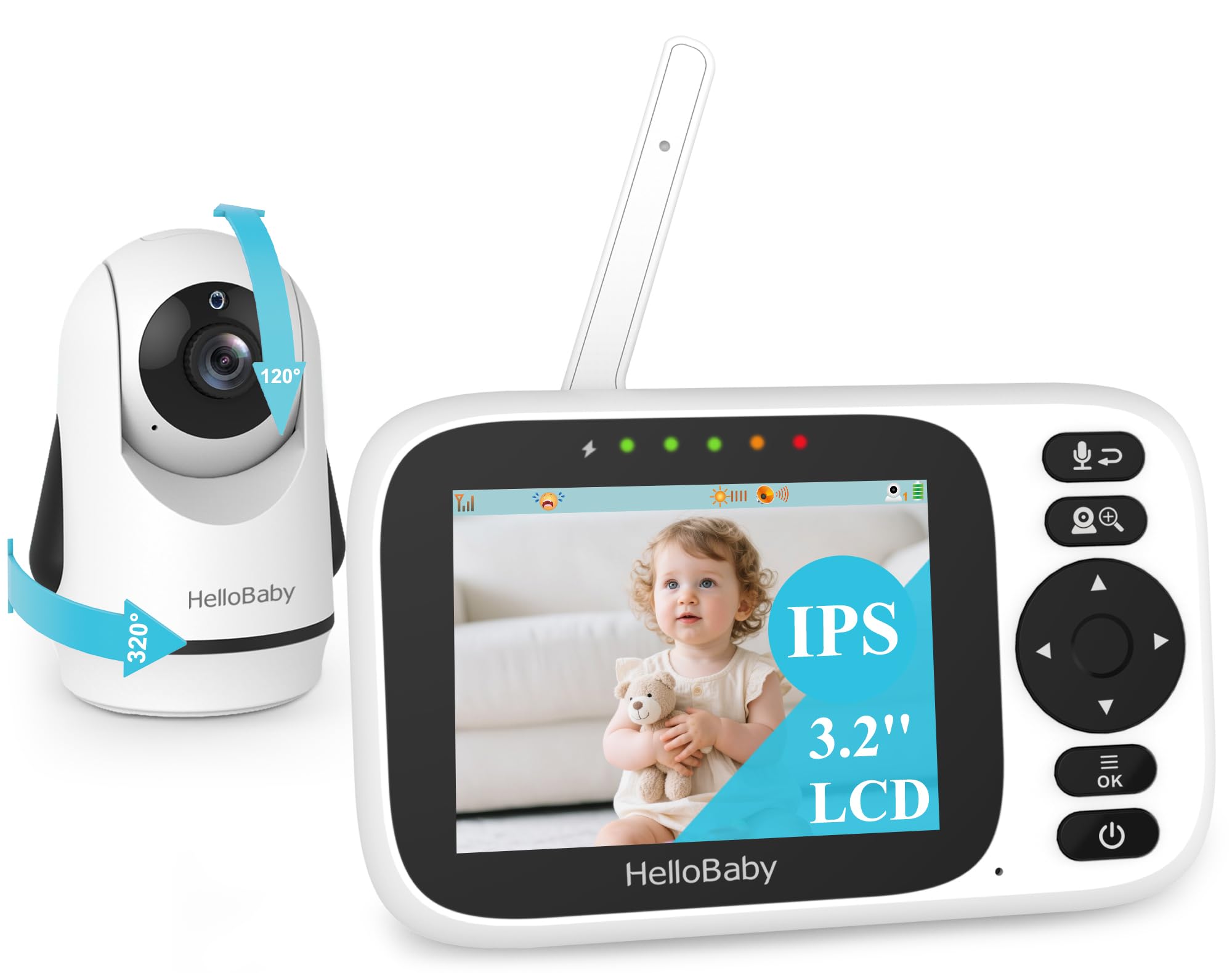
HelloBaby HB6339
Key Features
- Extras: 8 lullabies, temperature alerts
- Screen: 3.2 in, 720p capture
- Camera movement: 320° pan, 120° tilt, 2x zoom
- Parent-unit battery: Up to 14 hrs
- Price: Budget
The 3.2-inch screen is the honest compromise here. The camera captures 720p and the picture looks crisp on it, but you are checking a face rather than watching a room, and that is the whole character of the thing: a genuinely pocketable monitor with remote pan, 120-degree tilt, 2x zoom and eight lullabies, for very little money.
As a second monitor it makes a lot of sense. It is the cheapest video monitor here with a moving camera, it takes up almost no room in a changing bag, and ECO mode stretches the 14-hour claim into something usable for a sitter’s afternoon. We keep it in mind for travel and for grandparents rather than as the unit you watch all night — the screen is too small for that, and the battery is the shakiest part of it, with a small cell asked to do a long night’s work.
Where it earns its place is cost and size: it goes in a bag without a second thought, and it is the least expensive way here to get a camera you can steer around the room. The eight lullabies are the sort of thing you skip over on the listing and then use every night once they are there.
Pros
- Remote pan, tilt and 2x zoom for very little
- Eight lullabies and temperature alerts built in
- Small and light enough for a changing bag
Cons
- 3.2-inch screen is too small for all-night watching
- Battery is the weak point
Buy it as a second monitor for the sitter or the weekend bag: pan, tilt and lullabies in a very small, very cheap package.
Best for Big-Room Viewing
VTech Advanced HQ Max

Key Features
- Extras: 7-color night light, 5 lullabies
- Screen: 7 in IPS
- Camera movement: 360° pan, 122° tilt, 4x zoom
- Parent-unit battery: 12 hrs video, 18 hrs audio
- Price: Premium
Seven inches of IPS screen is a real luxury in a nursery. You can read a face from across the room, the split view handles two cameras without shrinking each to a stamp, and the 4x zoom gets you close without opening the door. The display is the whole argument for this monitor, and as an argument it is a good one.
The rest of the package does not keep up. The camera pans 360 degrees and tilts 122, which is generous, but the picture is the softest of the big screens here — fine for checking the shape of a sleeping baby, disappointing when you want detail. Audio is quieter than the group too: turned all the way up, it is the monitor most likely to let a stir from another room pass.
Setup is straightforward, and the 5,000mAh cell is quoted at 12 hours of video — real, but the shortest of the big screens. Our bigger reservation is the link: this is the model in the group where the camera drops and needs re-pairing, which is a nuisance at seven in the evening and considerably worse at three in the morning. The seven-color night light, triggered from the parent unit, is the most charming thing about it and the feature we kept coming back to.
So buy it for the screen and the light, and go in knowing you are paying a premium for the least polished picture-and-sound package among the big displays here. If the display is the thing you look at twenty times a night, that trade can be worth making. If you want the best all-round picture for less, the HelloBaby is the better monitor and the GoodBaby is the better value.
Pros
- Seven-inch IPS screen with split view
- 360-degree pan, 122-degree tilt, 4x zoom
- Seven-color night light and sound library
Cons
- Softest picture and quietest audio of the big screens here
- Camera link can drop and need re-pairing
Buy it for the 7-inch screen and the night light if a big, bright display is what you have been missing; on picture and sound it trails the cheaper big screens.
Best for Recording and Playback
Ognee SC-AI27
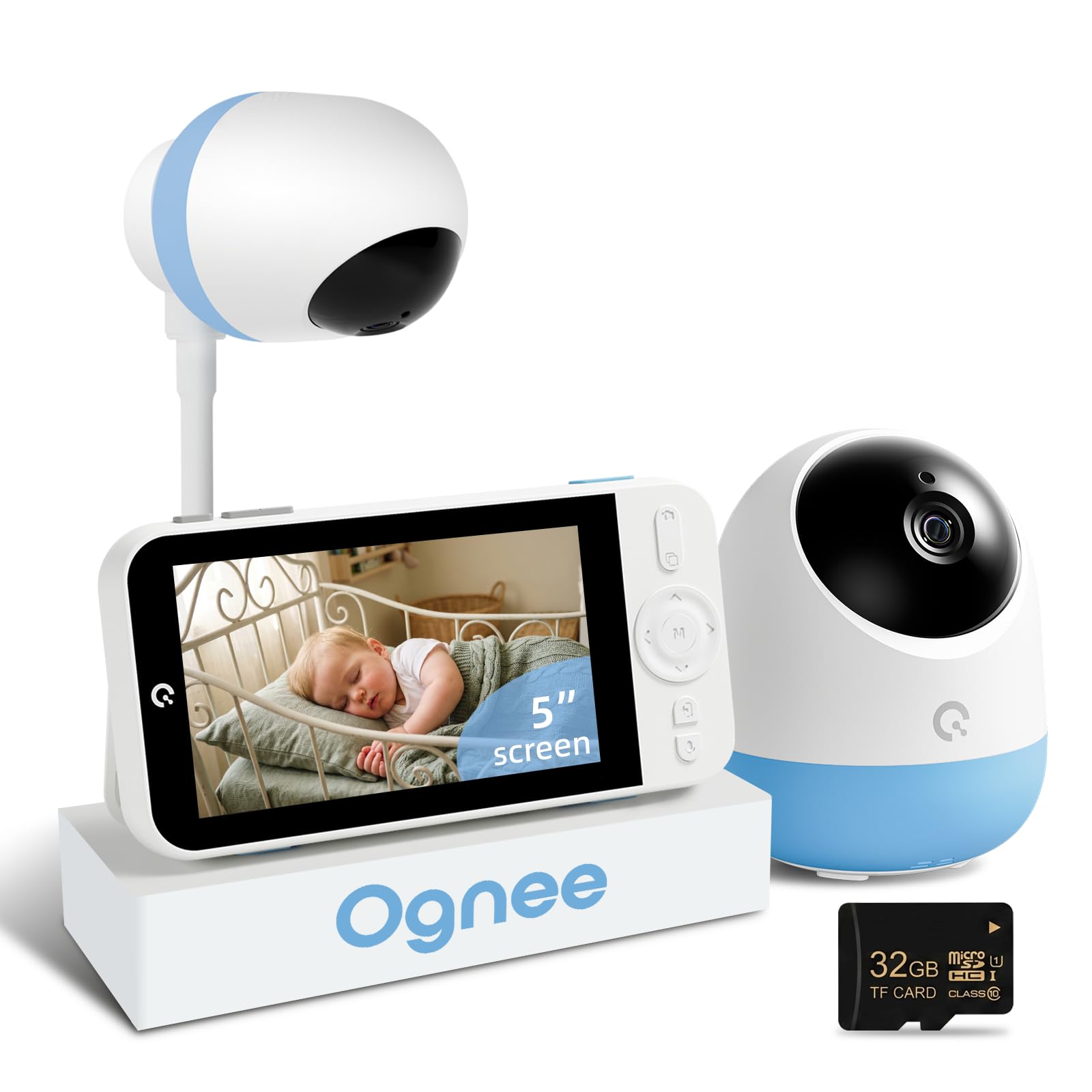
Key Features
- Alerts: Cry and safety-zone
- Screen: 5 in IPS, 2K
- Recording: 32GB card, 24/7 playback
- Camera movement: 350° pan, 5x zoom
- Price: Premium
The 32GB card is the whole idea. This is the only monitor in the group that records — continuously, to local storage, played back on the parent unit — so when you are sure something happened at three in the morning and cannot say what, you can go and look instead of wondering. That is a different job from what the rest of these do, and it is the reason this one is on the list at all.
Around that feature the hardware is ordinary to good: a 5-inch IPS screen with a 2K sensor claim, a 350-degree pan, 5x zoom, cry alerts and a safety-zone alert that pings you when the baby crosses a line you draw. It runs on a direct link with no WiFi, and because everything sits on the card it is the private version of the cloud recording a WiFi camera would give you.
It is also the most expensive monitor here by a clear margin, and the recording is the only reason we can justify that. If you want to review a night — a cough, a rash, a strange noise, a toddler insisting they slept in their own bed — nothing else in this group does it. If you just want to see the crib, you are paying a lot for a card slot, and the HelloBaby gives you a bigger screen for less.
Pros
- Records continuously to a 32GB card
- Playback on the parent unit
- 2K sensor, 350-degree pan, 5x zoom
Cons
- Priciest monitor in this group
- Smaller screen than cheaper big-screen picks
The only monitor here that can show you what happened last night: 32GB of continuous local recording and playback on the parent unit, at the highest price in the group.
Best for Second Camera, Toddler Room
Baby Ganibs BG1049

Key Features
- Range: 1,000 ft outdoor, 165 ft indoor
- Screen: 4.3 in
- Camera movement: 320° pan, 120° tilt
- Parent-unit battery: 16 hrs screen on, 30 hrs ECO
- Price: Budget
The night picture is the strongest thing here: a clear view of the whole room rather than a spotlight on the crib, and the camera moves 320 degrees side to side and 120 degrees up and down from the parent unit. That range is what you need once a toddler starts touring the room at bedtime, and it is rare at this price.
Setup is a plug-in affair on both ends and takes a couple of minutes. The 4.3-inch screen is the middle size in this group — big enough to see a face, small enough to sit on a narrow nightstand — and the sound picks up a room without much hiss. One figure worth reading properly: the 1,000 ft range is the outdoor number, and indoors the useful figure is closer to 165 ft, which covers most houses but not a detached garage.
The battery is the part to go in with your eyes open. It is quoted at 16 hours with the screen on and 30 in ECO mode, but the parent unit is the piece that ages, and charging is where it lets people down. Buy it as a second camera for a toddler’s room or a cheap first video monitor, keep the charger by the bed, and the picture it gives you is good value for the money.
Pros
- Clear night view of the whole room
- 320-degree pan and 120-degree tilt from the parent unit
- Good picture for the money
Cons
- Battery and charging are the weak point
- Indoor range is well under the headline figure
A good night picture and a camera you can move around the room for less than the big-screen picks — as long as you keep the charger handy.
How We Chose and Tested the Best Non-Wi-Fi Baby Monitors
To build our shortlist, we started with a list of two dozen non-Wi-Fi monitors, then filtered out anything that required an app, had a display smaller than 2.4 inches, or blew past our budget cap. That left us with 12 units, which we tested over six months in real nurseries across different homes — including a 1930s apartment with thick plaster walls and a suburban house where the nursery sits at the opposite end of a long hallway.
We set each monitor up on a nightstand, plugged in the parent unit, and ran it through everyday scenarios: overnight sleep, nap time with the room dark, and a weekend trip to grandma’s house. For picture quality, we checked how clearly we could see a baby’s chest rise and fall in both daylight and near-total darkness, and whether night vision turned faces into a washed-out blur. For audio, we played a recording of a baby’s cry at low volume from across the room and noted whether the monitor picked it up before we did, plus whether white noise came through as a hiss or a smooth hum.
Battery life got its own test: we unplugged the parent unit after a full charge and timed how long it lasted while we used it normally — checking the screen every few minutes, not just leaving it idle. Connectivity meant walking the parent unit to the far corner of the house, down to the basement, and out to the backyard, noting where the signal held steady and where it started to crackle. Ease of use was judged by a simple test: could a half-asleep parent adjust volume, zoom, or switch modes without looking at a manual? We also compared the final price against what each monitor actually delivered, because an expensive unit that only works in one room isn’t a value.
How to Choose a Baby Monitor That Doesn’t Need Wifi
The first decision isn’t the screen or the brand — it’s whether you want to listen or watch, because that splits this category in two and changes what everything else costs.
Decide between audio and video first
An audio monitor is a radio: DECT or FHSS, no camera, no display, and a parent unit you can clip to a pocket. It is enough for a newborn in the next room, and it is the cheapest route into a completely private link. Video adds the camera and screen, which is what you want once a baby becomes a toddler who moves, or when you are checking a sleeping position rather than a cry.
The trap here is the word wireless. A no-WiFi monitor has no internet connection, but the camera still needs mains power on nearly every model in this group, so count the outlets near the crib before you count features, and plan a cable route well out of reach.
Match the screen to where the parent unit lives
A 2.8-inch display is a glance, not a view; 7 inches is a small television and it costs you money and battery. The practical middle is 4.3 to 6 inches, where you can make out a face without turning on a lamp. If the parent unit sits on a nightstand you look at twenty times a night, buy the bigger screen. If you want the device to disappear into the room, a small screen that stays dark until the baby stirs is a feature rather than a downgrade.
Read battery claims in the right mode
Almost every headline number in this category is quoted with the screen asleep. The GoodBaby’s 30 hours is VOX mode; with the picture on it is closer to 10. The HelloBaby quotes 16 to 30 hours, the VTech VM819 19 hours of video, the 7-inch VTech 12. All of them are realistic in the right mode and none of them means a week away from the charger.
If you want the parent unit off the cable overnight, pick a model quoting 16 hours or more with the screen on and expect a daily top-up anyway. If it lives by the bed, battery size barely matters.
Buy pan and tilt for a toddler, not a newborn
A fixed camera with a wide lens on a shelf is fine for a crib that stays in one place. Motors earn their money at about eighteen months, when a child starts touring the room and you want to follow without opening the door. Pan and tilt also let you mount the camera high and angled down, which gives a better view of the crib than a camera pointed straight across it — and keeps it further from small hands.
The extras worth paying for
Room temperature is the one we would not give up: it retires a separate gadget and it is on the screen when you look anyway. Two-way talk is genuinely useful with a toddler and mostly decorative with a newborn. Lullabies get used more than the listing suggests. Local recording is the rare one — only the Ognee here does it, and it is worth the premium only if you actually want to review a night. Add-on cameras should come from the same model line, so check the listing names the second-camera model before you rely on expanding later.
Frequently Asked Questions
Do no-WiFi baby monitors still work if the internet goes down?
Yes. Nothing in the chain touches your router: the camera talks straight to the parent unit over a private 2.4GHz FHSS or DECT link, so an outage changes nothing. A power cut is the only thing that stops it, which is why the parent unit is worth keeping charged — it is the reason plenty of parents run one of these alongside a WiFi camera.
How far will one of these reach through walls?
The 1,000 ft figures are outdoor line of sight. Indoors expect far less: one listing here quotes 165 ft indoors, which covers most houses but not a detached garage or a garden office. Test it in the furthest room you plan to use during the first week, while you can still return it, and watch for the out-of-range alert.
Why is the picture softer than my phone camera?
These send a compressed image — 480p on several models here, up to 2K on one — over a private link rather than streaming from the cloud, and the priority is a lag-free view rather than detail. Judge the monitor in a dark room, where you will actually use it; a clear silhouette at 3 a.m. beats a sharp daytime shot.
Where should the camera go?
High and angled down, on a shelf or the wall bracket, far enough from the crib that a standing toddler cannot reach it. Route the power cable along the wall and clip it so no loop hangs within reach — cord entanglement is the real hazard with any plug-in camera, not the radio signal. Wall-mount screws come in the box with most of these.
Final Verdict
Most families should buy the GoodBaby SM663. It delivers the full-size version of this category — a 5-inch picture, remote pan and tilt, room temperature, automatic night vision — at the lowest price of the full-size monitors here, and nothing important has been stripped out to get there.
Spend more on the HelloBaby HB6560 if the nursery is dark and you want the bigger screen with the battery that lasts the night without a charge. Take the VTech VM819 if you want a small unit that runs all night and never asks for attention. And if you only need to listen, the Motorola AM21 is all the monitor a newborn needs.