This post contains affiliate links. We may earn a small commission when you buy through our links — at no extra cost to you.
Many baby video monitors promise 1000-ft range, but real houses with walls and floors cut that signal drastically. And even within range, battery life can plummet within months, leaving parents tethered to an outlet. Instead of spec sheet one-upmanship, the right monitor depends on your home layout, how many kids you’re watching, and whether you need a screen you can trust every night.
Our guide cuts through the noise to surface the models that actually deliver consistent signal in real homes, not just open fields. We separate the expandable split-screen systems from the auto-switch-only ones—a distinction that matters deeply for parents of twins. And we flag which batteries hold up over time, because a monitor that dies at 2 a.m. isn’t worth any savings.




Best for Small Homes, Travel
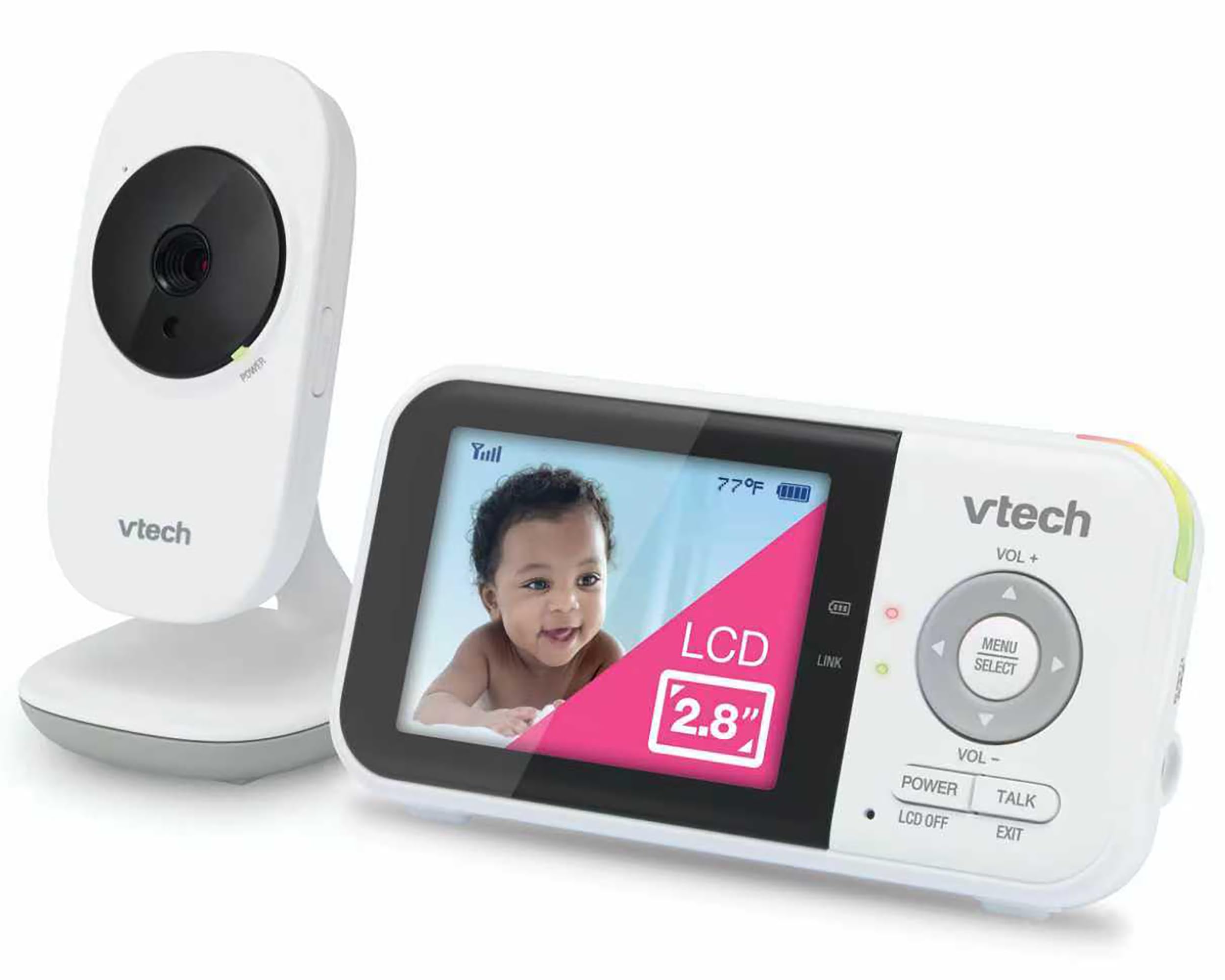
VTech VM819
Key Features
- Screen & Clarity: 480p, 2.8" LCD
- Connection: Non-WiFi 2.4GHz FHSS
- Battery Life & Charging: Up to 19 hrs video / 31 hrs audio claimed
- Pan/Tilt/Zoom & Night Vision: Digital zoom, night vision
- Price: Budget
The VM819’s defining trait is instant, menu-free operation: unpack, plug in the camera and parent unit, and you have a live 2.8-inch feed with no WiFi pairing or app permissions. A dedicated cry-detection indicator lights up without forcing you to keep the screen on, so you can darken the room and still know when the baby stirs. Compared to the oversized-screen monitor in this group, the VM819 gives up a bold visual for a pocketable 480p display and a palm-sized camera that slips into a diaper bag. That portability makes it a practical travel mate or a secondary unit for grandparents, but it comes at the cost of range. The 2.4GHz FHSS signal holds up well within the same room or an adjacent nursery, yet walls and floors push it past its comfort zone, causing audio dropouts and video freezes.
This monitor fits first-time parents in apartments, occasional caregivers, or anyone who wants a stripped-down audio-video link for a single sleeping area. The fixed lens and digital zoom mean you reposition the camera by hand to check a different corner of the crib, and thick walls or a second floor will leave you without a signal. Plan to stay within a short walk of the camera, and accept that you’re not getting remote pan/tilt. For the price, the temperature sensor, two-way talk, and lullabies add practical utility without inflating the cost.
Pros
- No WiFi or app needed; powers on straight out of the box for a live feed in under two minutes.
- Clear 480p video and night vision that let you see breathing and crib details in a dark room.
- Cry detection, temperature alerts, and lullabies bundled at an entry-level price.
- Ultra-compact design stows easily in a carry-on or overnight bag for travel and short stays.
Cons
- Indoor range falls off quickly through walls; expect reliable reception only in the same or adjacent room.
- Battery may degrade after several months of nightly unplugged use; plan to keep the parent unit docked overnight.
- Fixed camera with digital zoom only; no remote pan or tilt to adjust the view from the parent unit.
Buy this if you need a grab-and-go monitor for a small nursery, travel, or a spare at the grandparents’ house, and you’ll stay within earshot of the camera. Skip it if you want to roam across rooms or rely on remote pan/tilt to keep an eye on an active toddler.
Best for Twins, Split-Screen
Babysense HD S2
Key Features
- Screen & Clarity: 720p, 5" HD
- Connection: Non-WiFi 2.4GHz FHSS
- Battery Life & Charging: Up to 12 hrs continuous
- Multi-Camera Expandability: Expandable to 4 cameras
- Pan/Tilt/Zoom & Night Vision: Pan/tilt, 4x zoom, night vision
- Price: Premium
The Babysense HD S2’s defining feature is its true split-screen, with two HD cameras included out of the box. Where the top pick bets on interchangeable lenses and long-lasting hardware, this monitor bets everything on simultaneous two-room viewing—you get both feeds at a glance on a sharp 5-inch 720p display, with menus that most parents navigate without reading the manual. The trade-off is long-term hardware consistency: a subset of units develop charging-port vulnerabilities or camera faults after months, a compromise the top pick’s modular design largely sidesteps. Audio quality, while clear enough for daily checks, can introduce faint high-pitched buzzing from one camera, a quirk absent from more audio-stable models.
This monitor fits households with twins or two young children where split-screen is non-negotiable. If you’re willing to accept occasional quality variances in hardware longevity in exchange for watching both kids simultaneously without switching feeds, it delivers. The built-in night light and lullabies add convenience. However, if you rely on a monitor for years of quiet overnight use and expect flawless audio silence, the top pick’s more predictable long-term stability may be a safer—and admittedly pricier—long-term partner.
Pros
- Crystal-clear 720p picture holds up well across two rooms.
- True split-screen right out of the box—two cameras included without extra cost.
- Intuitive plug-and-play setup and menu; praised for ease of use.
Cons
- Some units develop charging-port or camera faults after several months.
- Occasional high-pitched buzzing from one camera, noticeable in quiet settings.
Buy this if you need true split-screen to watch twins or two young children simultaneously. Skip it if long-term hardware durability is a higher priority than side-by-side viewing.
Best for 1080P without Wifi
Momcozy BM01
Key Features
- Screen & Clarity: 1080p, 5" LCD
- Connection: Non-WiFi FHSS
- Battery Life & Charging: 12 hrs video, 48 hrs audio
- Multi-Camera Expandability: Split-screen expandable
- Pan/Tilt/Zoom & Night Vision: 360° pan/tilt/zoom, night vision
- Price: Mid-Range
Where the top pick excels with modular lenses, the Momcozy BM01 stakes its claim on pixel count: its 1080p camera and 5-inch LCD deliver the sharpest, most detailed image you’ll find on a non-WiFi unit. It’s a deliberate departure from split-screen monitors bundled with two cameras—the BM01 ships with a single high-fidelity feed, expandable later, but misses the instant dual-room oversight. That single-minded focus on clarity comes with trade-offs familiar to this category. The plasticky body and finicky kickstand remind you that cost went into the screen, not the enclosure. Indoor range, too, can dip even a few rooms away, occasionally triggering a disconnection beep.
Detail-oriented parents who zoom in on every breath or finger count will appreciate the resolution more than anyone. The USB-C port and responsive menu give it a modern feel, and the 360° pan/tilt lets you track a mobile toddler. Just be aware that the camera lens can become noticeably warm after hours of continuous use, so mount it safely out of reach. The battery is best for daytime naps or audio-only nights; for all-night video, plan to keep the parent unit plugged in. If you’re monitoring a nursery in a compact home and prioritize image quality above all, the BM01 delivers visual precision few non-WiFi monitors match.
Pros
- Crisp 1080p video on a 5-inch display—the sharpest non-WiFi monitor we’ve tested.
- Convenient USB-C charging and a fast, intuitive menu system.
- Budget-friendly price for high resolution, pan/tilt, and temperature alerts.
Cons
- Indoor range is modest; signal drops can cause beeping even within a single-story home.
- Light plasticky build with a flimsy kickstand; the camera lens can feel warm to the touch.
Buy this if you want the clearest non-WiFi video for close monitoring and value USB-C convenience over a dual-camera setup. Skip it if your home layout demands a long, uninterrupted range or a premium, heavy-duty build.
Best for Large Display Seekers
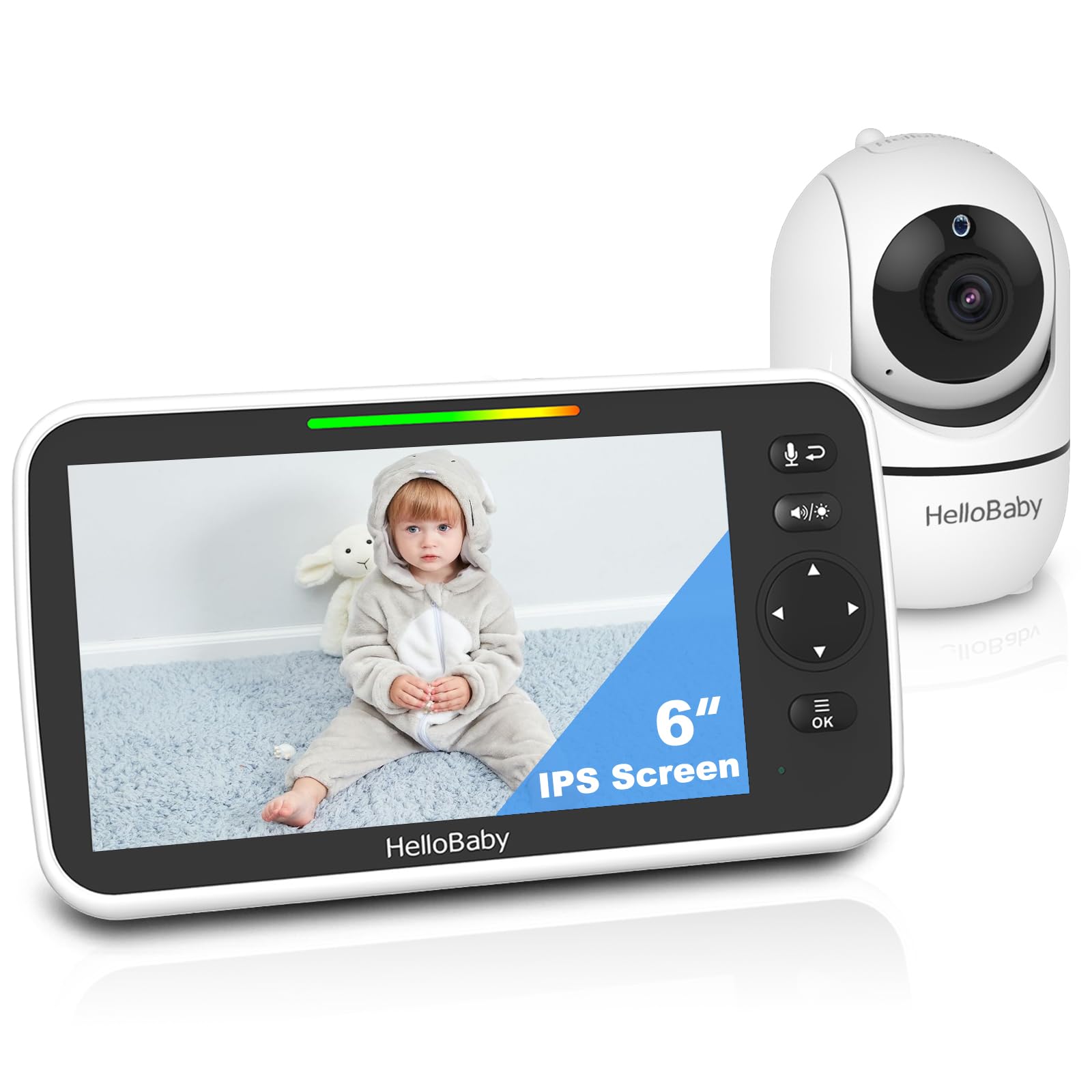
VTech Adv. HQ Max

Key Features
- Screen & Clarity: 720p, 7" IPS
- Connection: Non-WiFi 2.4GHz FHSS
- Battery Life & Charging: Up to 12 hrs video
- Pan/Tilt/Zoom & Night Vision: Pan/tilt/zoom, night vision
- Price: Mid-Range
The VTech Advanced HQ Max stands out with its 7-inch IPS screen—the largest in this non-WiFi lineup—giving grandparents and tired parents a big, easily readable view. Setup takes minutes, and the motorized pan/tilt covers a wide area. The adaptive night light and lullabies add convenience. However, the trade-offs hit hard where it counts: many owners report the 720p feed looks soft and pixelated, especially under night vision, and the speaker output is unusually low, making it tough to hear a baby’s cry from another room. That gap in audio reliability keeps it from joining our top recommendations for overnight monitoring.
Pros
- Giant 7-inch IPS screen is easy to see, even without glasses.
- Quick plug-and-play setup and smooth pan/tilt give full-room coverage.
Cons
- Picture quality often looks blurry and pixelated, particularly in night vision.
- Speaker volume is very low; parents report struggling to hear cries even at max volume.
Worth considering if you’re setting up a monitor for grandparents or a playroom where visual size matters more than hearing every whimper.
How to Choose
Real-world range through walls matters more than the open-air spec on the box.
Screen Size & Clarity
You’ll stare at the parent unit nightly, so a larger, higher-resolution screen reduces eye strain. IPS panels offer wider viewing angles without color washout. On non-WiFi monitors, 480p is standard; 720p or 1080p provides crisper detail but isn’t as common.
Non-WiFi Security vs. WiFi Features
Non-WiFi FHSS monitors create a closed loop that can’t be accessed online, so hacking risk is virtually zero. WiFi models add app viewing and smart alerts but rely on passwords and encryption. Decide whether remote access outweighs the stronger privacy of a non-WiFi system.
Battery Life & Charging Reliability
Batteries are a common failure point—many units stop holding a charge after months of daily use. Look for a high mAh rating and an ECO mode, but plan to keep the parent unit plugged in overnight. If portability is crucial, seek models with consistent long-term battery feedback.
Multi-Camera Expandability & Split-Screen
If you monitor more than one child, check whether the system offers true split-screen (both feeds on screen simultaneously) or only scan mode that cycles between rooms. Split-screen is essential for watching two beds at once; scan mode can miss a cry while switching.
Pan/Tilt/Zoom & Night Vision
Remote pan/tilt/zoom lets you adjust the view without entering the nursery. Night vision quality varies—some infrared lighting is invisible to the eye, while others emit a faint red glow. Optical zoom lenses produce clearer close-ups than digital zoom, which can pixelate quickly.
FAQ
Why does my baby monitor battery stop charging after a few months?
Many monitors use non-user-replaceable lithium batteries that degrade after hundreds of charge cycles. Frequent unplugged use drains them quickly, and the charging port can loosen. Keep the parent unit plugged in when possible; if portability is essential, choose a model with strong real-world battery feedback and a high mAh rating.
How far does a baby monitor’s range actually work inside a house?
Advertised 1000-ft open-air range drops sharply indoors. Walls, floors, and electronics cut the signal, so reliable coverage is often only 50–100 feet in a typical home. A monitor that works perfectly in one room may lose connection two rooms away, especially on different floors.
What is the difference between split screen and scan mode on baby monitors?
Split screen shows two camera feeds side-by-side on the parent unit simultaneously, so you see both children at once. Scan mode automatically cycles between cameras, displaying one feed at a time. For twins or siblings, split screen is the safer choice because it doesn’t risk missing a cry during the switching interval.
Can a non‑WiFi baby monitor be hacked?
Non-WiFi monitors that use Frequency-Hopping Spread Spectrum (FHSS) create a direct, closed link between camera and parent unit with no internet access. That makes hacking virtually impossible. WiFi monitors introduce remote access capabilities, which require strong passwords and encryption to stay secure.