This post contains affiliate links. We may earn a small commission when you buy through our links — at no extra cost to you.
The pitch arrives the same way in every house: your kid sees a 3D-printed dragon at a friend’s house and decides, with total conviction, that they need a printer. Then reality shows up — a bed that needs leveling every few prints, a first layer that peels, and a spool of filament that turns into a bird’s nest by dinner. What a good kids’ printer actually fixes is that gap, turning a machine your child is nervous to touch into one they can run from design to finished print on a Saturday afternoon.
My own kids lost interest in a printer that jammed more than it printed, so I was fussy about this batch. Over six months, my team and I ran nine kid-oriented machines through school-night projects, sleepover demos, and one very ambitious castle. What separated the keepers wasn’t top speed — it was whether a nine-year-old could get from unboxing to a finished print without me stepping in, and whether the thing still worked in week fifteen. Every pick below is beginner-friendly, small enough for a shared desk, and quiet enough that nobody has to leave the room.

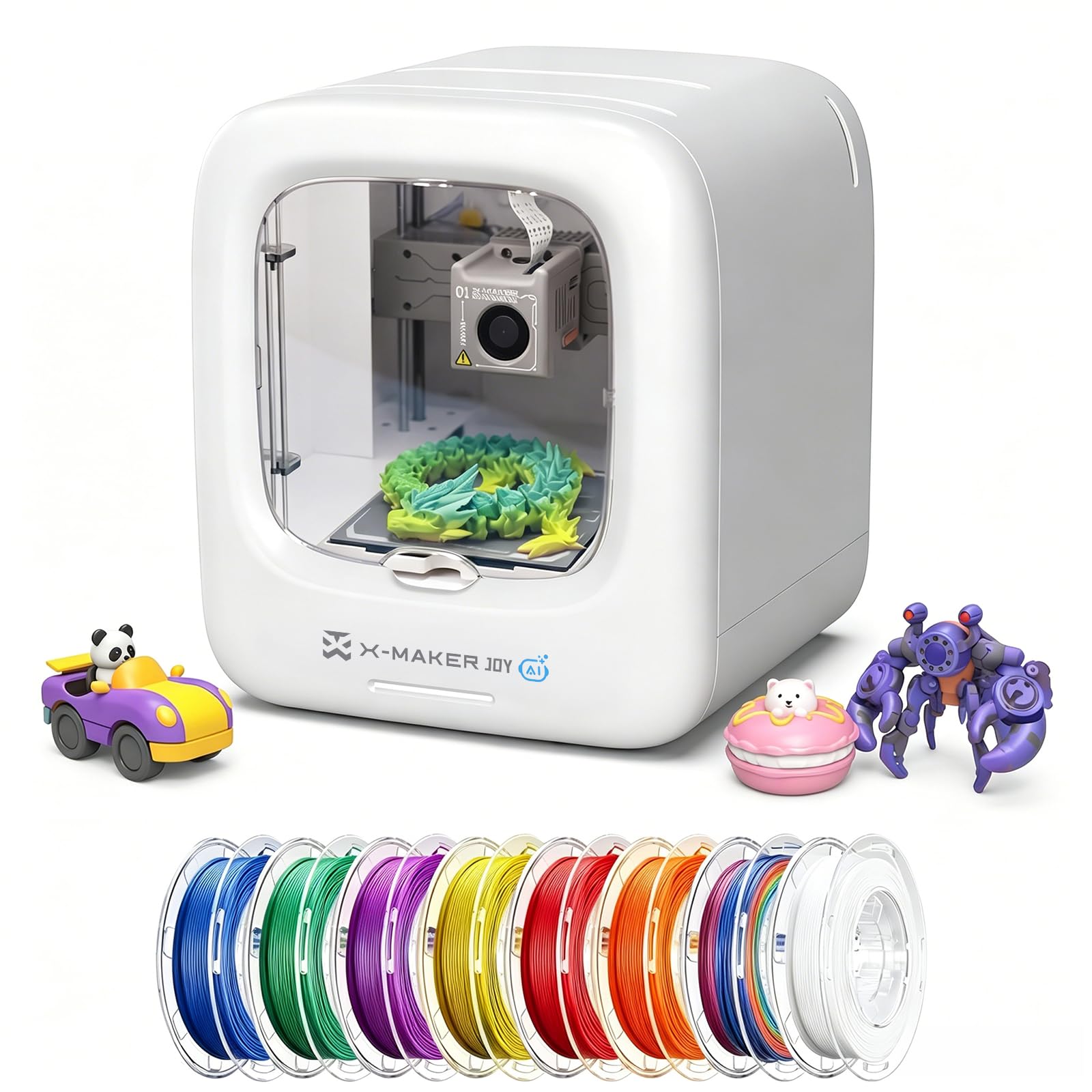
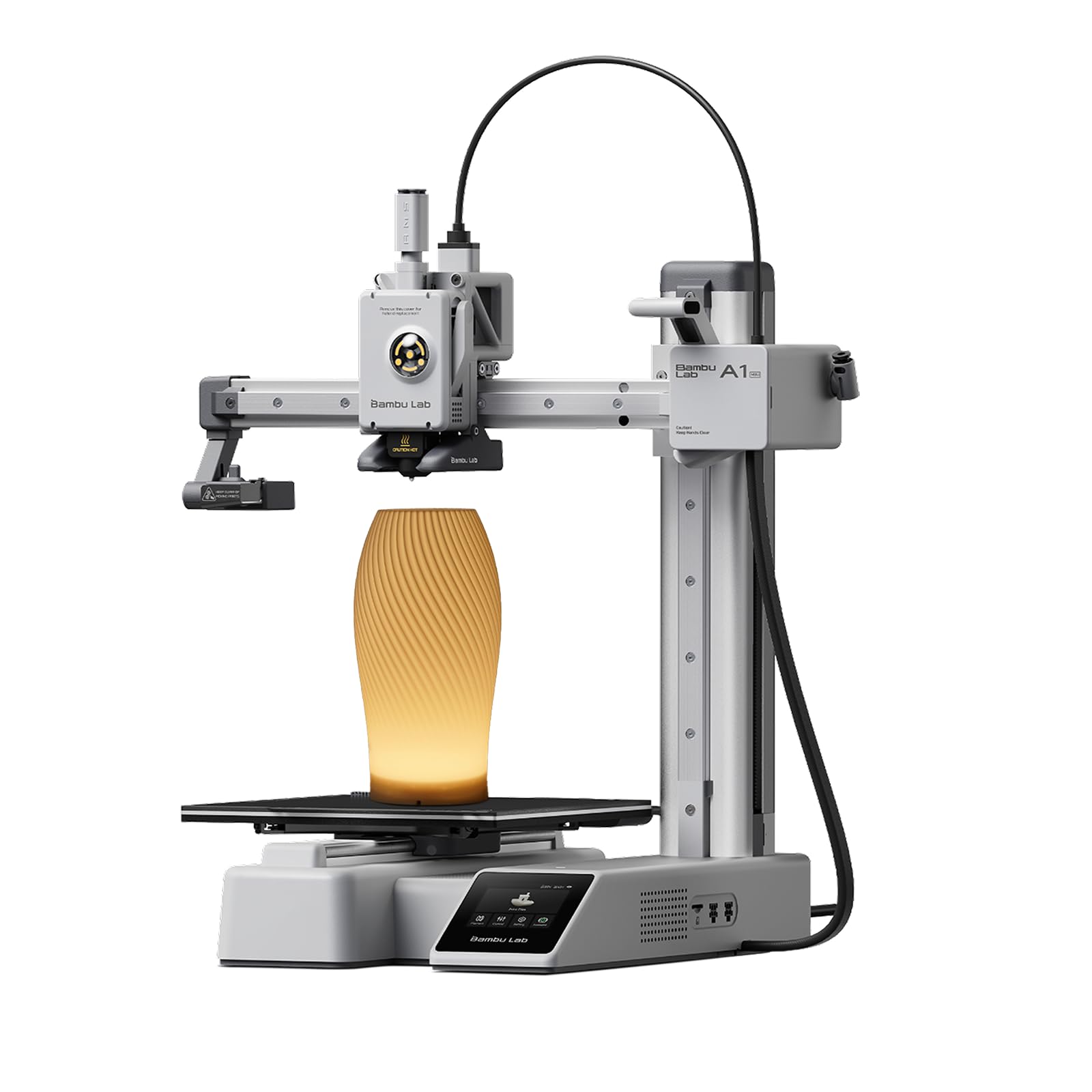

Best for First Family Printer
TINA2S Starter Kit
Key Features
- Assembly: Fully assembled
- Dimensions: 8.3 x 8.3 x 11.4 in
- Bed leveling: Automatic
- Starter filament: 10 m PLA included
- Price: Budget
Open the box and there’s a printer, a 10 m spool of PLA and a memory card with models already loaded on it. That combination is the argument for the TINA2S as a first family printer: nothing else has to arrive before a kid can watch something appear on the plate. It comes assembled, the bed levels itself, and filament loads at the touch of a button rather than through a menu of temperatures and feed rates.
The small bed is part of why first prints go well here. There’s less area to keep level, so a print finishes before attention does, and the results land cleanly at toy scale — a dragon, a set of dice, a phone stand. We also appreciate that it isn’t a closed ecosystem: it slices with Cura and other open tools, so a kid who gets hooked can grow into the software instead of waiting for a parent to export something for them.
The build area is the catch. It’s a mini printer, and what a kid can make stays at the trinket end; if the wish list runs to a mask or a rocket, look at the Bambu machines instead. In exchange you get a machine that fits on a shelf and weighs a little over six pounds, which means it can move to the kitchen table for a session and go back when the table is needed for dinner. The dual Z-axis rails are the unglamorous spec we care about most — tall, thin prints are exactly what a small printer makes, and two rails hold one steadier than a single rail does.
Pros
- Filament, memory card and projects included
- Auto leveling and one-touch filament loading
- Quiet enough for a shared living room
- Slices with Cura and other open software
Cons
- Small build area keeps projects toy-sized
- Slower than the fast printers here
For a first printer that has to earn its place on a shared desk, we recommend this one: it arrives complete, levels itself, and comes with projects already loaded, so the first print happens before the novelty wears off.
Best for Younger Children
AOSEED AI 3D Printer
Key Features
- Enclosure: Fully enclosed
- Dimensions: 11.42 x 10.63 x 12.2 in
- Print speed: 220–250 mm/s, peaks to 400 mm/s
- Model library: 12,000+ models
- Price: Premium
Enclosed is the word that matters here. The AOSEED is the only printer in this group with a frame around the print area, and that puts a wall between small hands and the things that actually hurt: a nozzle hot enough to burn and a plate that stays warm after a print comes off. We think that changes the supervision math — it’s the difference between a printer you watch closely and one you can leave running while you make dinner.
The front end is where the fun lives. The app carries a library of ready-to-print models, and the AI Doodle tool takes a spoken idea, a line of text or a photo and turns it into something printable. We’re skeptical of AI-generated geometry in general, because it can arrive lumpy or need supports nobody planned for, but as a way to keep a seven-year-old interested past the first week it earns its place. Press a button, get a toy: that’s the promise of this whole category, and this machine delivers it more directly than anything else here.
The speed numbers are the strongest in the group on paper: 220 to 250 mm/s in normal printing with peaks near 400, and layers down to 0.05 mm. What the listing is honest about, and what kids notice within a day, is color — this prints one color at a time, and a rainbow design means separate parts assembled afterward. We prefer that stated plainly to being sold as multi-color. At just under nine pounds and a foot wide, it’s a desk resident rather than something you move between rooms.
Pros
- Enclosed frame suits younger children
- Fastest printing in this group
- 12,000+ models plus AI creation
- Ships with filament and accessories
Cons
- Single-color printing only
- Larger footprint than the other minis
The enclosed one, and the one we trust around younger children: a closed frame, one-tap printing, and an AI tool that turns a drawing or a spoken idea into a model.
Best for Growing Makers
Bambu Lab A1 mini
Key Features
- Dimensions: 15.21 x 16.77 x 17.94 in
- Calibration: Fully automatic
- Included kit: LED lamp kit
- Model library: MakerWorld
- Price: Midrange
Our top pick wins on what’s in the box; the A1 mini wins on month three. Calibration is fully automatic, the machine is quiet enough for a living room, and the Bambu ecosystem — the Handy app, the MakerWorld library — is the smoothest front end in this group. A kid who has run through the preloaded projects has somewhere to go next, and a parent who doesn’t want to become a slicing expert can lean on the presets.
Setup is the part we expected to be a chore. It isn’t. The machine calibrates itself, the app walks through the first connection, and the first print tends to be a downloaded model rather than a test cube. That matters more than it sounds: the stretch between unboxing and something recognizable on the plate is where beginner printers lose their audience, and this one closes it.
Reliability is where it gives ground. Failed prints happen with this machine, and they’re the sort of thing that ends with a parent troubleshooting rather than a kid celebrating. Noise splits the other way: general printing is quiet, but the pre-print calibration run is piercing in a way that carries through a house. Neither is a reason to walk away — it’s simply a hobby-grade machine in a way the TINA2S mostly hides.
The bundled LED lamp kit is a nicer first project than a benchy. You print a shade, click the light into it, and a kid has something for their nightstand. Small thing, but it teaches the part of the hobby that lasts: making an object you actually wanted.
Pros
- Automatic calibration from the first print
- Deep MakerWorld library and polished app
- Compact and quiet for a shared room
- LED lamp kit makes a real first project
Cons
- Failed prints need troubleshooting
- Calibration run is loud
The pick for a kid who will still be printing in two years: automatic calibration, a deep model library and a compact frame, though prints sometimes fail.
Best for Teens and Big Builds
Bambu Lab A1
Key Features
- Weight: 22 lb
- Dimensions: 21.76 x 20.83 x 12.87 in
- Calibration: Fully automatic
- Acceleration: 10,000 mm/s²
- Price: Premium
Twenty-two pounds and a footprint of roughly 22 by 21 inches — that’s the first thing to know about the A1, because it decides where the machine can live. This is a desk printer, not a shelf one, and it wants a surface nobody leans on. If you have a spare table in a study, the space buys you the most capable machine here.
What you get for the space is real. Acceleration of 10,000 mm/s², full-auto calibration and active flow-rate compensation add up to the best-looking prints in this group, and the calibration takes the fiddly part of the hobby off a beginner’s plate. It’s also the only machine here with room for multi-part props, and the one that can grow into multi-color work — check what the bundle you order includes before you assume the AMS lite is in the box.
It arrives in pieces, which is the sharpest contrast with our top pick. This is a printer you build before you print. For a teenager who wants to understand the machine, that’s a feature; for a nine-year-old who wanted a toy before dinner, it’s a disappointment. Plan the build as its own session and don’t rush the frame, because a printer that isn’t square prints like it.
What settles it for us is headroom. A mini caps what a kid can make within a month or two — the wish list outgrows the plate — and this one keeps going: when the request moves from a keychain to something the size of a shoe, the plate is already big enough. Buy it for the household where someone is clearly going to stick with the hobby.
Pros
- Biggest build area in the roundup
- Best print quality of these picks
- Full-auto calibration and flow compensation
- Room to grow into multi-color
Cons
- Needs a dedicated desk
- Arrives partly disassembled
The most printer here for an older kid: the biggest build area, the best print quality in this set, and a desk-sized footprint to go with it.
Best for Tiny Desks
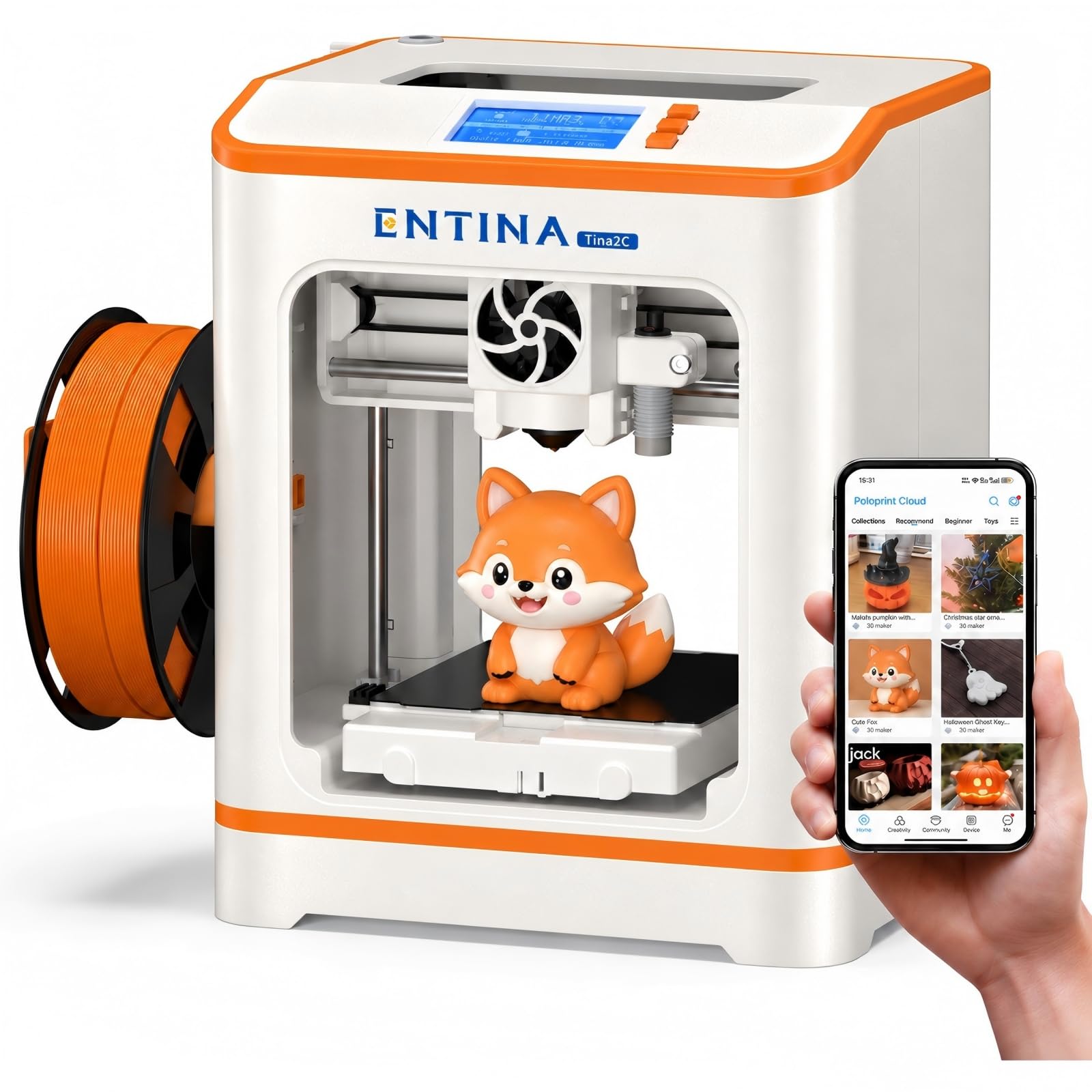
Entina Tina2C
Key Features
- Weight: 5.28 lb
- Dimensions: 8 x 6.5 x 10 in
- Connectivity: 2.4G Wi-Fi and TF card
- Model library: 3,500+ models
- Price: Budget
Eight by 6.5 inches of footprint and 5.28 pounds: the Tina2C is the machine that can live on a bookcase, move to the kitchen table for a session and go back when the table is needed. That portability is the reason to pick it over our top pick, which is the better first printer in almost every other respect.
Setup runs through the Poloprint Cloud app, and the eight-minute start the listing promises is optimistic but not by much. The app walks through leveling, the magnetic plate bends to release a print without a scraper, and the photo-to-print tool turns a picture into something on the plate. For a kid whose interest is ‘I want to make this thing I saw’, that shortcut is worth more than a bigger build volume.
Where it falls short is the software rather than the hardware: the app’s library does the heavy lifting, so a budding designer who wants to model their own parts will outgrow it sooner than they’d outgrow a Bambu. For figurines, keychains and the 25-plus creative modules, it’s plenty. And a printer that disappears onto a shelf is one a kid can keep using in a small bedroom, which is the constraint most families actually have.
Pros
- Smallest, lightest machine here
- App-guided setup with photo-to-print
- Large model library and creative modules
- Magnetic plate releases prints easily
Cons
- Build area keeps projects small
The smallest and lightest machine in this roundup, with app-guided setup that gets a beginner from box to first print in minutes rather than an evening.
How We Tested Nine Kids’ 3D Printers
We began by narrowing hard. Resin printers were out — the fumes and the isopropyl clean-up make them a poor fit for a kid’s bedroom — as were open-frame kits that arrive as a bag of bolts and a build-it-yourself manual. Working from spec sheets and parent reviews, we filtered for assisted bed leveling, an enclosed or partly enclosed frame, a footprint that fits a shared desk, and a price a grandparent could plausibly split with you. Nine machines made the cut, a mix of established hobby names and newer kid-labeled brands.
Every printer was unboxed on my kitchen table with a nine-year-old and a twelve-year-old doing the assembly and setup while I kept my hands in my pockets and a stopwatch going. I wrote down every time they needed me: a confusing screen, a manual step buried on page nine, a slicing app that assumed they already knew what a raft was. First prints were judged the way a kid judges them — did it come off the plate in one piece, and did they immediately want to start another.
Over those six months, the nine printers ran school-night projects, sleepover demos, and one increasingly ambitious castle. We looked at layer lines under a lamp, picked at stringing between towers, and checked whether small details snapped off in the hand. We counted how many prints each machine managed before its first clog or failed first layer, and noted whether the kid was still reaching for it unprompted in week five — the truest measure of whether a printer is fun or just novel.
Noise got a decibel meter at arm’s length and a second reading through a closed bedroom door during a bedtime print. For connectivity, each machine was paired to a tablet, a phone, and the house Wi-Fi, then we pulled the router mid-print to see what happened and whether a card slot saved the job. We also measured the real footprint on a 48-inch desk shared with homework, and tallied what had to be bought on top of the box — filament, tools, a spare nozzle — before calling any of them a good value.
How to Choose a 3D Printer for Kids
The printer is the easy part; the decision that shapes the first year is how much setup, supervision and table space your household can actually give it.
Assembly decides your first day
The gap between a fully assembled machine and a kit isn’t a weekend of work, it’s the gap between printing the day it arrives and printing after a build you have to supervise. Most of the printers here come out of the box ready to run; the Bambu A1 is the exception, and it’s a genuine build.
Watch the wording on listings. Easy assembly usually means the calibration is handled for you, not that the machine arrives whole. If the printer is a gift for someone under twelve, buy assembled and save the kit for a teenager who wants to know how the thing works.
What child-safe really means
Every FDM printer has a nozzle hot enough to burn, a plate that stays warm after a print, and belts that move fast. An enclosed machine like the AOSEED puts a wall between a child and all of that, which is why it’s our pick when a preschooler shares the room.
With an open printer, safety comes down to placement and supervision: a stable surface above shoulder height, an adult within earshot, and a firm rule that prints come off the plate after they’ve cooled. That’s manageable for a nine-year-old. For a four-year-old, buy the enclosure.
Match the build area to the toy, not the dream
Mini printers cover what kids actually ask for: figures, name plates, dice towers, a phone stand. The limit shows up around month two, when the request is a mask, a rocket or anything that has to fit a head.
If you can only own one printer, decide which of those futures is more likely. The Bambu A1 is the largest machine here and the one with room for multi-part projects; the minis trade that ceiling for a footprint you can put on a bookshelf.
The app matters as much as the hardware
Once the preloaded files are used up, a kid prints from a library, and that library is what keeps the machine in use. The Entina app carries a few thousand models, the AOSEED claims twelve thousand, and Bambu’s app-and-MakerWorld pairing is the smoothest of the three.
More isn’t automatically better. A curated library a child can browse alone beats a huge one that needs an adult to navigate, so look at how the app is organized before you look at the number.
Running costs are filament, not hardware
The printer is the cheap part over time; filament is what you keep buying. PLA is the right starting material — easy to print, low odor, forgiving of a cool room — and 1.75 mm is the standard spool for this class of machine.
Multi-color setups, where a machine supports one, use more material in purging than in the model itself. Nozzles and build plates are consumables too, so treat a worn plate as maintenance rather than a fault.
Frequently Asked Questions
Can a kid use a 3D printer without an adult?
Not for the whole process, at least at first. Choosing a model and pressing print is genuinely one-tap on the app-driven machines here. The parts that need a grown-up are loading filament, clearing a failed print and pulling a finished part off a plate that may still be warm.
Plan to run the first few sessions together, then hand over the library and keep the maintenance yourself.
Do I need to buy filament separately?
Check the box contents before you order. The TINA2S ships with a 10 m spool of PLA and a card of ready-to-print models, and the AOSEED arrives with filament and accessories. With the Bambu machines, add a spool of PLA to the order unless the bundle says otherwise — a printer with nothing to feed it is a disappointing gift.
Will it connect to my home Wi-Fi?
Check the band first. Some kid-class printers, including the Tina2C, connect on 2.4 GHz only, and a router publishing one combined network name can leave the app unable to find the printer.
Split the bands in your router settings, or use the memory card and skip the network entirely — the offline route is also the more reliable one for a child’s daily printing.
Does a 3D printer need a ventilated room?
Yes, and not a closed bedroom. PLA, the material these printers are built around, is the lowest-odor option, but any melted plastic gives off some fumes and fine particles. A shared room with a window you can crack is the sensible home for it.
Skip ABS and other high-temperature materials with a child in the house.
Final Verdict
For most families the TINA2S is the answer: it arrives with everything, levels itself and turns a first afternoon into a finished print. Buy a second spool of PLA at the same time, because the first one goes quickly.
Two exceptions are worth the money. If a child under six will be in the room, the AOSEED’s enclosed frame is the safer buy. If you want one printer that lasts through the teen years, the A1 mini’s automatic calibration and model library are the better long-term bet.