This post contains affiliate links. We may earn a small commission when you buy through our links — at no extra cost to you.
A baby monitor should buy you peace of mind, not a second job. Once there’s more than one kid or room to watch, a single-camera feed turns every rustle into a scramble — which is where a split-screen monitor earns its keep. It keeps two or more feeds visible at once, so you’re not toggling back and forth while a toddler climbs out of bed. Over the past six months, we’ve tested 10 split-screen baby monitors in real homes, through naps, bedtimes, and 3 a.m. wake-ups.
The catch is that a split screen only helps if both feeds stay clear on the parent unit and connected — plenty look fine on the box, then go fuzzy in a dark nursery or drop off when you walk to the kitchen. Picture quality, night vision, sound, reliability, and battery life matter more than extra bells and whistles; a monitor that dies mid-night is worse than no monitor. We kept an eye on all of it, and the picks below are the ones that held up when the house was dark and no one was sleeping.


Best for Twins or Siblings
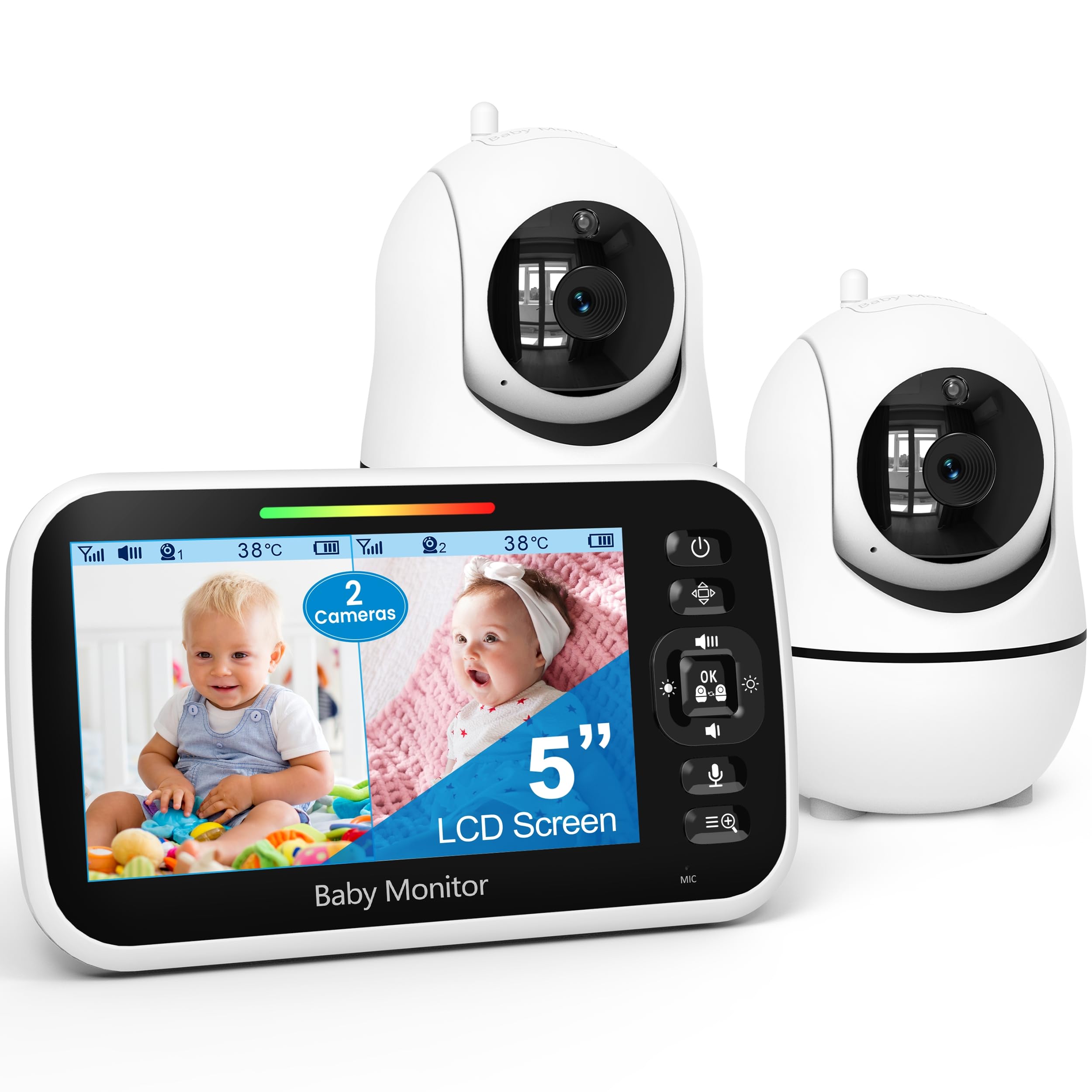
GoodBaby SM663V2
Key Features
- Battery: Up to 30 hours in VOX mode
- Cameras: 2, pan 355° / tilt 120°
- Display: 5 inches
- Connection: 2.4GHz FHSS, no WiFi
- Price: Midrange
Two cameras that pan 355 degrees and tilt 120 degrees, both aimable from the parent unit, is more hardware than we expected at this price, and it is the detail that makes the split screen useful rather than decorative. You can nudge a camera toward a crib from the kitchen instead of climbing behind a dresser, and both rooms stay side by side on a 5-inch screen while you do it.
The rest of the package is deliberately unglamorous, in the way we want a baby monitor to be. There is no WiFi, no app and no account: the cameras talk to the parent unit over a 2.4GHz FHSS link, so there is nothing to log into at three in the morning and no footage leaving the house. Night vision is the part we leaned on hardest, and the infrared LEDs carry a normal nursery from a shelf or a wall bracket. Room temperature sits on the screen too, which is how the separate nursery thermometer ended up in a drawer.
Battery is where to set expectations. The listing claims up to 30 hours in VOX mode and 10 with the screen lit, and the second figure is the one to plan around once two feeds are running. Treat the parent unit as something you can carry out to the garden rather than a portable you leave unplugged all day.
Pros
- Two pan-and-tilt cameras you aim from the parent unit
- No WiFi, no app, no account to manage
- Clear infrared night vision and on-screen room temperature
- Genuine side-by-side split on a 5-inch display
Cons
- 720p camera resolution trails the 1080p and 2K picks here
For twins or two rooms, this is the split-screen monitor we point most families to: two aimable cameras, no WiFi in the middle, and the best balance of price and daily performance here.
Best for All-Night Monitoring
VTech VM350-2
Key Features
- Battery: 12 hours video, 21 hours audio
- Display: 5 inches
- Connection: 2.4GHz FHSS, no WiFi
- Resolution: 480p
- Price: Midrange
Twelve hours of continuous video, or 21 hours of audio-only, is the figure that sold us on this one. In a category where battery claims are usually measured with the screen off, VTech quotes the continuous-video number, and it covers a full night with both rooms live on the 5-inch split screen without anyone hunting for a cable in the dark.
Simple is the whole pitch. Two cameras, one screen, a hack-proof 2.4GHz FHSS link, five lullabies and four ambient sounds including white noise, plus temperature alerts for both rooms. We like that there is nothing to pair beyond plugging in and no phone in the loop when you are half asleep, which is the state most overnight check-ins happen in. It is the monitor we hand to people who want the hardware to disappear into the routine.
The trade-off is the cameras themselves. They are fixed, with a 55-degree field of view and 2x digital zoom, so you aim them once at setup and live with the result — worth doing carefully a week before the due date rather than the night you come home. Detail tops out at 480p, the softest picture in this group, though on a split screen that costs you less than you might expect.
Pros
- 12 hours of continuous video on one charge
- White noise, lullabies and temperature alerts built in
- No WiFi, no app, no cloud footage
Cons
- 480p video is the softest picture in this group
If you want a monitor that simply runs all night and never asks you to open an app, this VTech is the one, provided two fixed cameras can cover your rooms.
Best for Sharpest Picture
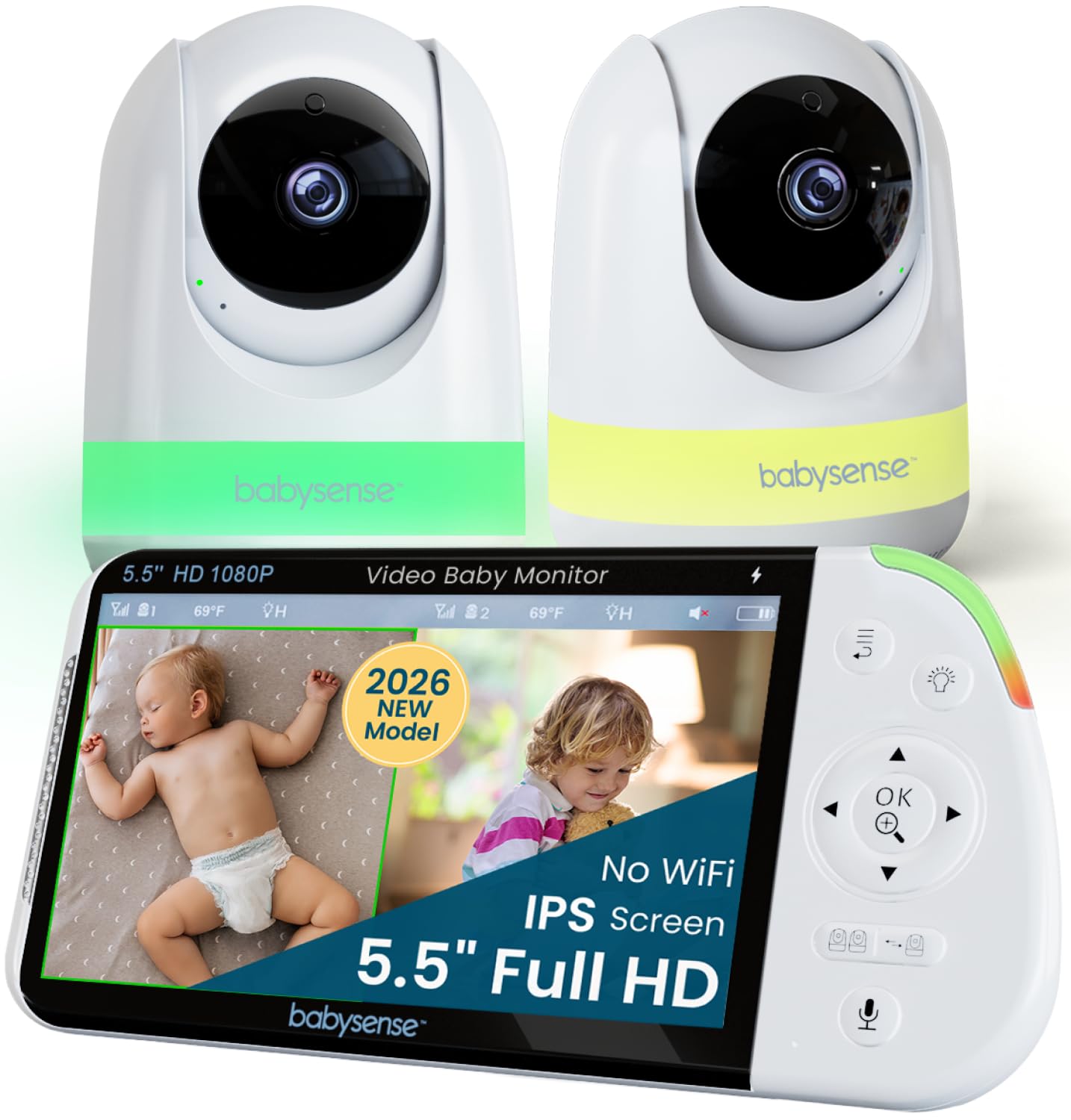
Babysense PRO
Key Features
- Extras: Night light and sound machine
- Battery: Up to 20 hours in Eco mode
- Cameras: 2, expandable to 4
- Display: 5.5 inches, 1080p
- Price: Premium
Full HD on a 5.5-inch split screen is the reason to look at this one. Side by side, each camera gets roughly half the display, and the extra resolution and the half inch over the 5-inch units here are what let you tell a sleeping face from a waking one without tapping into a full-screen view.
The nursery extras are unusually well judged. Each camera carries a six-color night light, and the parent unit runs white noise and a sound-and-light machine, so the standalone sound machine on the dresser becomes one less thing to plug in and one less thing to dust. Both cameras are motorized as well, so you aim them from the screen rather than by hand, which is the difference between an afternoon of fiddling and five minutes.
What keeps it off the top spot is the connection and the money. This is the most expensive non-WiFi kit here, and the local link is the least steady of that group, with drops that need a re-pair. What the premium buys is headroom: the parent unit takes up to four cameras, so a playroom or a third child does not mean starting over.
Pros
- 1080p split view on the largest non-WiFi screen here
- Six-color night light and sound machine on the parent unit
- Expandable to four cameras on the same parent unit
Cons
- Battery is the weak part of the kit, so plan on docking it
If picture quality is what you are buying, this is our pick: a 1080p split view on a 5.5-inch screen, with a night light and sound machine included.
Best for Phone Check-Ins
ieGeek 2K Dual Camera
Key Features
- Zoom: 4x
- Display: 5 inches, 2K
- Sensors: Temperature and humidity
- Connection: 2.4GHz FHSS and app
- Price: Midrange
A parent unit and a phone app running the same two feeds is a combination we did not expect to care about as much as we did. The 5-inch screen shows both rooms over a direct 2.4GHz link, and the same cameras go to the app when you are out, so the person at work can look in without taking the nursery screen away from the person at home. At 2K, it is also the sharpest split view in this roundup.
The camera work is the other half of it. Each unit pans 355 degrees and tilts 60, with 4x zoom, and motion, cry and noise detection can be fenced to a drawn area of the frame so a ceiling fan or a drifting curtain does not set it off all night. Temperature and humidity read out on the parent unit, which sounds like a novelty until the first hot week.
Two reservations. The audio drifts slightly behind the picture, which you notice most when you talk back through it, and this one has the shortest track record of the picks here, so we are less sure of it over a couple of years than we are of the non-WiFi kits above. Neither stopped us recommending it, and both are why it sits behind the GoodBaby.
Pros
- 2K split screen plus a live phone app
- Pan, tilt, zoom and area-based motion alerts
- Temperature and humidity readings on the parent unit
Cons
- Audio lags a beat behind the video
- Shortest track record of the picks here
The one to choose if you want to check in from work: a 2K split screen at home and the same two feeds on your phone.
Best for Tight Budgets
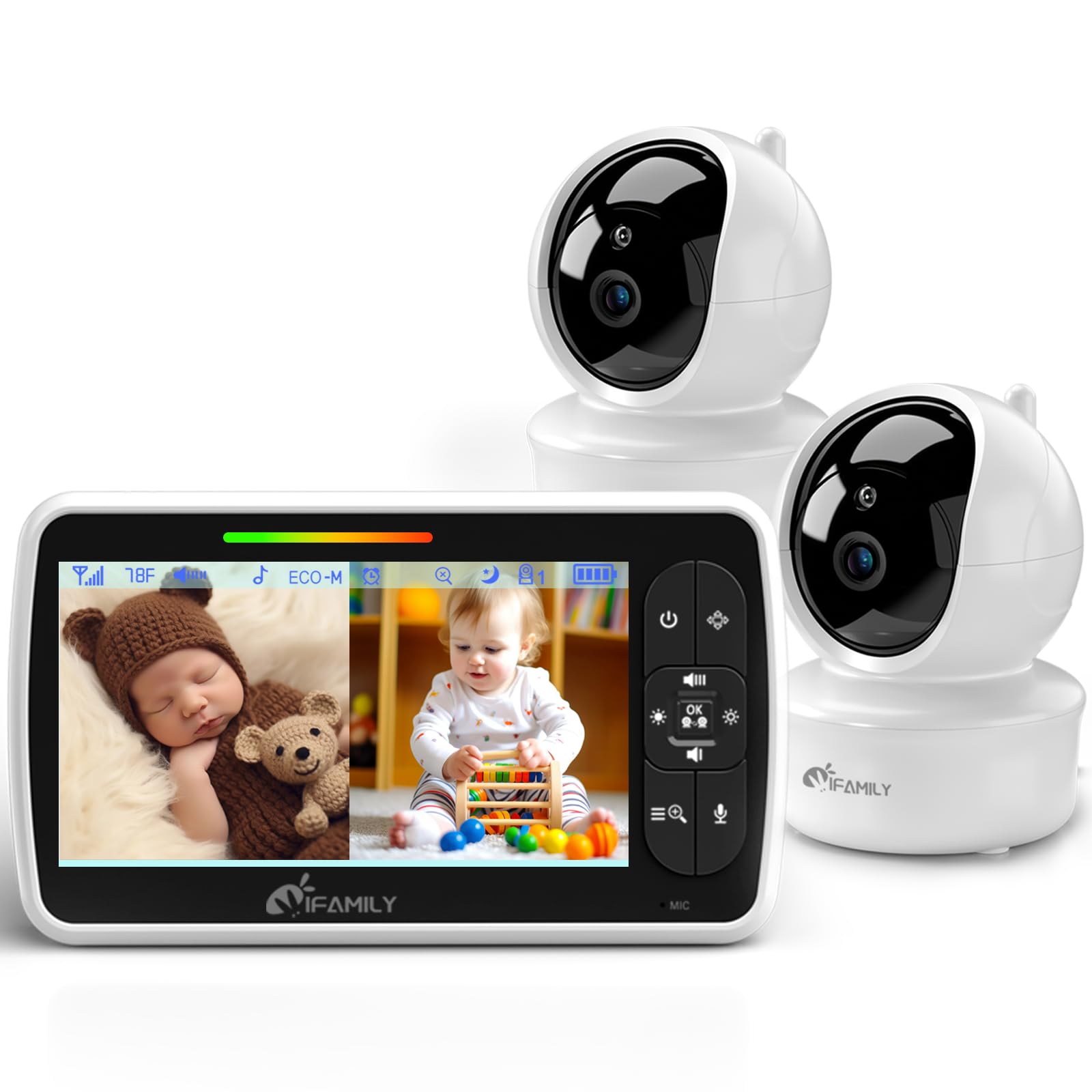
iFamily 43E
Key Features
- Cameras: 2, pan 355° / tilt 120°
- Display: 4.3 inches
- Connection: 2.4GHz FHSS, no WiFi
- Resolution: 720p
- Price: Budget
The cheapest way into a real split screen is this iFamily kit, and it does not strip the idea down to a gimmick: two cameras that pan 355 degrees and tilt 120, a parent unit showing both at once, and no WiFi anywhere in the chain. If you are buying because a second baby arrived and the budget already went on the first one, that combination is hard to argue with.
Where the savings show is after dark and at the volume dial. Night vision here is softer and grainier than on the picks above, and the speaker can hiss at low volume, so the quiet setting you want at 2 a.m. is the one where it is least clean. Both are small things if the parent unit lives on a nightstand a couple of feet from your head and you are mostly confirming a sleeping shape rather than diagnosing a room.
One specification worth confirming before you order: the headline says 5 inches, but the specification line and the box contents both list a 4.3-inch screen. On a split screen every half inch shows, so it is worth knowing which one ships. Everything else — temperature, feeding alarm, lullabies, 720p — is what you expect at this end of the market.
Pros
- Lowest-priced split-screen kit in this roundup
- Two pan-and-tilt cameras at a budget price
- No WiFi, no app, no account
Cons
- Battery life is the shortest of the picks here
We keep this one on the list for tight budgets: a real split screen and two aimable cameras for the least money here, with a softer night picture as the trade.
Best for Big Touchscreen
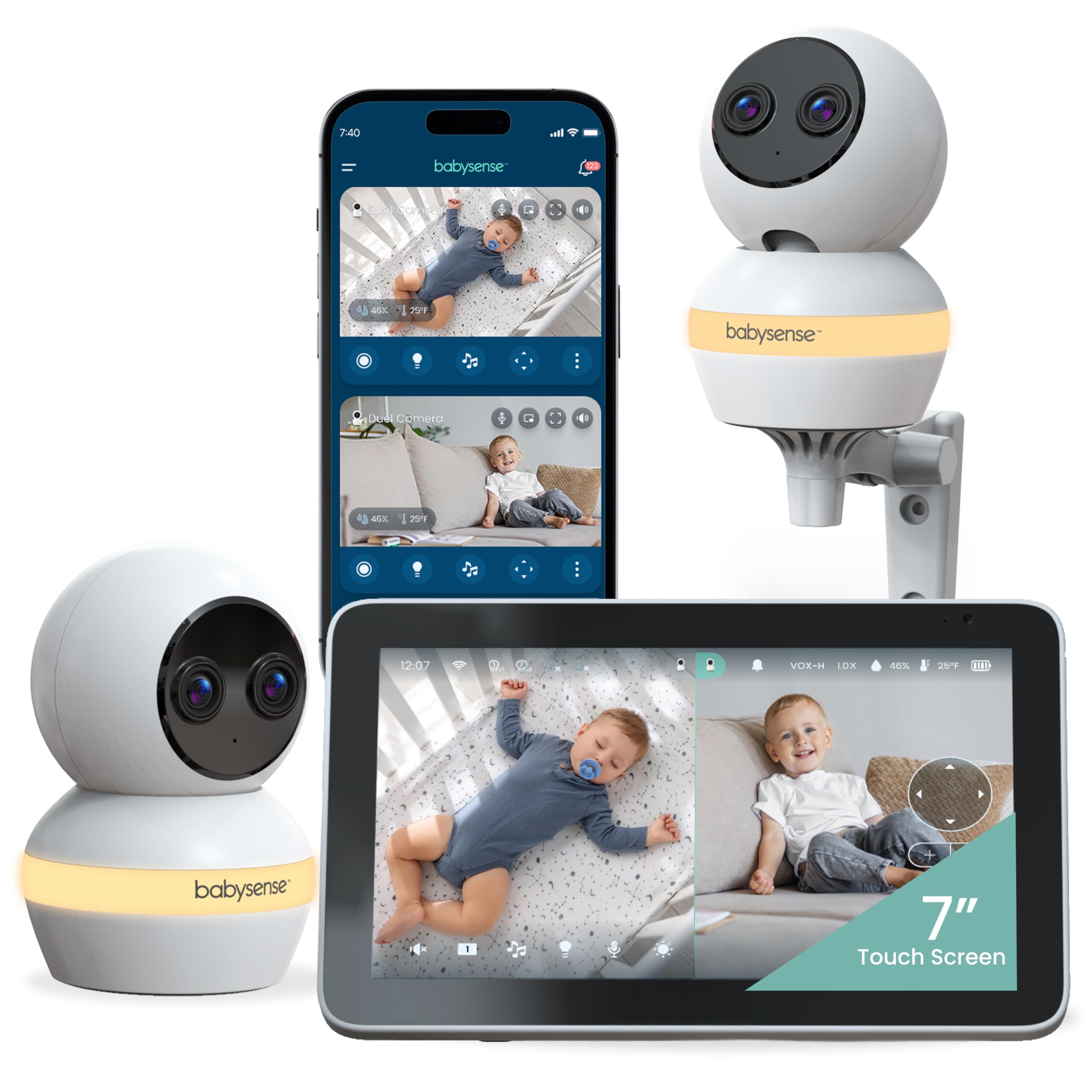
Babysense TOUCH 7
Key Features
- App: US only
- Zoom: 6x hybrid
- Cameras: 2, 4MP dual-lens
- Display: 7 inches, touchscreen
- Price: Premium
Seven inches of touchscreen is a genuinely different experience from the 5-inch units here. In split view you get two usable windows rather than two postage stamps, and the touch layer means you tap a feed to fill the screen instead of finding a button in the dark.
The cameras are the other headline: two 4MP dual-lens units with wide and telephoto elements, 6x hybrid zoom, and auto tracking that follows a moving child around the crib. Local mode runs the whole thing without the app, which is the mode we used at home; the app adds remote viewing when you are out and about.
The rest of the package has the same wobbles as the other WiFi units here. The connection drops more often than we are comfortable with, sound quality is uneven between the two cameras, and the battery is not what the headline suggests — plan on it living on a cable overnight, which is how most parent units get used anyway.
Buy this one for the screen and the tracking. The focus-area setting is the sleeper feature: draw a box around the crib and only movement inside it triggers an alert, which is the closest thing here to a monitor that knows where to look. If you mainly want a dependable overnight feed, the cheaper non-WiFi picks do that part better.
Pros
- 7-inch touchscreen makes split view readable
- 4MP dual-lens cameras with 6x hybrid zoom
- Local mode runs without the app at all
Cons
- The app only works in the US
We reach for this one when the screen itself is the point: a 7-inch touch display makes two feeds genuinely readable, and the tracking cameras are the best hardware here.
Best for Second Monitor
Firskids 4863-2
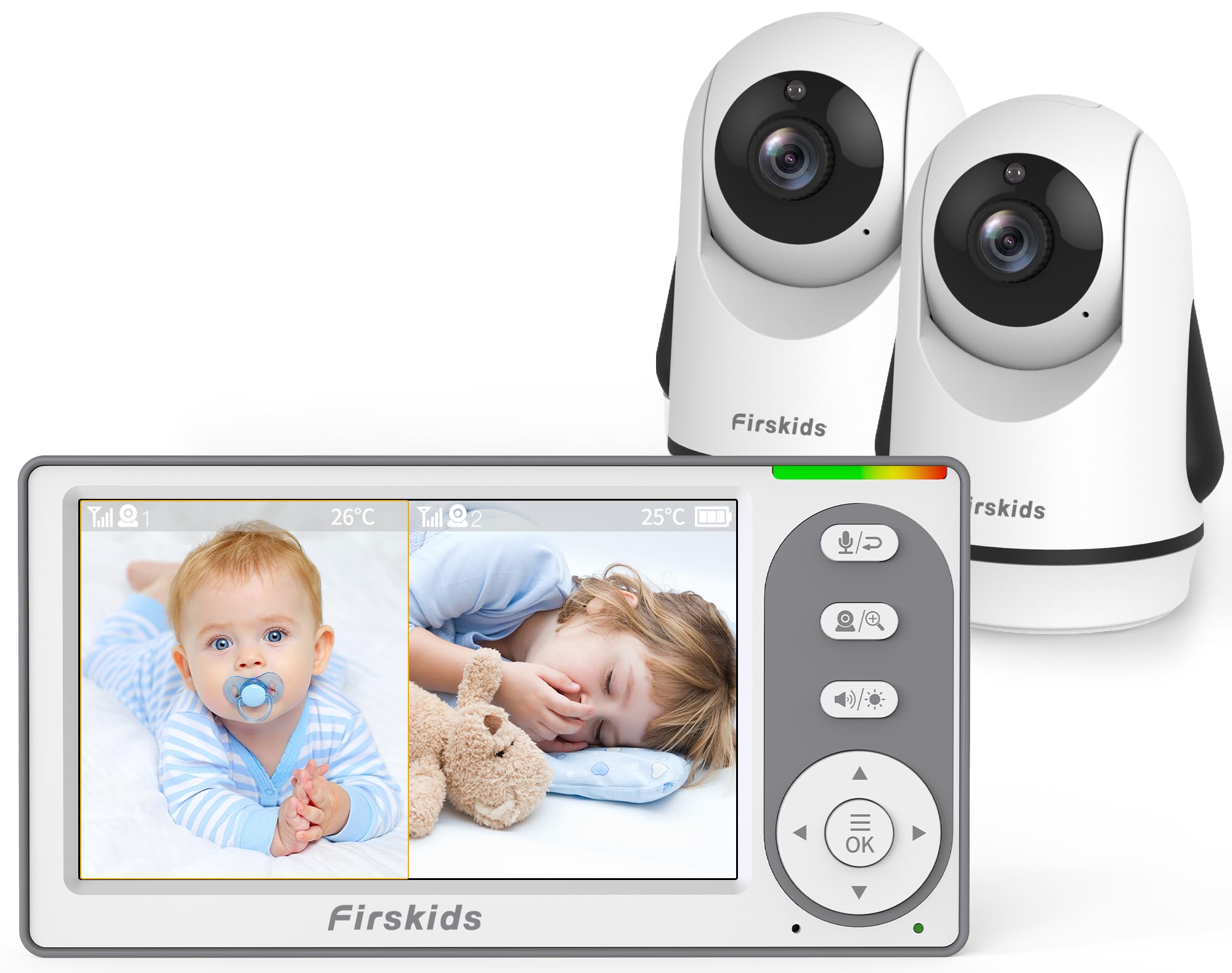
Key Features
- Battery: 3,500mAh with Eco mode
- Cameras: 2, pan 320° / tilt 120°
- Display: 4.3 inches
- Connection: 2.4GHz FHSS, no WiFi
- Price: Midrange
This is the one that goes in the suitcase. A 4.3-inch parent unit, two cameras, a 1,000ft link and no WiFi means you can set up in a rental cottage or a grandparent’s spare room in the time it takes to find two sockets, with no network to join and no password to chase.
You still get remote pan and tilt — 320 degrees across, 120 up and down — plus a temperature readout, eight lullabies, cry detection and an Eco mode that blanks the screen until the room makes a sound. The display is small, but it is clear at arm’s length, which is where a travel monitor ends up sitting.
The picture is where the price shows, and so is the sound. We think of it as a second monitor: the one for travel, for grandparents’ houses, for the week the main unit is on the charger. As the only monitor in a small flat, with a camera three feet from the crib, it does the job.
Pros
- Sets up in minutes with no network to join
- Remote pan and tilt from the parent unit
- Small, bright screen that suits a suitcase
Cons
- Night vision is grainy in low light
- Audio cuts in and out at times
Our pick for a second, packable monitor: a small no-WiFi kit that sets up anywhere in minutes, with picture quality as the trade.
Best for Shared Caregiving
VTech VM901-2HD

Key Features
- Zoom: 8x on unit, 10x in app
- Battery: About 5 hours
- Display: 5 inches, 1080p
- Connection: 2.4GHz FHSS and app
- Price: Premium
On paper this sits awkwardly next to the ieGeek: more money, 1080p instead of 2K, and a battery measured in hours rather than a day. What the difference buys is consistency — the same pan, tilt and zoom controls and the same split view whether you are holding the parent unit or looking at the app, which is not true of every kit that offers both.
Both feeds sit side by side on the 5-inch screen in 1080p, and the free MyVTech Baby Plus app puts the same two rooms on a phone anywhere with a signal. That is the part that matters if a grandparent or a nanny does pickup, because you can share the view without handing over the only screen in the house.
Independent pan and tilt on each camera means you are not settling one angle for two children, the zoom runs to 8x on the parent unit and 10x in the app, and motion alerts reach both devices. The mounting hardware in the box covers tabletop and wall, so the cameras can move with you when the nursery does.
The compromise nobody hides is the battery: about five hours is not a night, so this is a monitor that lives on a cable. That is fine if the parent unit has a permanent spot on your nightstand and irritating if you wanted to carry it around. Our honest read is that this is a good monitor at an awkward price, and the cheaper 2K kit does more of the same job.
Pros
- 1080p split screen plus the free MyVTech app
- Independent pan, tilt and zoom from either device
- The same view can be shared with a caregiver
Cons
- Costs more than the sharper 2K ieGeek
The pick if several adults share the watching: the app and the parent unit behave identically, and handing the view to a caregiver is genuinely simple.
How We Tested Split-Screen Baby Monitors
We built the shortlist from monitors shoppers are actually considering, comparing specs, screen sizes, camera counts, and what each system includes out of the box. We filtered out anything that couldn’t show two feeds at once or charged a subscription for basic viewing, then set up 10 units in real homes for six months.
Each one went into a nursery plus a second room — a toddler’s bedroom, playroom, or spare room — and we used it through naps, bedtime, overnight, and early-morning wake-ups. We noted whether we could tell a sleeping baby from a rumpled blanket in daylight and after lights-out, and whether night vision kept enough detail to see a pacifier or turned faces into gray blobs. We also watched the split-screen view itself: whether both feeds stayed visible, how much lag there was between rooms, and whether audio switched cleanly when one child fussed.
Battery life got a running test: we unplugged each parent unit after a full charge and timed how long the screen lasted through an overnight stretch and the next day’s nap. For connectivity, we carried it from the nursery to the kitchen, basement, and backyard, logging every drop and reconnection delay. We judged sound quality on whether we could hear a real whimper over white noise and whether voices sounded natural or tinny. Then we tracked reliability over the full six months — frozen screens, failed alerts, cameras that needed resetting — and weighed that against what each system cost and what it included.
How to Choose a Split-Screen Baby Monitor
Settle one thing before you compare screens: a split picture with sound from only one room is the compromise almost every model here makes, and it decides how you set the thing up.
Split screen does not mean split sound
Almost every two-camera kit here puts both pictures on the screen but routes audio from one camera at a time. The GoodBaby keeps audio focus on a single camera, and the Babysense PRO works the same way. That is normal rather than a fault, but it changes what you do on day one.
Give the audio to the child who needs it most, and let the scan or patrol mode rotate the other room through every few seconds. If you truly need to hear both rooms at once, this category will let you down at any price, and a pair of single-camera monitors is the honest answer.
Non-WiFi or app-connected
A local 2.4GHz FHSS link needs no router, no account and no cloud, so footage never leaves the house. An app-connected camera adds a live view from anywhere, which is the whole reason to pay for it. The two are not exclusive: the ieGeek, the VTech VM901-2HD and the Babysense TOUCH give you a parent unit and an app.
What differs is the failure mode. A local link is limited by walls and distance; an app is limited by your internet and, in the Babysense TOUCH’s case, by where you live, since its app is US-only. Pick which of those two failures you can live with before you pick a screen.
How much screen you actually get
A 5-inch split screen gives each camera roughly half the display, and a 4.3-inch one gives you noticeably less. That is why resolution matters more here than on a single-camera monitor: 1080p and 2K hold detail inside that smaller window, while a 480p or 720p feed softens.
If you mostly glance at sleeping shapes, a smaller or softer screen is fine and you can save the money. If you want to know whether the pacifier is still in, pay for the resolution and the extra half inch.
Where the cameras go, and the cords
Every camera in this roundup is corded, so each one needs a socket within reach of where you want it, and that usually settles placement before anything else. Mount high enough to see into the crib, and angle the lens so the bars do not sit between it and the mattress.
Then do the boring part: run the cable down and away, clipped to the wall, with every loop kept well clear of the crib and out of a toddler’s reach. A camera that pans, like the GoodBaby’s, can be positioned loosely. A fixed one, like the VTech VM350-2’s, needs its aim settled a week before the due date.
Frequently Asked Questions
Is a split-screen baby monitor worth it for one baby?
If a second child is plausible within a couple of years, yes. A two-camera kit costs little more than a single-camera one, and the spare camera can cover a playroom or a second crib in the meantime. For one baby and no plans, a single-camera monitor does the same job and leaves you less screen to scan at 3 a.m.
Can I add a third camera later?
Sometimes, and the product page will say. The Babysense PRO explicitly takes up to four cameras on the same parent unit. Several other kits here accept extra cameras without stating a limit, so confirm the number before you order rather than after, and remember that buying a two-camera kit up front is almost always cheaper than adding one.
How much range do I really get through walls?
The 1,000ft figures are open-air numbers; expect a fraction of that through two interior walls and a floor. Test the link from the furthest room you plan to use before you mount anything, and if it drops, move the camera rather than the parent unit — the camera end is nearly always the easier one to shift.
Will the parent unit last the night on battery?
Check which figure is quoted. The long ones — 30 hours on the GoodBaby, 20 on the Babysense units — are VOX or Eco mode with the screen dark. With the picture live, expect roughly 10 to 12 hours and less with two feeds running; the VTech VM350-2’s 12-hour continuous-video rating is the honest end of that range. The practical answer is a charging spot on the nightstand.
Final Verdict
If you are buying for twins or two rooms, the GoodBaby SM663V2 is the one we point to: two cameras you can aim from the parent unit, a real side-by-side split on a 5-inch screen, and no WiFi, app or account in the middle.
Spend more only when the picture is the priority — the Babysense PRO’s 1080p split is the sharpest view here, and it takes a third and fourth camera. And if you want to look in from work, the ieGeek is the reason to go WiFi instead.