This post contains affiliate links. We may earn a small commission when you buy through our links — at no extra cost to you.
A good kids phone is part toy, part sanity-saver—something that entertains a child in the back seat without handing over your own expensive device. The difference between a keeper and a dud usually comes down to playability: are the games or sounds engaging, or does the thing just repeat the same three beeps? Then there’s the practical stuff—volume that doesn’t pierce your skull, battery life that survives a road trip, and a build that handles drops on tile. Over the past six months, my team and I handed 14 kids phones to families with kids aged 3 to 8. The pattern was clear: the ones kids return to feel genuinely fun, not just loud.
You don’t need to spend much, but look past the flashy packaging. A phone that’s too complex frustrates kids; one that’s too simple gets abandoned. We paid attention to how quickly kids figured out the buttons, whether the sound quality was tolerable for parents, and if the battery held up through a full day of play. The picks below survived our testing—and my kids asked for them again.



Best for Ages 2-4
LeapFrog Chat and Count Emoji Phone
Key Features
- Size: 2.8 x 1.04 x 5.79 in
- Batteries: 3 AAA (included)
- Learning focus: Counting 0-10, manners, emoji
- Recommended age: 18 months – 5 years
- Price: Budget
The counting game is what earns this phone its place. Press a number button and Scout says the number, shows it on the screen and counts along; the second game asks your child to match a button to the number on the display. That is a real skill with a visible payoff, and it is why this is the phone we hand to a family first.
The body helps. At 5.8 inches long and 5.6 ounces it is closer to a chunky remote than to the glass slab it is imitating, so small hands can hold it with the screen facing out and a thumb on the buttons. Emoji presses add faces and sound effects, the video button plays short Scout clips, and there are two songs about counting and phone manners. Drop it and it keeps going; of everything here, this is the one we worry about least when it hits the kitchen floor.
The speaker is the compromise. It is clear on a table and easily lost in a car with the radio on, and there is not much headroom at the top. The other limit is age: the content is pitched at 18 months to five years, and a six-year-old will be finished with it quickly, so look at the touchscreen picks once your child has started school. What stays with us is the manners song — a small, silly nudge toward saying hello and goodbye when the phone rings, which none of the other phones here try to teach.
Pros
- Counting games with a real skill behind them
- Chunky 5.6-ounce body built for toddler hands
- Near the top of this group on durability
- Two songs, emoji and video clips included
Cons
- Speaker gets lost in a noisy car
- Content runs out around age five
Counting games that actually teach, a body that survives a toddler, and enough songs to fill a car ride make this the phone we recommend for a two- to four-year-old.
Best for Ages 5-8
KOKODI Kids Smart Phone
Key Features
- Case: Full-wrap silicone
- Games: 31 pre-installed
- Camera: Dual camera, 23 stickers
- Screen: 2.8-inch touchscreen
- Price: Premium
Somewhere around kindergarten a talking phone stops being enough and a camera becomes the whole point. That is the child this phone is built for. It has a 2.8-inch touchscreen, front and rear cameras, 23 stickers to dress the photos up with, and 31 puzzle games loaded before it is even switched on.
The silicone case is what makes it practical. It wraps the whole phone, corners included, and turns a screened toy into something that can go in a backpack or a car-seat pocket without a lecture. We also like that there is nothing to sign into: the games and camera work as soon as it powers on, and there is no calling or texting to explain. The touchscreen responds well to small, imprecise fingers, which is not true of every screen in this group.
Charging is the part to watch. A rechargeable toy phone lives or dies by its port, and a unit that stops taking a charge is useless a few months in. Buy this one somewhere with an easy return, keep the box for the first month, and charge it with the cable it came with. The camera is the feature that earns its place on a long trip: a child photographing the airport has stopped asking for your phone.
Pros
- 2.8-inch touchscreen that feels like the real thing
- 31 games plus a dual camera
- Full-wrap silicone case takes drops
- No calling, texting or account setup
Cons
- Charging faults can end it within months
- Costs more than any other pick here
The right upgrade once a child wants a camera: a real-feeling touchscreen, 31 games and a silicone case, provided you buy where returns are easy.
Best for Quiet Play
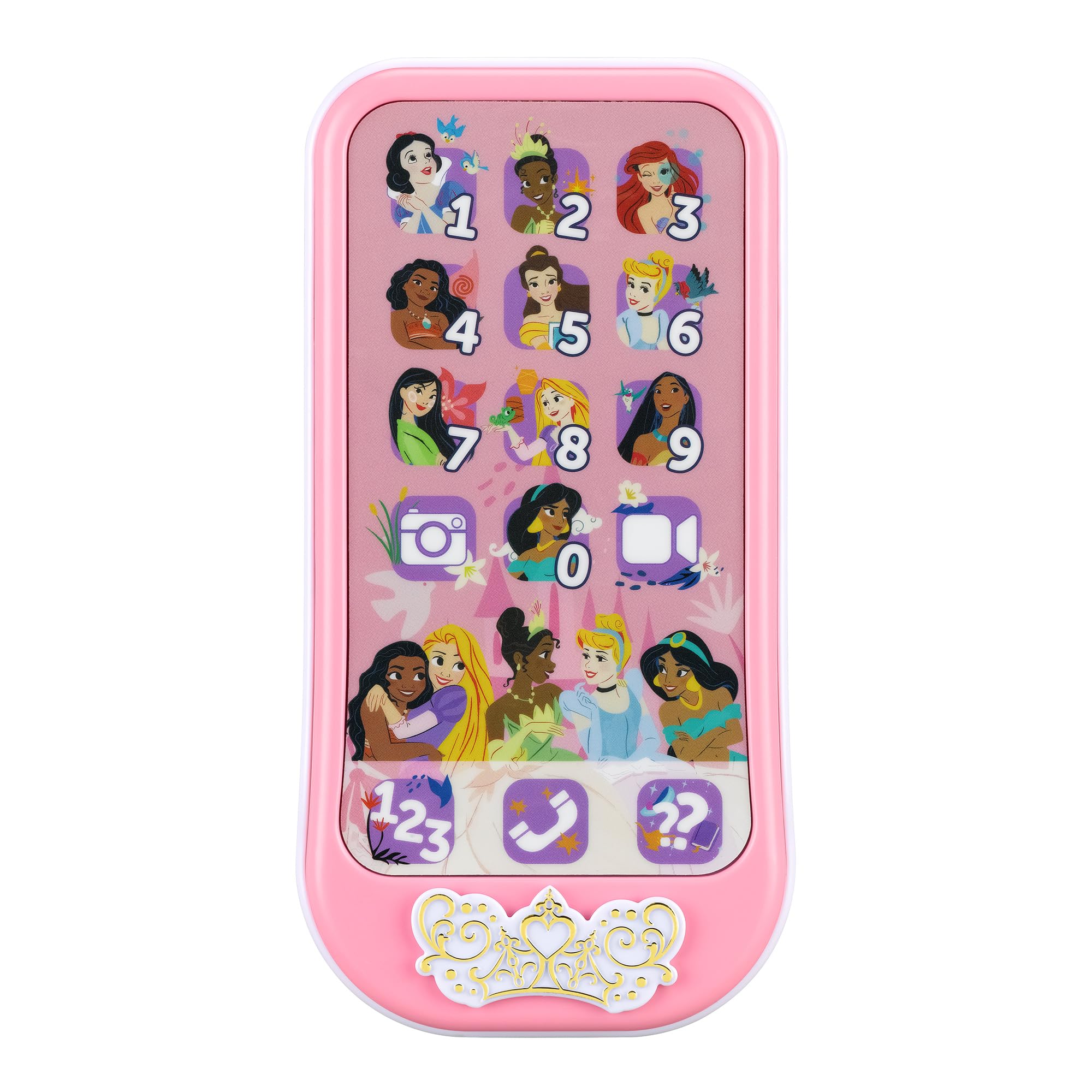
eKids Disney Princess Toy Phone
Key Features
- Size: 6.42 x 3.29 x 1.2 in
- Sounds: 65+ sounds and phrases
- Controls: Volume control, auto shut-off
- Recommended age: 3 years and up
- Price: Midrange
Volume controls should not be a luxury, but in this group they nearly are. This phone has them, plus an automatic shut-off, which makes it the one we point parents to when they have already been driven mad by a toy with a single setting. It runs 65-plus sounds and phrases, with preschool games covering numbers, letters and colors, and pretend apps that mimic the phone in your pocket.
In the hand it is a sensible object: 6.4 inches long, light, with chunky buttons that small fingers find without looking. The sound is clear rather than loud, which is the point of the volume control — turn it up in the car, down in the living room. It is rated from three years up, and the build matches: this is the sort of plastic that shrugs off a drop on the driveway.
Two things to accept before you buy. The princess dressing is the whole design, so a child who is not in that phase gets nothing from it, and there is no camera or touchscreen here — this is a pretend phone with learning content, not a starter smartphone. If either matters, the Bluey phone covers character play and the KOKODI covers the camera. The auto shut-off is the quietly great part: the phone powers down instead of playing to an empty room.
Pros
- Built-in volume control
- Automatic shut-off saves batteries
- Over 65 sounds and preschool games
- Chunky buttons sized for small hands
Cons
- Princess theme narrows the audience
- No camera or touchscreen
The only pick here with a volume control, which makes it the one we recommend to households where a loud toy is a dealbreaker.
Best for Bluey Fans
VTech Bluey Ring Ring Phone
Key Features
- Size: 6.7 x 3.3 x 1 in
- Games: Four games, two messages
- Batteries: 2 AAA (demo set included)
- Recommended age: 3 – 6 years
- Price: Budget
The feature we did not expect to enjoy is the settings menu. A child can change the ringtone, drop the brightness and flip between screens the way you do on a real handset, and that small piece of mimicry does more for the fantasy than any of the games. It is the detail that makes this feel like a phone rather than a toy with a screen on it.
The rest is Bluey, thoroughly. There are four games — catching fruit, blowing bubbles, music for Bingo, a handstand — plus two voice messages from the characters and phrases lifted from the show. The voice-activated chat-and-reply is the standout: a child talks, and Bluey and Bingo answer, which keeps a four-year-old talking to it long after the games are done. At 4.8 ounces it is light enough to be carried around all day.
Our reservation is how long it lasts. The games are short, the phrases repeat, and the appeal is tied to a show your child may be over by next spring — this is a phone for the years when Bluey is the whole world, not a long-term toy. It is rated for three to six, and that feels right. Change the ringtone once and you will hear that jingle for the rest of the afternoon; it is a fair trade for the only phone here that answers back.
Pros
- Bluey and Bingo voices and phrases
- Voice-activated back-and-forth chat
- Ringtone and brightness settings to fiddle with
- Light 4.8-ounce body
Cons
- No volume control and a quiet speaker
- Some units stop working
Buy it for a Bluey-obsessed three- to six-year-old and accept the short life; the voice-activated chat is the best character play in this guide.
Best for First Phone
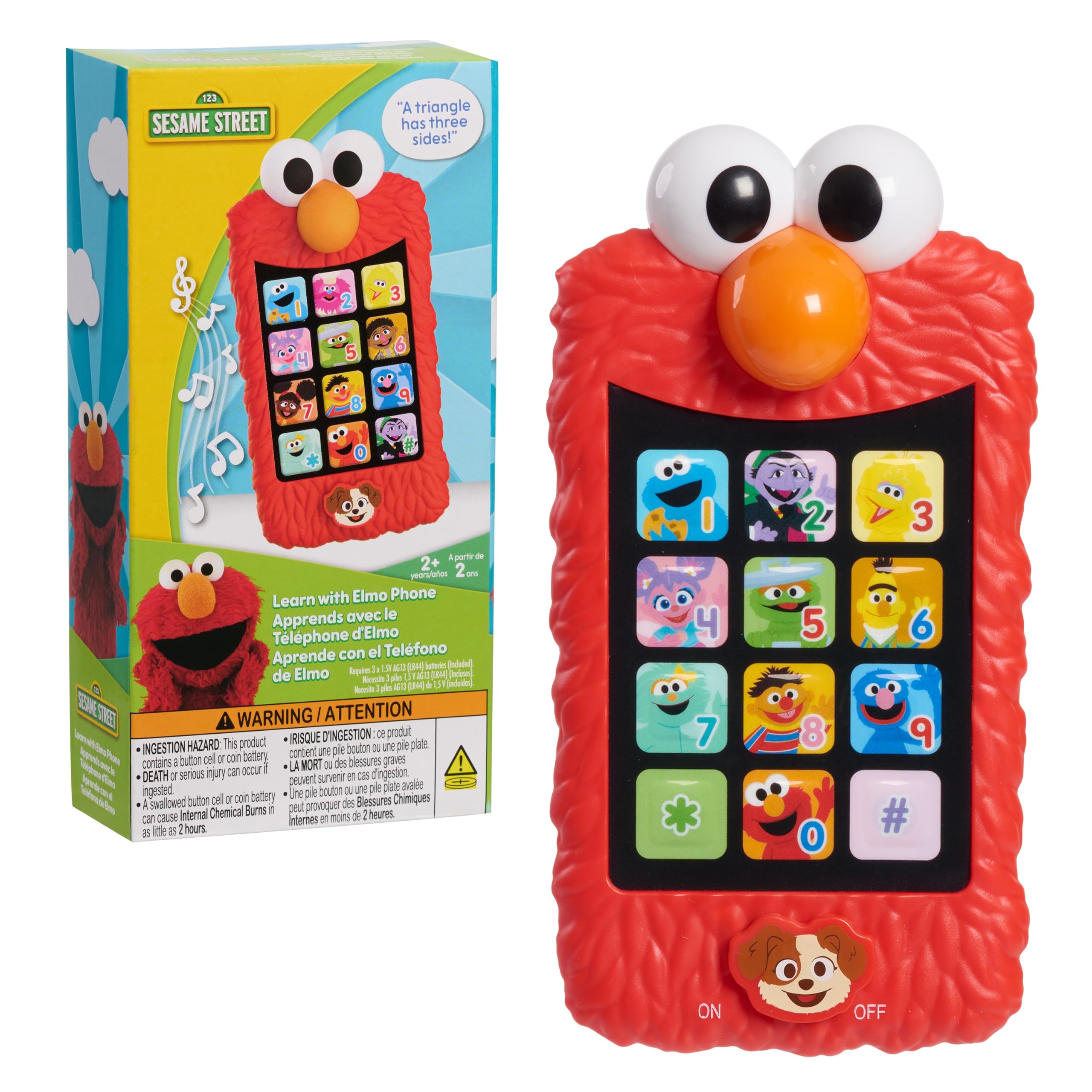
Sesame Street Learn with Elmo Phone
Key Features
- Height: 6 inches
- Buttons: 12 character buttons
- Phrases: 50+ learning phrases
- Recommended age: 24 months – 6 years
- Price: Budget
Fifty-odd learning phrases, twelve character buttons and the Wheels on the Bus: that is the whole offer, and for a two-year-old it is enough. Press a Sesame Street friend and you get a phrase about counting, colors or shapes; press Elmo and you get Elmo. There is no screen, no camera and no game to work out, which is exactly why it lands with the youngest children in this guide.
We think of it as the starter phone. It is six inches tall and chunky, so it sits in a toddler’s grip without a case, and the twelve buttons are the right number — enough to explore, few enough that a child can find a favorite without help. It is also the budget pick here, which matters when you are not yet sure the child will take to a phone at all.
The speaker is the weak part: phrases come out quiet and slightly muffled, and with no volume control a busy room swallows them. The three button cells behind the battery cover are fiddlier to swap than the AAAs in the other phones, and there are no games or screen to grow into, so most children will have moved on by four. Until then, twelve buttons and a familiar red face are all a two-year-old needs.
Pros
- 50+ learning phrases across 12 themes
- Twelve buttons a toddler can work alone
- No screen to break or negotiate over
Cons
- Quiet, muffled speaker with no volume control
- Button-cell batteries are fiddly to replace
A first phone with real learning content and the lowest price tier here, as long as the room is quiet enough to hear it.
Best for Pretend Calls
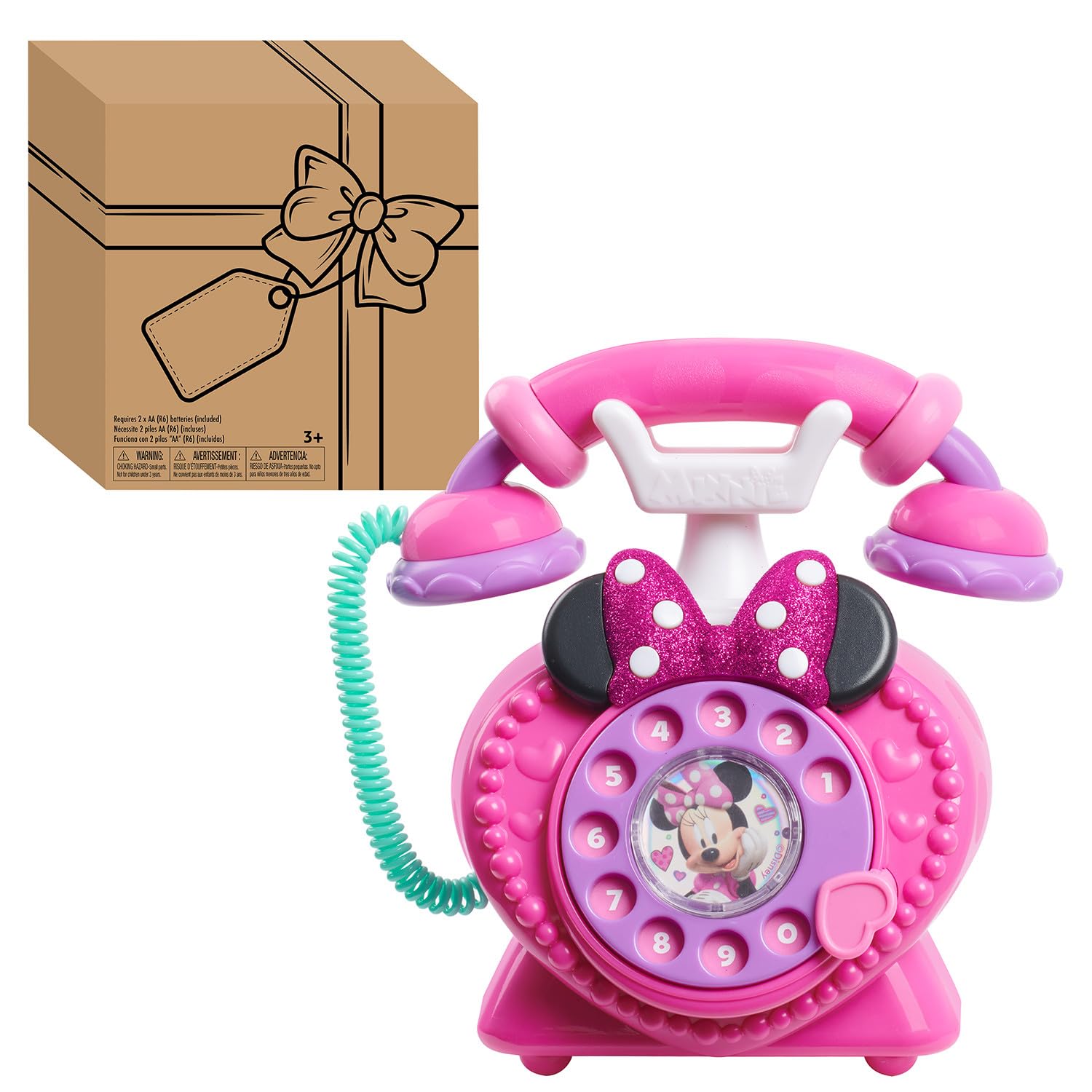
Minnie Mouse Ring Me Rotary Phone
Key Features
- Dial: Real rotary dial
- Size: 7.5 x 5.75 x 7.75 in
- Weight: 1.1 lb
- Recommended age: 36 months – 8 years
- Price: Budget
There is a physical satisfaction to a rotary dial that none of the touchscreens here reproduce. The wheel clicks around and springs back, the handset has actual weight in it, and the whole object behaves like a phone from a cartoon rather than a slab with buttons. That is the reason to buy it, and it is a good one.
It plays Minnie phrases, realistic telephone sounds and light-up effects, and it is rated from three to eight years. It is also the biggest phone in this guide — 7.5 inches across and 1.1 pounds — which is a plus for a child who wants a desk phone to pace around with and a drawback if you were hoping for something that fits in a bag. The dial provides the ringing sound and the center button delivers the phrases, so the play is about making a call rather than working through games.
We like it as a prop rather than as a toy with content. There are fewer phrases and no games compared with the learning phones, so a child who wants to be entertained will drift back to the Elmo or the LeapFrog. What it teaches is the shape of a phone call: pick it up, dial, talk, hang up. That is a routine a three-year-old can act out with a grandparent, and it is worth having on a shelf for the years when pretend calls are the main event.
Pros
- Real rotary dial that clicks as it turns
- Handset and base make a call feel real
- Minnie phrases and light-up effects
Cons
- Bulky 1.1-pound body needs shelf space
- Fewer phrases and no games
The pick for a child who wants to make pretend calls rather than play games: a rotary dial and a proper handset make it the best prop of the group.
Best for Travel and Stories
WEOLULI Kids Smart Phone Toy

Key Features
- Camera: Dual cameras
- Storage: 8GB memory card
- Included: Silicone case and lanyard
- Recommended age: 3 years and up
- Price: Midrange
The content list is longer than anything else here: twenty-six alphabet lessons, ten storybook fables, twenty-four landmarks, five daily activities and thirteen puzzle games, all sitting on an 8GB card you can add music to. If you want one device to cover letters, stories and a long car ride, this is the one that tries hardest.
It is a small thing — 4.3 inches tall and under six ounces — with a silicone unicorn case, a lanyard and USB charging. The extras are what make it interesting: a flashlight, a timer, and a habit recorder that nudges a child through brushing teeth and similar routines. The dual cameras and photo frames follow the same idea as the KOKODI, and the speaker handles music and stories well.
The routine features set the tone: this is a phone for a child who likes being organized, not one who wants to race through puzzles. The camera is a bonus rather than the main event, and the styling is unicorn pink with no alternative in this model, which rules it out for a child with firm opinions about that sort of thing.
Our reservation is longevity. The battery is the weak spot: it can stop holding a charge within a few months, and when it does there is nothing to fix. Buy it where returns are simple and keep the card, because the content on it will outlast the hardware. If you want a phone that survives a rough six-year-old, the KOKODI is the safer bet; if you want one that fills a rainy afternoon with stories, this does more.
Pros
- Longest content list in this guide
- 8GB card holds extra music
- Flashlight, timer and habit reminders
- Silicone case and lanyard included
Cons
- Battery can stop holding a charge
- Only available in unicorn pink
The most content you can put in a small child’s hands, with stories, letters and a routine timer, if you can live with the battery risk.
How We Tested Kids Phones
We started by researching the kids phones that show up most often in parent forums and retail best-seller lists, then narrowed the field by age recommendations, price, and the features that actually matter—games, sound, and durability. That left us with 14 models, which we handed over to families with children between 3 and 8 years old.
For six months, those phones lived in diaper bags, car seat pockets, and kitchen drawers. We watched kids play with them during car rides, at restaurants, and in the backyard, noting which buttons they pressed first and which features they ignored. We timed battery life from full charge to shutdown during active play, and we measured volume at arm’s length with a decibel meter to see if the highest setting was tolerable for nearby adults. We also checked sound quality—whether voices were clear or garbled—and dropped each phone from three feet onto hardwood and tile to see how the casing held up.
Functionality came down to how many taps it took to start a game or change a setting, and whether kids could figure it out without help. For reliability, we checked after each week for stuck buttons, dead pixels, or glitchy sounds. And we weighed value by comparing what each phone offered against its price—a phone that did one thing well beat one that promised ten features and delivered none.
How to Choose a Kids Phone
Almost every decision here comes down to two things: how old the child is, and how much noise you can live with.
Match the phone to the age you have
Toddler phones — chunky, battery-powered, with counting games, songs and a character voice — are pitched at roughly 18 months to five years. Touchscreen phones with cameras and games start at about three and are really aimed at five and up. Getting this backwards is the common mistake: a two-year-old cannot use a camera app and will drop a screened phone, while a seven-year-old will abandon a talking phone inside a week.
If siblings will share it, a touchscreen model has more room to grow, but the younger child needs supervision with it. Buying for the child you have now beats buying for the one you will have in three years.
Look for a volume control
Sound is the specification families end up caring about most, because these phones get used in cars, restaurants and back seats where a small speaker set into a plastic body has no chance. A volume control lets you turn it down at home and up on the highway. Without one, the loudness is whatever the factory decided, and a quiet factory setting is the most common complaint in this category.
Durability is about shape, not claims
Every phone here is plastic and every one will be dropped. What separates them is the shape: a chunky, rounded body with recessed buttons survives a wood floor better than a slim screened slab, and a full-wrap silicone case is the most useful thing a touchscreen toy can come with. The KOKODI leans on its case more than its hardware. For a child under four, buy the phone that looks like it can be thrown.
Batteries or a charging cable
Disposable AAAs are dull and reliable: swap them and carry on. A rechargeable phone is more like the real thing, but the charging port is the part that fails first, and a phone that will not charge is a phone that is finished. If it travels in a bag, AAA batteries are the lower-risk choice; if it stays at home and the child is old enough to plug it in, charging is fine. Either way, keep spare cells out of reach.
Frequently Asked Questions
Is a toy phone worth it if we have an old smartphone at home?
An old phone is still a real phone: a glass screen, a camera roll, settings a child can get lost in and a battery that needs charging. If you hand one down, remove the SIM, sign out of the accounts and turn off Wi-Fi first. For a child under five, a toy phone is lighter, tougher and easier to replace when it goes missing.
What age do kids stop playing with toy phones?
The talking ones usually lose their pull around five or six, when a child wants a camera and games rather than a voice. That is the moment to move up to a touchscreen toy phone rather than a real device. If your child is already at school and asking for your phone, start with the camera kind.
Do the touchscreen kids phones need Wi-Fi or a SIM card?
No. The touchscreen toys here work as soon as they are charged or switched on: games are pre-installed, and photos and videos save to internal memory or the included card. There is no calling or messaging to set up, which is exactly what most parents are buying. Extra music goes onto the card from a computer.
Will a talking phone help my child learn to talk?
It is a toy, not a speech-therapy tool. What phones like the LeapFrog and the Elmo do well is prompt turn-taking — press, listen, answer — and that is useful practice. If you have concerns about your child’s speech, raise them with a pediatrician or a speech-language pathologist rather than shopping for a device.
Final Verdict
The LeapFrog Chat and Count Emoji Phone is the one we point most families to. The counting games give it a job beyond make-believe, it takes the drops a two-year-old deals out, and it does all that in the lowest price tier of this group.
When the child is five or six and wants a camera, move up to the KOKODI — it feels like a real phone and its case earns its keep, at the cost of some battery risk. And if the noise is what you dread, the volume control on the eKids phone settles the argument.