This post contains affiliate links. We may earn a small commission when you buy through our links — at no extra cost to you.
A kids MP3 player has one job: put music, stories, and maybe a few audiobooks in a child’s hands without handing over a phone. The appeal is obvious—less screen time, fewer “can I borrow your phone?” negotiations—but the category has a catch. Cheap players can feel like toys that fight back, with menus kids can’t read and buttons that require adult fingers. I wanted something my kids could load, charge, and use on their own. That’s the real bar: not just whether it plays a song, but whether a 7-year-old can get to it without help.
We spent four months with 12 kids MP3 players, from simple screen-free models to Bluetooth-ready ones. They went into backpacks, got dropped on kitchen tile, and survived car rides and quiet time. The best ones shared a few traits: clear controls, sturdy build, easy file loading, and sound that’s pleasant at kid volume. I’ll walk through what held up, what felt like a waste of money, and which players made the handoff easier for everyone.
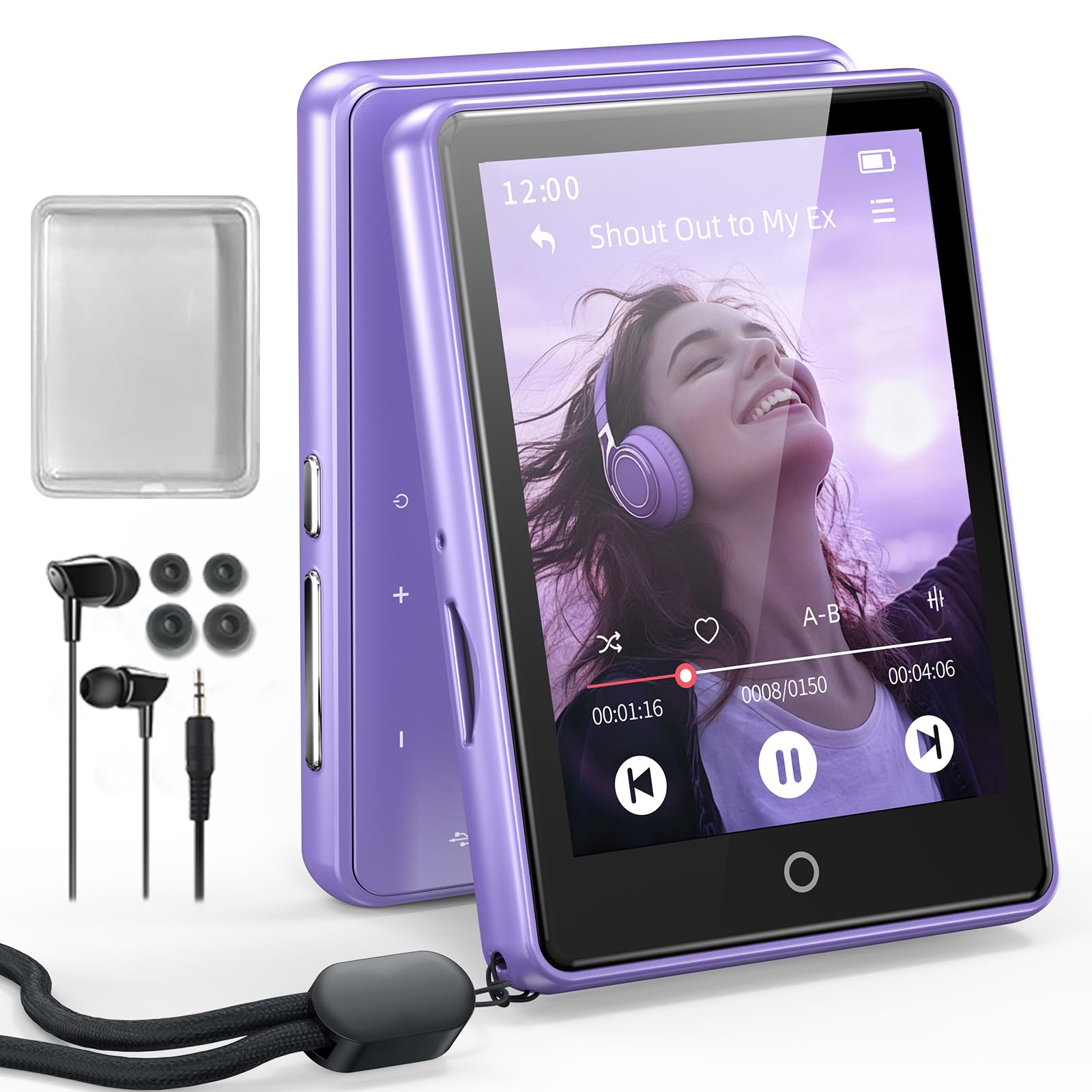
Best for First-Time Listeners
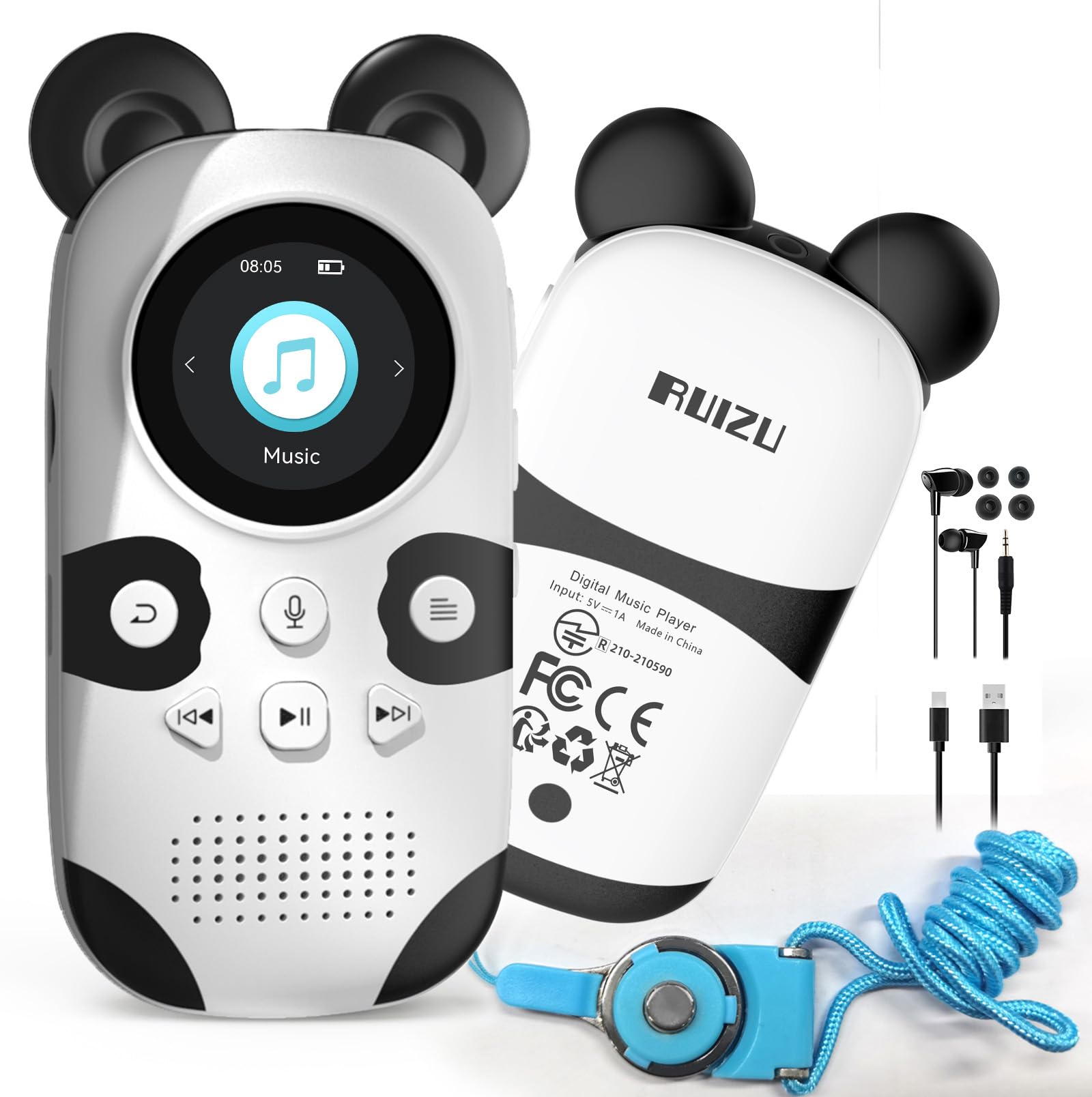
RUIZU Panda Player
Key Features
- Connectivity: Bluetooth 5.3, 3.5mm jack
- Volume limit: Yes
- Built-in speaker: Yes
- Expandable storage: microSD up to 128GB
- Price: Budget
The volume cap is what settles it for us. It lives in the player’s own settings rather than in an app a parent has to unlock, so a small child can pick the thing up and press play without anyone handing over a phone first. That single feature is why this is the player we recommend to most families, and the panda body is why kids actually carry it instead of leaving it in a drawer.
Around that, the hardware is deliberately plain: physical buttons, a 3.5mm jack and Bluetooth 5.3 for wireless headphones. There’s a speaker built into the body, which we rate higher than it sounds — a kid can listen at the kitchen table without a pair of headphones going missing. FM radio, a voice recorder, an alarm and a stopwatch round it out, and the microSD slot takes a card up to 128GB, so the library can grow with the child rather than being replaced with the device.
Loading music is the part that needs patience. Files go on by drag-and-drop, and the transfer is fussier with a Mac than with a Windows machine, so copy two or three albums, unplug and check they play before you fill a card. The other thing to watch is a player that simply stops powering on; keep the box and the return window open until it has run for a few weeks, and that risk becomes an inconvenience instead of a loss.
Pros
- Volume cap built into the player
- Physical buttons small hands can work
- Built-in speaker and headphone jack
- microSD slot takes cards to 128GB
Cons
- 1.3-inch screen shows very little text
For a first player, this is the one we recommend: a real volume cap, buttons a child can work, and a speaker for the kitchen table, at a price that makes losing it survivable.
Best for Spotify for Kids
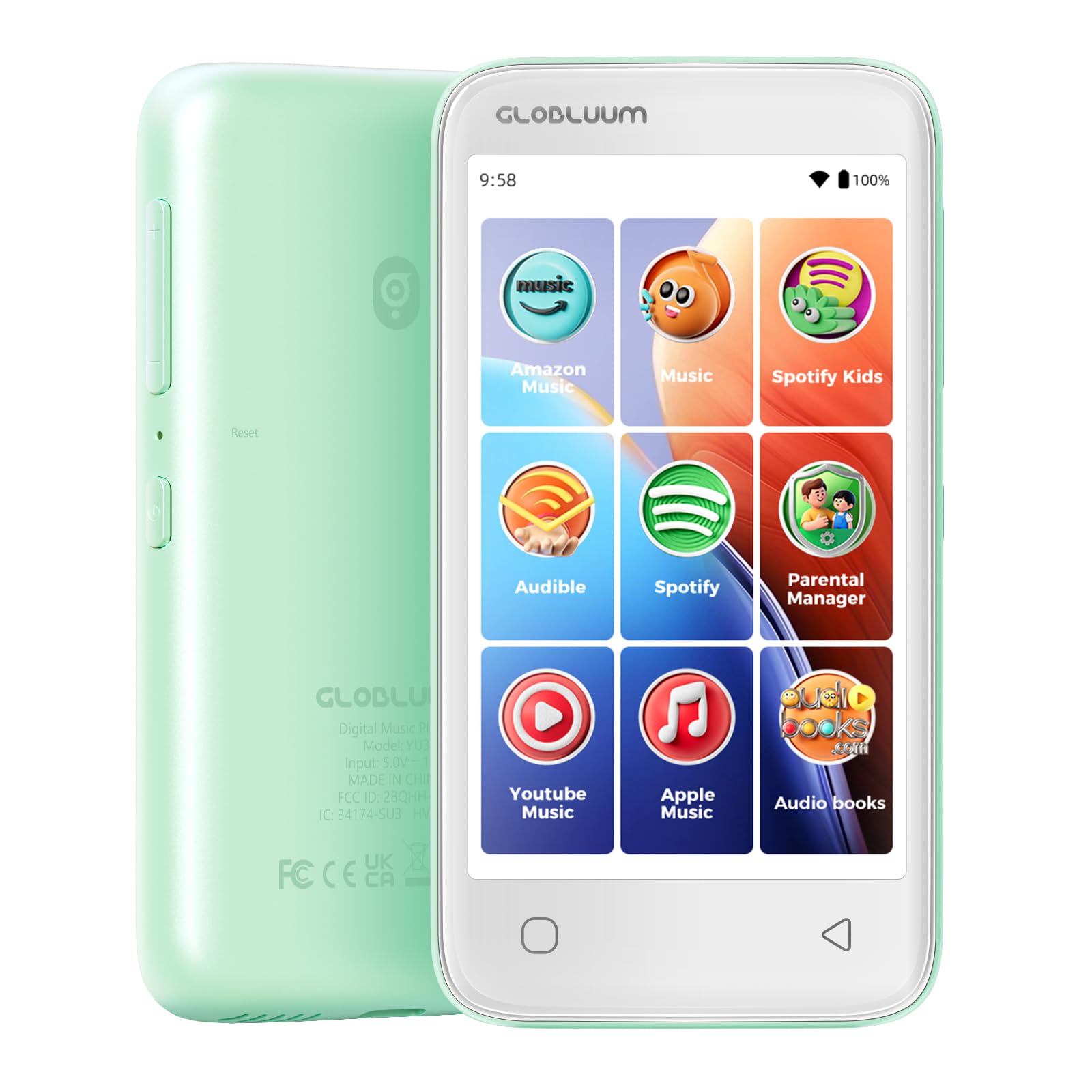
Globluum YU3
Key Features
- Screen: 4-inch touchscreen
- Battery: Up to 25 hours
- Storage: 16GB, microSD expandable
- Parental controls: App approval, no browser
- Price: Premium
Sooner or later a kid asks for the music their friends have, and that request is what this player answers. Spotify Kids, Spotify, Amazon Music, Apple Music and YouTube Music are already installed — a parent signs in once and the child is listening to a real catalog rather than the eleven songs someone remembered to copy onto a card.
The hardware is a small tablet in the shape of a music player: a 4-inch 800 × 480 touchscreen, 16GB of storage with a microSD slot, Bluetooth 5.0 and Wi-Fi, all in 3.46 ounces. A protective case and a pair of wired earbuds come in the box, which is the sort of detail that saves an argument on day one. The listed battery life runs to 25 hours, so it survives a week of school runs between charges.
We think this is the right player for a tween and the wrong one for a five-year-old. The parental controls are the reason it earns a place at all: apps have to be approved, there’s no browser, and a sleep timer stops playback at bedtime. But it is a connected device with a login attached, and that means a parent is now managing an account, not just a memory card.
If your child doesn’t need streaming, skip this one. Our top pick plays the same songs without an account to look after, and the controls here only earn their keep once there are apps behind them.
Pros
- Streaming apps preinstalled and signed in once
- App approval with no browser
- 25-hour battery, case and earbuds included
Cons
- 16GB fills fast with downloaded albums
If your child wants Spotify and you want app restrictions plus no browser, this is the one we point to — just add a memory card.
Best for Button-Loving Tweens
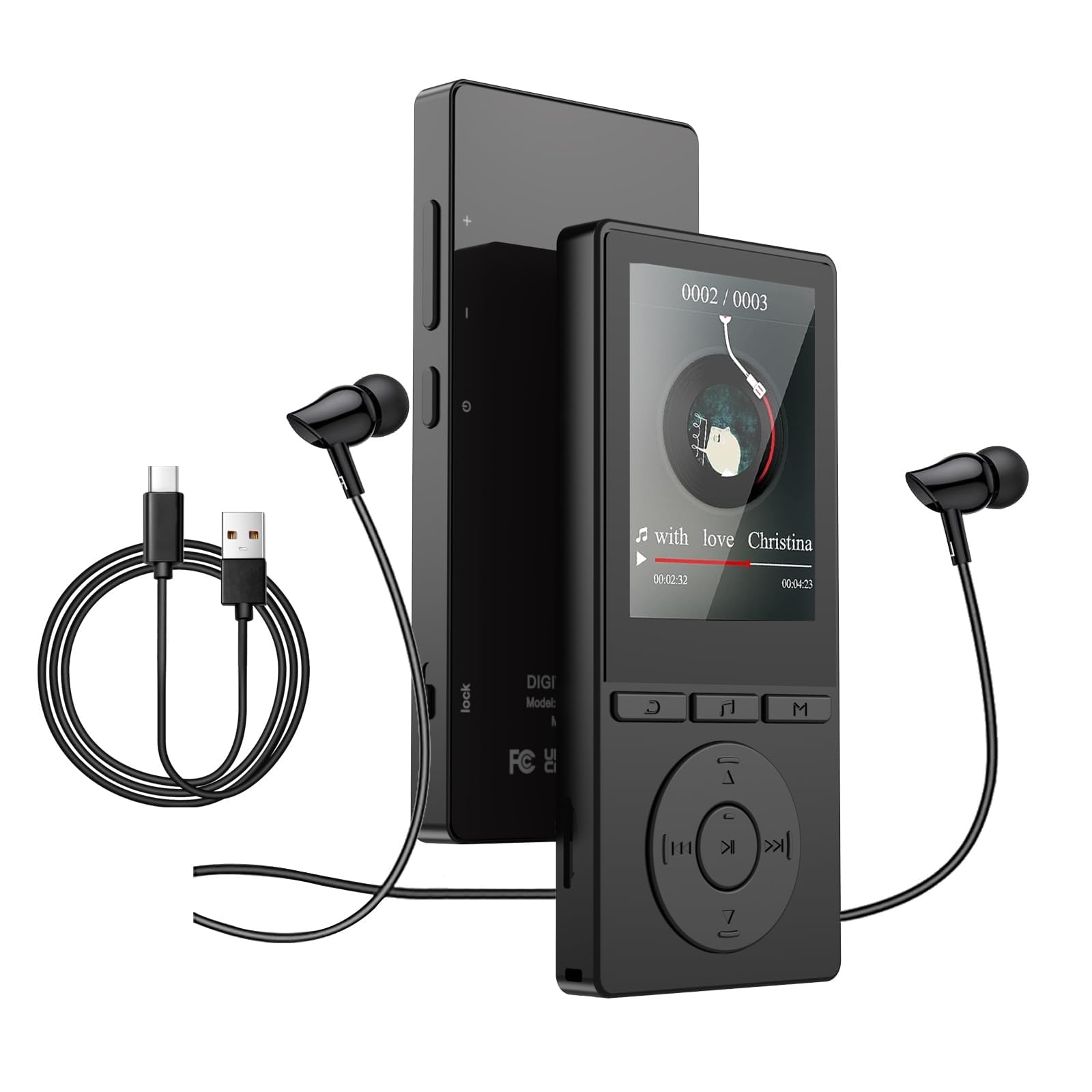
Aiandcc M6
Key Features
- Screen: 2.4-inch color LCD
- Storage: 64GB, expandable to 128GB
- Controls: Physical buttons
- Built-in speaker: Yes
- Price: Budget
The M6 is the one that feels like a piece of equipment rather than a toy. There’s a metal frame around a 2.4-inch color screen, a row of real buttons, and enough weight that it doesn’t skate across a car seat. For a nine- or ten-year-old who has outgrown the cartoon years, that counts for a lot.
This is the one we hand to an older kid without hesitating on the controls. A single press opens music mode, the buttons are big enough to work by feel in a dark bedroom, and a side volume switch means nobody has to hunt through menus mid-song. Sixty-four gigabytes holds a serious library, the microSD slot takes it further, and Bluetooth 5.3 handles wireless headphones. The metal body is the sturdiest-feeling here, which is the part we keep coming back to.
Bluetooth is the weak spot. Pairing works, and then the connection can drop mid-album, so keep a wired pair in the bag and the problem mostly disappears. That combination of buttons and metal also means this is the pick for a child who wants to be treated like a big kid rather than handed something shaped like a panda.
Pros
- Metal frame with a solid, weighty feel
- Buttons you can work by feel
- 64GB with microSD expansion
- Built-in speaker for room listening
Cons
- No volume cap for younger listeners
- No touchscreen, so long lists mean scrolling
For an older child who wants buttons, a metal body and room for a big library, this is our pick — pair it with headphones that have their own volume limit.
Best for Audiobook Listeners
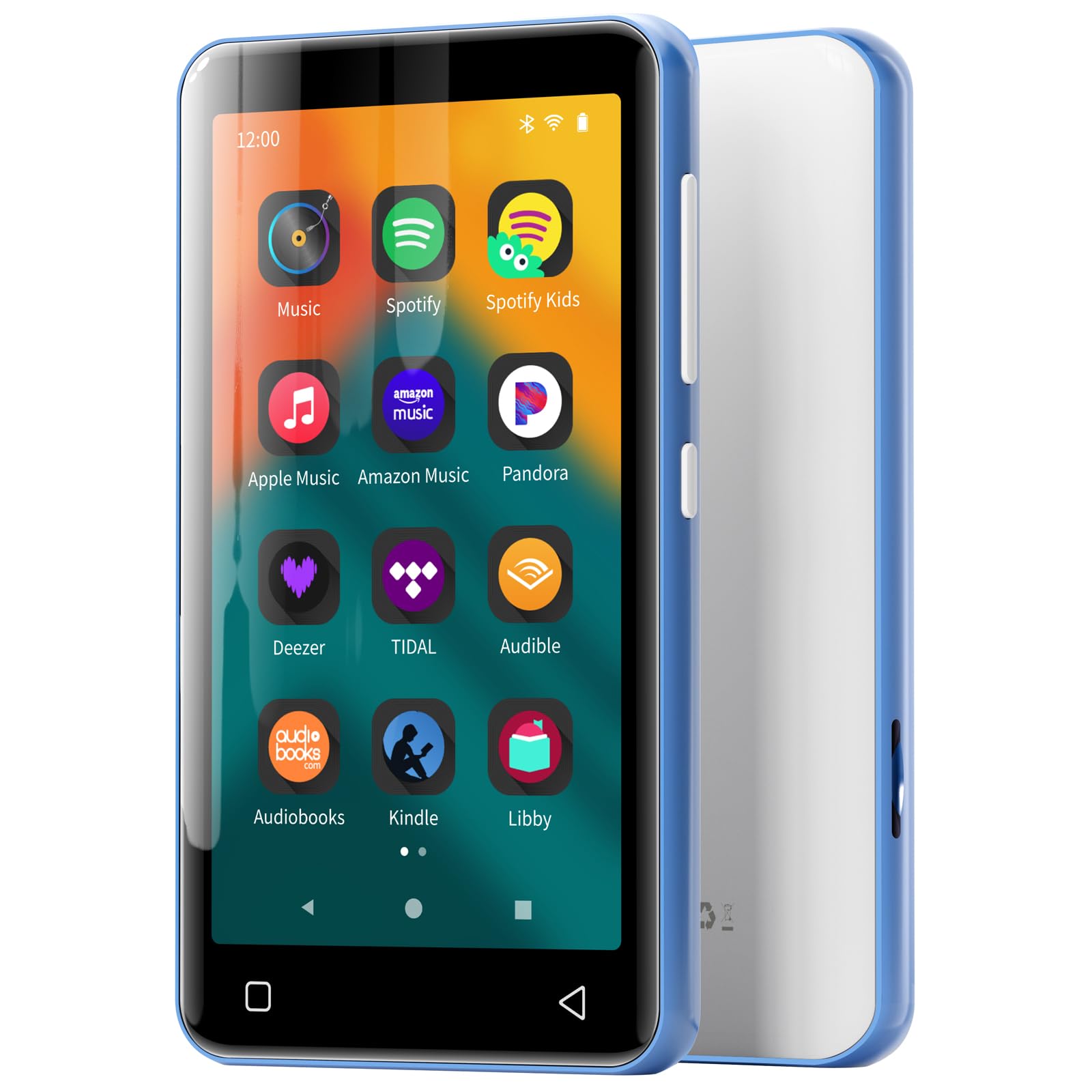
Innioasis G1
Key Features
- Screen: 4-inch touchscreen
- Storage: 80GB including 64GB card
- Preloaded apps: Spotify, Pandora, Audible, Libby
- Parental controls: No app store
- Price: Midrange
Audiobooks are the reason to pick this one. Audible and Libby come preloaded, so library borrowing and purchased audiobooks both work without side-loading files, and the 80GB on board — 16GB plus a bundled 64GB card — covers a chapter-book habit that runs to dozens of titles. If your child listens to stories more than songs, this is where we start.
It’s an Android device behind a 4-inch touchscreen, with an octa-core processor, 2GB of RAM, Bluetooth and a microSD slot that takes the storage to a terabyte. Spotify, Pandora, TIDAL and Deezer are there for music, and the built-in speaker means a story can fill a room. The parental control here is structural rather than a setting: there’s no app store, so nothing new can be installed, and a parent can remove apps that are already on it.
The 4-inch screen is fine for album art and chapter lists and not much fun for video, and the music apps want a login before they’ll play anything. Neither bothers the child this is meant for, who is mostly pressing play on a story and putting it down again.
Pros
- Audible and Libby built in for stories
- 80GB including the bundled card
- No app store, and apps can be removed
- Built-in speaker and Bluetooth
Cons
- Heavy at 8 ounces for small children
For a child who listens to audiobooks more than music, this is the pick — Audible and library lending on a 4-inch screen, with no app store to wander into.
Best for Bedtime Listening
ODEJOI M17
Key Features
- Screen: 2.8-inch touchscreen
- Battery: Up to 48 hours
- Storage: 32GB, microSD to 128GB
- Bedtime features: Sleep timer, 18 white noises
- Price: Budget
Bedtime is where this player makes its case. There’s a sleep timer that powers it down after a set period, and 18 built-in white noises alongside the music — a combination that turns a player into the thing that runs for ten minutes after lights out and then stops on its own.
The rest is generous for a player this size: a 2.8-inch touchscreen, 32GB of storage with a microSD slot, Bluetooth 5.3 that reconnects to the same headphones without re-pairing, a built-in speaker and a listed 48 hours of playback. Folder management keeps a bedtime set separate from a car set, bookmarks resume an audiobook where it stopped, and a silicone case and lanyard come in the box.
Where it earns its place with us is as a second player: one that lives on a shelf by the bed and doesn’t matter if it gets knocked onto the floor. It’s a general-purpose device, and that’s the point — a nicer screen and a much longer battery than the kid-branded picks. For an eight-year-old who already knows how headphones work, that’s a fair trade.
Pros
- Sleep timer and 18 white noises
- 48-hour battery on a charge
- Folder management and bookmarks
Cons
- No kid mode or parental controls
A bedside player with a sleep timer, white noise and 48 hours of battery — the pick if music is part of how your child falls asleep.
Best for Tight Budgets
Xidehuy 32GB Player
Key Features
- Weight: 1 oz
- Battery: Up to 10 hours
- Storage: 32GB card included
- Connectivity: Wired only, 3.5mm jack
- Price: Budget
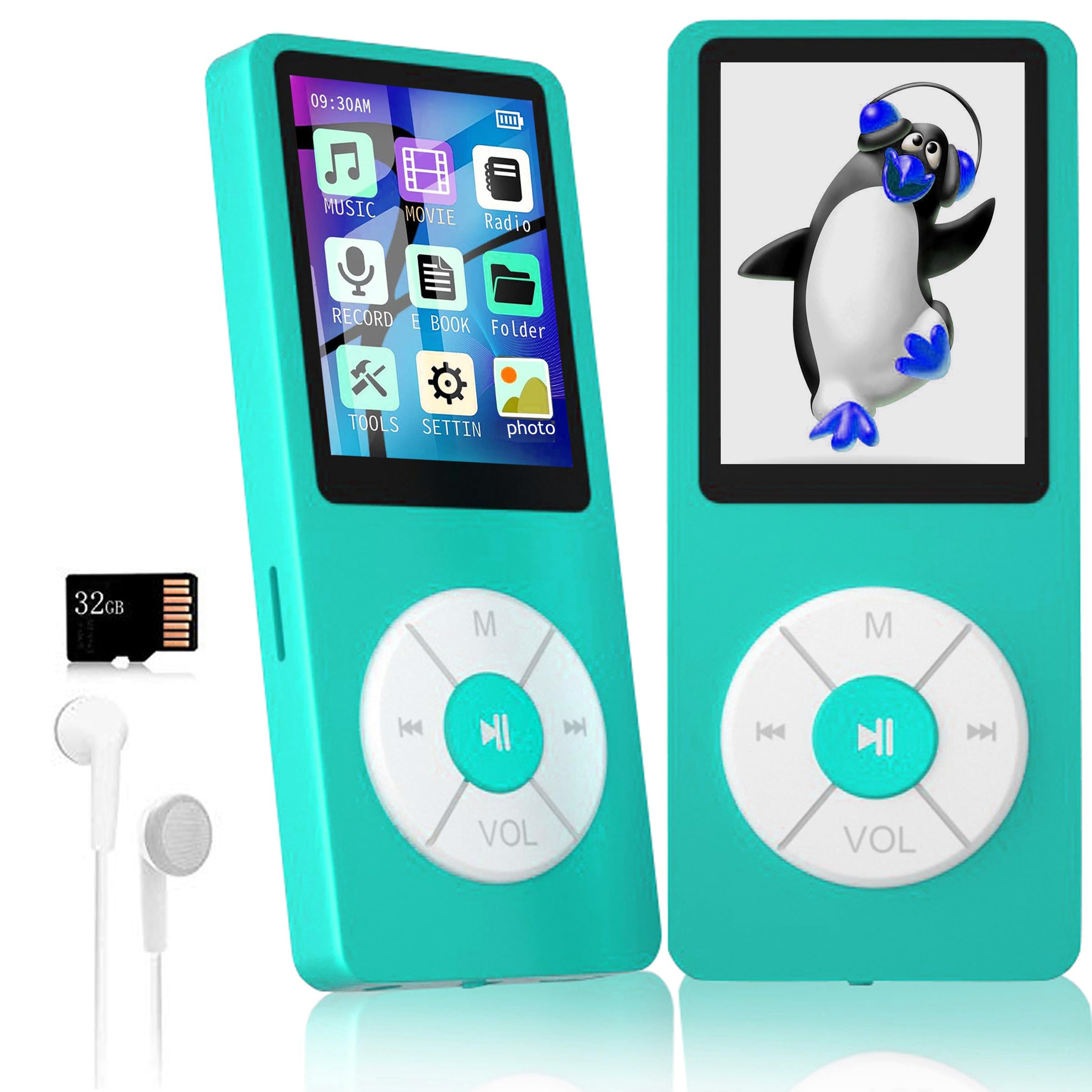
At one ounce, this is the lightest player here, and it assumes the least. A 1.8-inch screen, a set of buttons, a built-in speaker and a 3.5mm jack, with no Bluetooth at all — which for a young child sits closer to a feature than a limitation. Nothing to pair, nothing to reconnect, nothing to troubleshoot at bedtime.
A 32GB card and a pair of earphones come in the box, so it works straight out of the packaging with nothing extra to buy. The listed battery runs to 10 hours and a charge takes well under an hour. For a first player that a five- or six-year-old will carry, drop and probably lose, that is exactly the trade we want: the cost of replacing it is the lowest in this group, and the loss stays small.
It plays MP3, WMA, WAV, FLAC, APE and OGG, plus video, photos and e-books, though the extras are novelties rather than reasons to buy. Think of it as a music player with a card in the box and a speaker in the body — for a small child, that’s the whole job.
Pros
- 32GB card and earbuds in the box
- Light at one ounce
- 10-hour battery, quick to charge
Cons
- No Bluetooth
- Tiny 1.8-inch screen
The budget pick that comes with everything: a 32GB card, earbuds and a speaker in the box, and no wireless to go wrong. Best for a first player you expect to be dropped.
Best for Tweens and Teens
Globluum SU7

Key Features
- Screen: 4-inch touchscreen
- System: Android 14, Google Play
- Battery: Up to 25 hours
- Storage: 96GB including 64GB card
- Price: Premium
Google Play is what separates this from every other streaming player here. Most of them lock the app list down; the SU7 runs Android 14 with the store attached, so it can grow with a child — a new service, a podcast app, a different music app a year from now.
Behind that is a 96GB setup, 32GB on board plus a bundled 64GB card, a 4-inch touchscreen, Bluetooth, dual-band Wi-Fi and a listed 25 hours of playback in 3.46 ounces. HiBy Music is preloaded for lossless files, and the chip decodes FLAC and APE in hardware, which matters if you keep a library of your own rather than streaming everything.
Audible, Libby and LibriVox are there for stories. Parental controls exist, but the honest description is that this is the least locked-down player in the group: with the Play Store present, restrictions are something a parent configures rather than something the device enforces by design.
This is the one we buy for a twelve-year-old who has outgrown a card full of songs and wants one device for music, stories and a bit of video. For a younger child, the app store is a door worth keeping shut, and the panda player or the YU3 keeps it closed for less.
Pros
- Android 14 with Google Play access
- 96GB including the bundled card
- HiBy and hardware FLAC/APE decoding
Cons
- Play Store access needs a parent’s supervision
For a tween ready for a real app library, this is the one: Android 14, 96GB and lossless playback — provided you’re ready to manage what gets installed.
How We Chose and Tested the Best Kids MP3 Players
We built our shortlist by reading parent reviews, comparing spec sheets, and filtering out players with murky file support, missing volume limits, or a pattern of battery complaints. Then we brought in 12 kids MP3 players and used them for four months. They lived in backpacks, car cupholders, and bedside drawers, and they were handled by kids ages 5 to 10—not just adults reading manuals.
To judge ease of use and controls, I handed each player over without instructions and asked a child to find a favorite song, pause it, and change the volume. We watched where they got stuck, how many button presses it took, and whether they needed an adult. For build quality, we dropped each from about three feet onto tile, packed them with water bottles and lunchboxes, and wiped sticky fingerprints off the screens and buttons.
We also listened through the included earbuds and a pair of over-ear headphones, noting hiss, muddy vocals, and volume steps that jumped too fast. Bluetooth models were paired with a car stereo and headphones, then reconnected after power-off; I loaded files from both a Windows laptop and a Mac to check compatibility and folder structure. Reliability came down to repeated charge cycles, overnight sleep tests, and whether a player froze or lost its place in an audiobook. For value, we compared what came in the box and whether the extras felt useful rather than filler.
How to Choose a Kids Mp3 Player
The right player for a six-year-old and the right player for an eleven-year-old are different devices, and the split comes down to whether the child needs the internet.
Put the volume limit first
Loud music through headphones is the one risk you can actually control, so we put it ahead of storage, screen size and everything else. A cap built into the player is worth more than a promise of kid-safe sound, because it keeps working when you leave the room. Some players here carry one; others leave the whole question to you and the headphones you pair with them. Set it before the first listen, and check it again after any software update.
Buttons, touchscreens and bedtime
Small hands do better with buttons: they work by feel, survive a coat pocket and don’t need a lock screen to stop a bag from skipping tracks. A touchscreen is more capable — browsing a streaming catalog on one is far less painful — but it wakes up in a backpack and drains itself doing nothing. Under seven, buy buttons. Above that, a touchscreen in a case is fine.
The other control worth paying for is a sleep timer. If your child falls asleep to music, a player that powers down after twenty minutes saves a midnight trip to the bedroom and a flat battery in the morning. White noise is a bonus some players carry; the timer is the part that matters.
How the music actually gets on there
This is where budget players disappoint, and it has nothing to do with sound. Some mount as a drive and take a simple drag-and-drop; some want a media app on the computer; a few are awkward with a Mac. Before you fill a memory card, copy three albums, eject safely and play them through. Copy-protected purchases may not transfer at all, so test one album from your own library first. Whatever you buy, a parent with a computer is part of the setup.
Streaming, or a card you curate
Every player here is one or the other. A card player holds exactly what you put on it, works on a plane and in the car with no Wi-Fi, and can’t serve an ad or suggest a video. A streaming player opens a real catalog, but it needs an account, a network and settings that keep a child inside approved apps. The question we ask is whether the child wants new music every week or the same twelve songs on repeat. The first answer costs more and needs more management.
Buy for the device that goes missing
A children’s player is a small object with a cable attached, and it will be dropped, sat on and left behind. Weight matters more than it sounds: a light player disappears into a coat pocket instead of being left at home. Check that it comes with a case or takes one, that it charges over USB-C so cables aren’t a hunt, and that a microSD card can extend the storage rather than force a new device. Keep the box for the first month.
Frequently Asked Questions
What age is a kids’ MP3 player right for?
Around five is when a button player with a volume cap starts to work: big controls, no menus to get lost in, nothing connected to the internet. From about eight, a touchscreen and a streaming app become realistic, and parental controls start to matter more than buttons.
If you’re unsure, start with buttons and a memory card. Moving up later costs you one device, not a whole library.
How many songs fit in 16GB or 32GB?
The listings here put roughly 5,000 songs in 32GB, so 16GB is about half that. Audiobooks eat far more space per hour than music does.
A microSD card is the cheapest way to add room, and most of the players here take one up to 128GB. Load a card before you decide you need a bigger device.
Do these players come with a warranty?
Several carry a one-year manufacturer warranty, and the others offer service through the seller. What matters more is the first month: buy where returns are straightforward, keep the box, and run the player daily for two or three weeks so a unit that won’t power on shows up while you can still send it back.
Why not just give my child an old phone?
A hand-me-down phone does everything a streaming player does, and the screen is better — but it also has a browser, a camera and an app store you now have to lock down yourself, plus a battery that lasts a day rather than a week.
A dedicated player’s limits are built in. If you do hand over a phone, set it up with a restricted launcher and no cellular line first.
Final Verdict
For most families, the player we recommend is the RUIZU panda. The volume cap, the physical buttons and the built-in speaker are the three things a young child’s device actually needs, and none of them require a Wi-Fi password or an account.
The one reason to go elsewhere is streaming: if your child wants Spotify and is old enough for a login, the Globluum YU3 does it with app approval and no browser. That trade — more capability for more setup — is the whole decision.