This post contains affiliate links. We may earn a small commission when you buy through our links — at no extra cost to you.
A toddler who can’t tell time doesn’t know it’s 4:45 a.m. — only that the sun is up and they want company. An okay-to-wake clock gives them a simple visual answer: red means stay in bed, green means come find me. That cue can buy back an hour of sleep, which is why these have become a nursery staple. Over the past six months, my team and I have tested 12 of them in real homes.
What separates a clock that sticks from one that gets ignored? It’s not the fanciest app or the widest color palette — it’s whether a half-asleep parent can set it in the dark and whether a 3-year-old finds the face friendly enough to obey. We looked at brightness (does the display light up the whole room?), volume control on the sound machine, and how the thing holds up after being dropped, dragged, and drooled on. We also asked whether the price felt fair. The picks below are the ones that made the cut.



Best for First Sleep Trainer
Windflyer Little Teddi
Key Features
- Dimming: Adjustable, separate ring dimmer
- Wake cue: Color light and changing face
- Sleep sounds: 4
- Night-light colors: 5
- Price: Midrange
The detail we keep coming back to isn’t the wake signal at all — it’s the cover on the memory battery. The Little Teddi’s coin cell sits behind a compartment you need a screwdriver to open, and the buttons lock with a long press. In a room with a toddler who has learned that pressing things makes them change, that is what keeps a schedule intact between Sunday night and Friday morning.
What earns it the top spot is the cue. It pairs a colored light with a face that changes expression, which is legible to a child who cannot read numbers yet. The rule you are teaching — wait until the face wakes up — fits in one sentence and survives being repeated at dawn. You set the sleep and wake times once and the pattern repeats daily, so there is nothing to re-enter after a rough night.
The extras are chosen sensibly rather than piled on: five night-light colors, four sleep sounds, and a light ring with its own dimmer, which we ran low enough that it read as a night light rather than a lamp. Nap mode is the sleeper feature. When your child drops the nap but still needs an hour in their room, it does the same job in daylight, and the child lock stops that hour turning into a light show.
Setup is the one rough edge. The menus aren’t obvious on a first pass and the button sequence took us a few tries before the times stuck; after that it is genuinely set-and-forget. Other clocks here offer more sounds or more colors, but none puts the pieces together this cleanly for a family buying their first trainer.
Pros
- Color-plus-face cue a pre-reader can follow
- Light ring dims low with its own dimmer
- Child lock and screw-secured battery cover
- Set once and the routine repeats daily
Cons
- Corded only; needs an outlet near the bed
We point most families here: a color-and-face cue a toddler grasps quickly, a night light that dims low, and a child lock that keeps the schedule you set.
Best for Gradual Mornings
LittleHippo Mella
Key Features
- Wake cue: Green light and face
- Sleep sounds: 3
- Pre-wake warning: 30 minutes
- Night-light colors: 5
- Price: Premium
The Mella starts signalling half an hour before wake-up, so a child who surfaces early has a change to watch instead of a silent room to negotiate with. That advance warning is the reason it is here. The face and the light shift together, which turns wait-until-the-clock-wakes-up into something a three-year-old can hold in their head and apply without you standing in the doorway.
It is also the pick that looks like a clock rather than a baby gadget — a round LCD face with expressions, three sleep sounds and five night-light colors — so it keeps a job once your child graduates from staying in bed to getting up for school on their own. The shell is ABS and silicone rather than glass, which matters on a nightstand a small person can reach, and at roughly four and a half inches tall it doesn’t swallow the shelf.
The sticking point is the light. It is bright, there is no dimmer, and in a dark room that is the difference between a clock a child ignores and one they turn away from. If your child already sleeps with a night light on, you will never notice; if the room is pitch dark, the fixed brightness is the thing to weigh before you order.
Pros
- Half-hour warning before wake-up
- Stays useful as a school-age alarm clock
- Rounded ABS and silicone shell
Cons
- Bright night light with no dimming
The Mella is the pick when morning should arrive in stages: it starts signalling half an hour early, and it makes the jump to a real alarm clock when your child is older.
Best for App-Based Routines
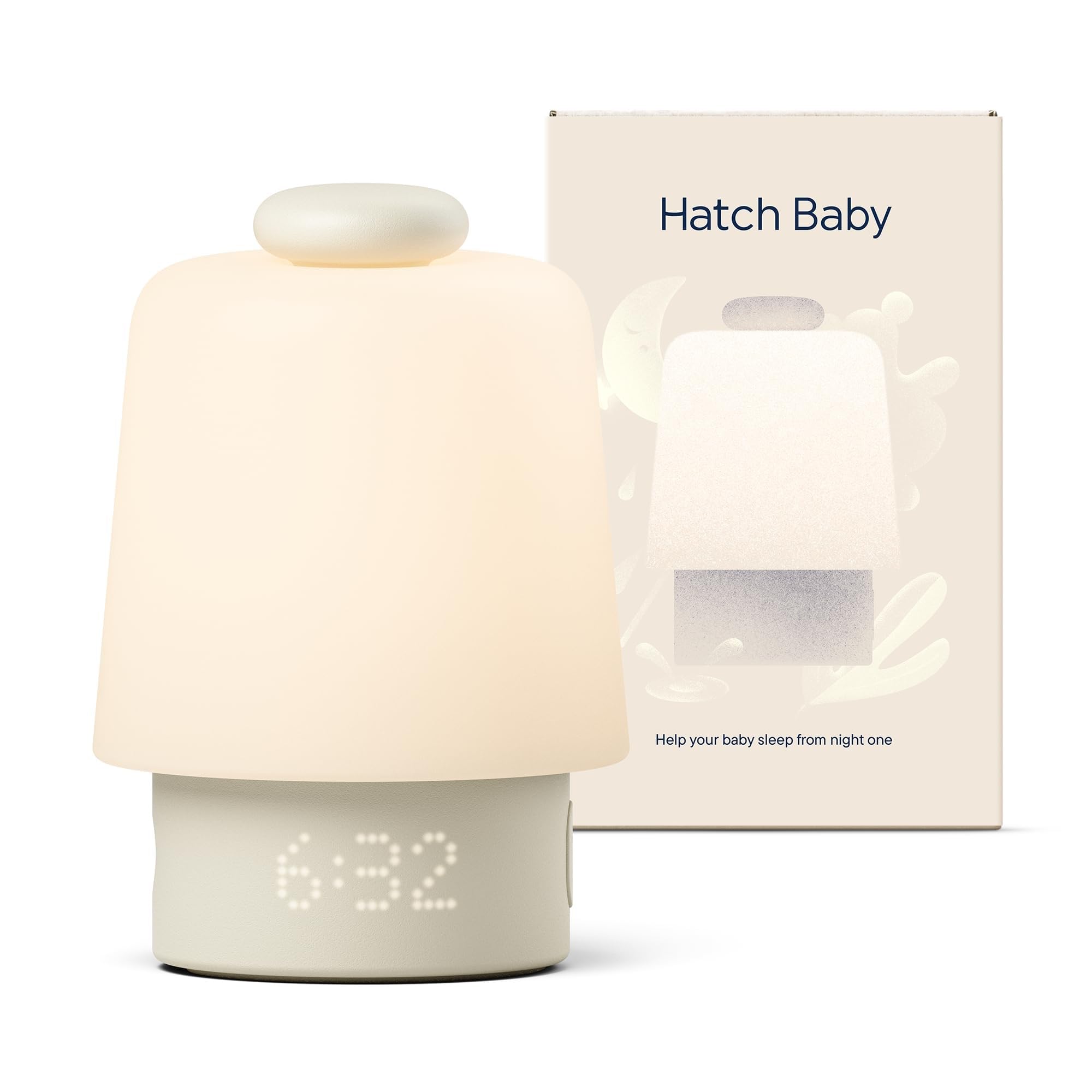
Hatch Baby Routine Builder
Key Features
- Control: App over Wi-Fi
- Routines: Timed programs with favorites
- Dimensions: 6 x 4 x 5 in
- Light colors: Custom, chosen in app
- Price: Premium
The Hatch is the most expensive clock here, and it is the one that hands the most control to your phone. That trade pays off in a particular household: the one where the routine shifts week to week, or where you want to change a color and a sound from the kitchen instead of leaning over a cot in the dark.
What the money buys is custom colors rather than a fixed set, a program you schedule instead of two times you punch in, and a sound library that includes pink noise. The ring on top is the part we use most — tap it and the light and sound come on without unlocking anything, which is the difference between a two-second job and a phone hunt at three in the morning.
The cost is dependence. The schedule lives in the app, so a flaky connection leaves you with the ring and nothing else, and reliability is the shakiest thing about it in this group: units that switch themselves off or lose their connection are what come up. If you will use the app, it is the most capable clock of the six. If you want to set two times once and never open an app again, the Little Teddi is the easier buy.
Pros
- Light and sound controlled from the app
- Any color you like, not a fixed set
- Tap ring works without the phone
Cons
- Schedule depends on Wi-Fi and the app
- Can power off or drop its connection
Buy the Hatch if you want one device running the whole night from your phone — just accept that the schedule lives in an app, not on the clock.
Best for Sound Variety
Dreamegg Baby Sound Machine
Key Features
- Sounds: 34
- Schedules: Per day of the week, via app
- Dimensions: 4.33 x 4.33 x 5.76 in
- Light modes: 3
- Price: Midrange
Thirty-four sounds is the headline, and it isn’t padding: eleven nature sounds, seven ambient, six white noise and ten melodies. That spread matters if your child has already rejected every lullaby in the house, and it is the reason this is the pick for a nursery that needs masking more than it needs a tune. Three light modes — solid color, a sunlight glow and a slow dynamic shift — plus adjustable brightness cover the night-light side.
What we did not expect to care about is the per-day scheduling. You can set different routines for different days, which starts to matter the moment school does and Saturday stops looking like Tuesday. It also shows the time, which sounds trivial until you are deciding whether 5:40 counts as morning.
Two things hold it back. The app is the weak link — pairing took us a couple of attempts, and the interface isn’t the smoothest here — and the volume tops out lower than we expected from a machine with this many sounds, so a heavy sleeper or a thin wall may want more. It costs less than the Hatch and does the sound half better; the Hatch does the routine half better.
Pros
- 34 sounds across nature, ambient and white noise
- Different schedules for different days
- Three light modes plus adjustable brightness
- Displays the time as well as the routine
Cons
- App pairing can be fussy
- Volume tops out quietly
Choose the Dreamegg if the sound matters more than the clock: 34 options, per-day schedules and three light modes, with a fussier app than the rest.
Best for Dinosaur Fans
H-chin Dinosaur Sleep Trainer

Key Features
- Wake cue: Color light and dinosaur face
- Nap timer: 0-120 min
- Sleep sounds: 17
- Night-light colors: 9
- Price: Midrange
Every clock here asks you to set two times. The H-chin makes you feel it: the button sequence isn’t self-evident, and we needed the instructions twice before the sleep and wake times stuck. That is the honest cost of the dinosaur on the nightstand.
The payoff is a clock a small child wants in the room. The face opens its eyes in the morning and closes them at night, nine night-light colors and seventeen sounds — three white noise, four lullabies, ten nature — do the settling, and the nap timer runs up to two hours for the child who has dropped the nap but not the need for quiet. Settings survive being unplugged, and the child lock keeps the buttons out of the hands of the person they are for.
It costs about what our top pick does, and that money buys character rather than engineering: the menu is rougher here and the same features take more steps to reach. Where it wins is buy-in. If your child has to love the thing before they will follow it, a face they picked out themselves beats a better dimmer, and that is the whole reason it is on this list.
Pros
- Dinosaur face sells the routine to a toddler
- 17 sounds including white noise and lullabies
- Nap timer up to two hours
- Settings survive being unplugged
Cons
- Wake light can be bright enough to wake a light sleeper
Buy the H-chin if your child has to love the thing before they will follow it — the dinosaur earns the buy-in, the menu costs you an evening.
Best for Budget and Travel
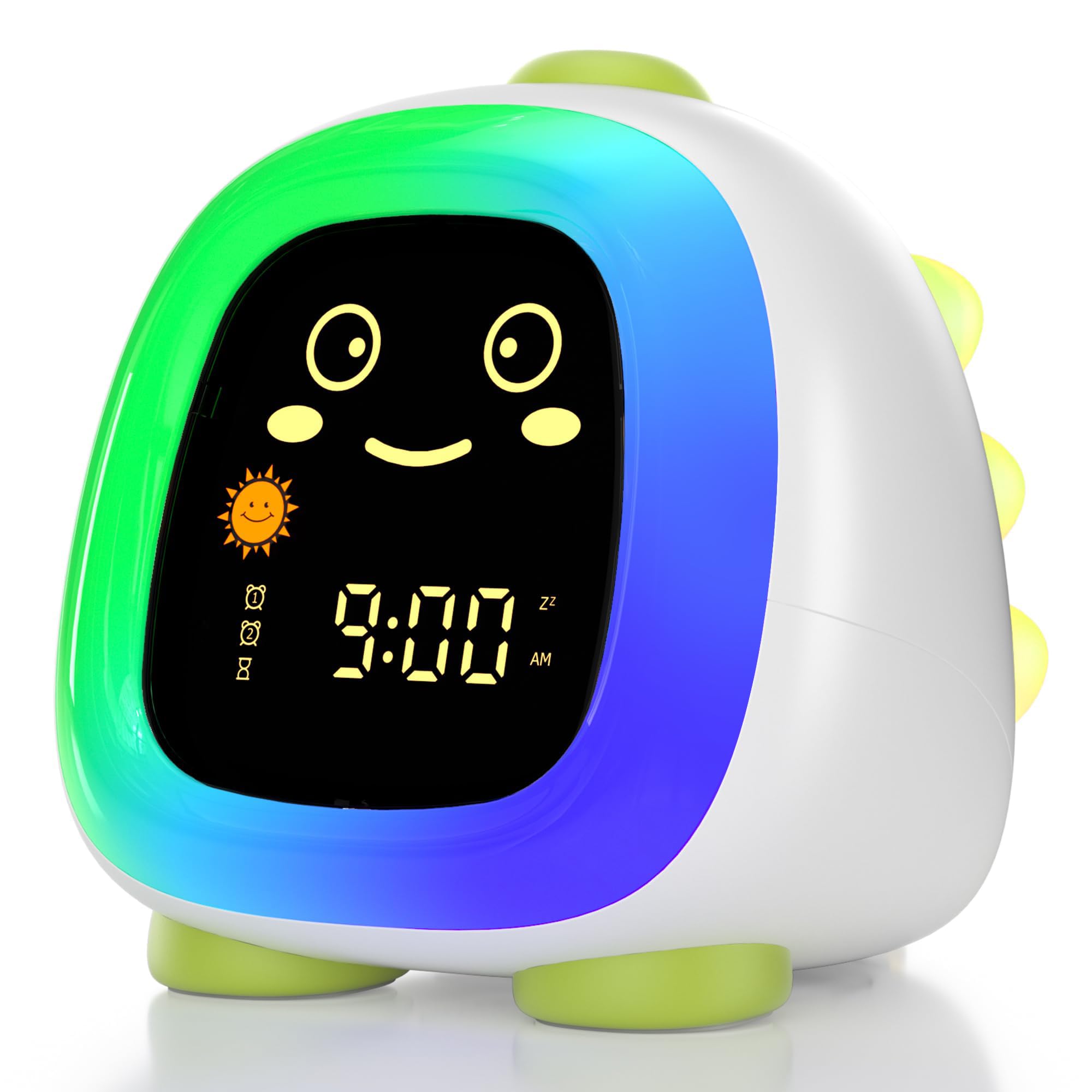
ANALOI Dinosaur Alarm Clock
Key Features
- Power: Rechargeable battery
- Wake cue: Sun and moon icons with light
- Sleep sounds: 7
- Light options: 10
- Price: Budget
This is the one clock here that doesn’t need a wall outlet. It runs on a rechargeable battery, so it can move to a grandparent’s spare room, a rented cottage or the far side of the landing without a hunt for a free socket — and for plenty of families that alone decides it. The cue is a sun and moon on the display: moon and red at bedtime, sun and green when it is time to get up.
Around that you get seven sounds, ten lighting options (two mixed colors, two gradients, six solids), three brightness steps and a countdown timer that starts the sound and light 15, 30 or 60 minutes before bed — the feature we used most, because it takes the one-more-song negotiation out of the room. It is the cheapest clock here and it shows in small ways: three brightness steps rather than a smooth range, and a lighter feel in the hand. The 24-month warranty is the longest of the six, which offsets some of that simplicity.
Pros
- Rechargeable, so it moves between rooms
- Sun and moon cues with red and green light
- 10 light options and a 15/30/60 minute wind-down
- 24-month warranty, longest here
Cons
- Brightness has only three steps
The one to buy if the clock has to travel: it runs on a rechargeable battery, and it is the cheapest way to get a proper color cue into a child’s room.
How We Tested 12 Okay-to-Wake Clocks
We started by pulling together a shortlist of 30 clocks from brand clusters we’d heard good things about, then narrowed it to 12 based on specs, price, and availability of features like app control and adjustable color options. Each clock lived in a real home for six months—mostly in kids’ bedrooms, but also in a shared sibling room and a guest room that doubles as a nap space.
Every night, we noted how easy it was to set the wake time and brightness after lights-out—could a half-asleep parent do it by touch? We ran the sound machines at low, medium, and high volumes to judge sound quality and volume control, and listened for tinny speakers or annoying loops. We watched how our test kids reacted: did they understand the color change (red to green), did they try to play with the buttons, did the face feel friendly or babyish? We also checked display brightness in a pitch-black room—some lit up the whole wall, others were just right. For app-connected models, we set schedules from our phones and timed how long it took to sync, plus whether the app added value or just complexity.
After six months, we looked for wear: dropped clocks, chewed knobs, and app updates that broke schedules. We also tracked whether the clock actually helped with sleep training—did kids stay in bed longer, or did they ignore the cue? The ones that worked shared a few traits: a clear color change, a parent-friendly setup, and a price that felt fair for the durability.
How to Choose an Ok-To-Wake Clock
An OK-to-wake clock only works if the signal makes sense from a toddler’s bed, so decide what your child will actually see before you compare feature lists.
Start with what your child can read
A bare color change asks a lot of a two-year-old; a color that arrives with a face or an icon gives them something to point at. Under four, put your weight on the shape of the cue — the Little Teddi and the Mella both change expression when morning comes, and the ANALOI switches from a moon to a sun. At five or six, when they already ask what time it is, a plain color plus numbers is enough and you can spend the difference on sounds.
The test is simple: ask what the bedtime color means and see whether the answer comes back right. If it doesn’t, no amount of programming will make the morning work.
Dimming matters more than brightness
This light stays on for ten hours a night, which makes the lowest setting more important than the highest. A clock that only glows brightly is one you end up turning to face the wall; adjustable brightness, or a dimmer for the light ring alone, is what keeps it useful at 3 a.m. without keeping anyone awake. The Mella is the caution here — a lovely clock with a fixed, bright night light.
Run any new clock at its dimmest for the first week. If your child takes longer to settle than usual, the light is the first thing to change, not the schedule.
Decide how much you want on your phone
The Hatch and the Dreamegg put schedules in an app; the Little Teddi, the Mella and the dinosaur clocks are set on the device. Phone control is genuinely better for shifting a routine without walking into the room, and genuinely worse when the Wi-Fi drops, an app updates, or your phone is charging downstairs. If the nursery is the weakest signal spot in the house, buy buttons.
Count the sounds you will really use
Three sounds or thirty-four, most families settle on one and stop. Variety earns its money only if your child rejects lullabies and needs white noise, rain or a heartbeat instead, so treat the size of the library as insurance rather than a headline feature. Volume matters as much as choice: a machine that tops out quietly will not mask a hallway or a sibling in the next room.
If you already own a sound machine you like, buy the simpler clock and let the two devices do one job each.
Plan the outlet and the small hands
Every clock here except the ANALOI dinosaur lives on a cord, so walk over and look at the outlet before you order — a socket behind the dresser is no use if the cable has to cross the floor. Route the cord where a toddler can’t pull it, and check that the battery compartment is screwed shut.
The child lock matters more than it sounds. A clock that gets reprogrammed every afternoon teaches nobody anything, and a long-press lock is the difference between a routine and a toy.
Frequently Asked Questions
Do I need an OK-to-wake clock if I already have a sound machine?
Only if the machine can change color on a schedule. A sound machine that plays all night tells your child nothing about morning, so it can’t take over the wake-up job, while a routine device with programmable colors can.
Check whether yours has a timed color program in its app before you spend anything. If it doesn’t, the clock is the piece you are missing.
How long should one of these clocks last?
The display and the light usually outlast the power end. Cords, plugs and charging ports are where these clocks fail, which is why a unit that stays plugged in behind furniture does better than one that gets unplugged and carried around.
Warranties here run from one year to two, and the ANALOI dinosaur carries the longest of the six. Keep the receipt and register the clock when it arrives.
What if my child ignores the clock?
Most often the wake time is earlier than the child can actually manage. Set the green light for the time they already get up, even if that is half past five, then move it ten minutes later every few days until it lands where you want it.
Reaching the light has to be easier than leaving the room. If the clock sits across the hall, they will come and find you instead.
Final Verdict
The Little Teddi is the clock we tell most parents to buy. The cue is a color and a face a toddler can read before they can read numbers, the light dims far enough to sleep beside, and the child lock and screw-down battery cover mean the schedule you set on Sunday survives until Friday.
Spend more for a reason: the Mella if you want morning to arrive in stages, the Hatch if you plan to run the whole routine from your phone.